C-10 Infinity Vista VF6
C DEFAULT SETTINGS AND BIOMEDICAL SUPPORT
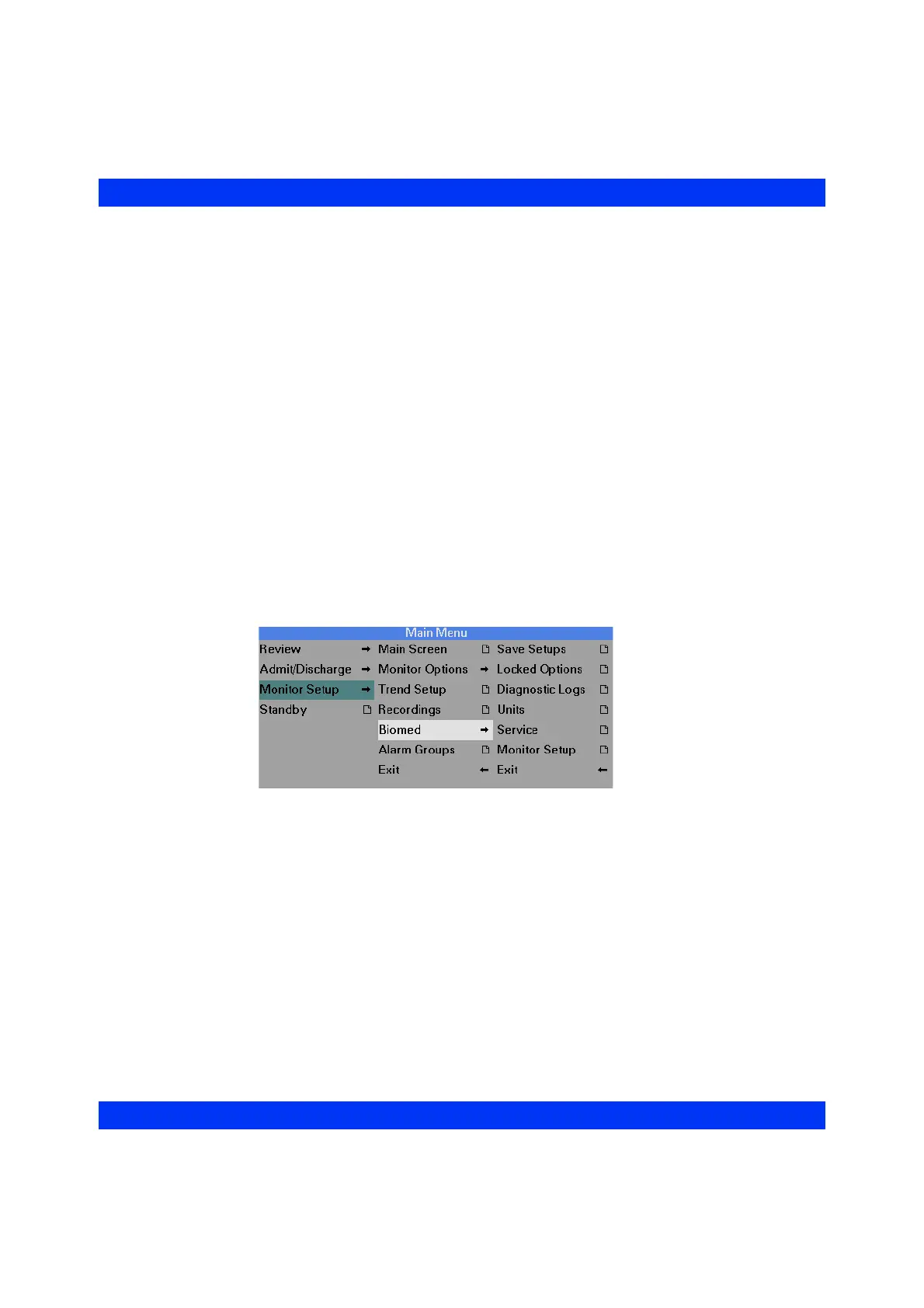
Biomed Menu
The Biomed menu gives you access to basic setup and maintenance tasks. The
Biomed and the Service menus are password-protected. The Biomed menu gives you
access to the following functions:
z Save Setups — to save the current configuration of alarm limits and display
options.
z Locked Options — to activate the demo mode and optional features of the
monitor. Each option requires a password to unlock.
z Diagnostic Logs — to display and to print the diagnostic log.
z Units — to change the units that Temperature, Pressures and ST segment
analysis use.
z Service — to access various service functions, including Update Software,
Test Pulse, ECG Baseline, Date and Time, Monitor Setup (Language, Data
Collection, Line Frequency), and Network Setup (Network Configuration,
Network Information). Access to this menu requires entering the Service
password.
z Monitor Stup — to select the parameter display colors.











 To Next Page