ARRHYTHMIA S ETUP
VF6 Infinity Vista 9-5
Arrhythmia Setup
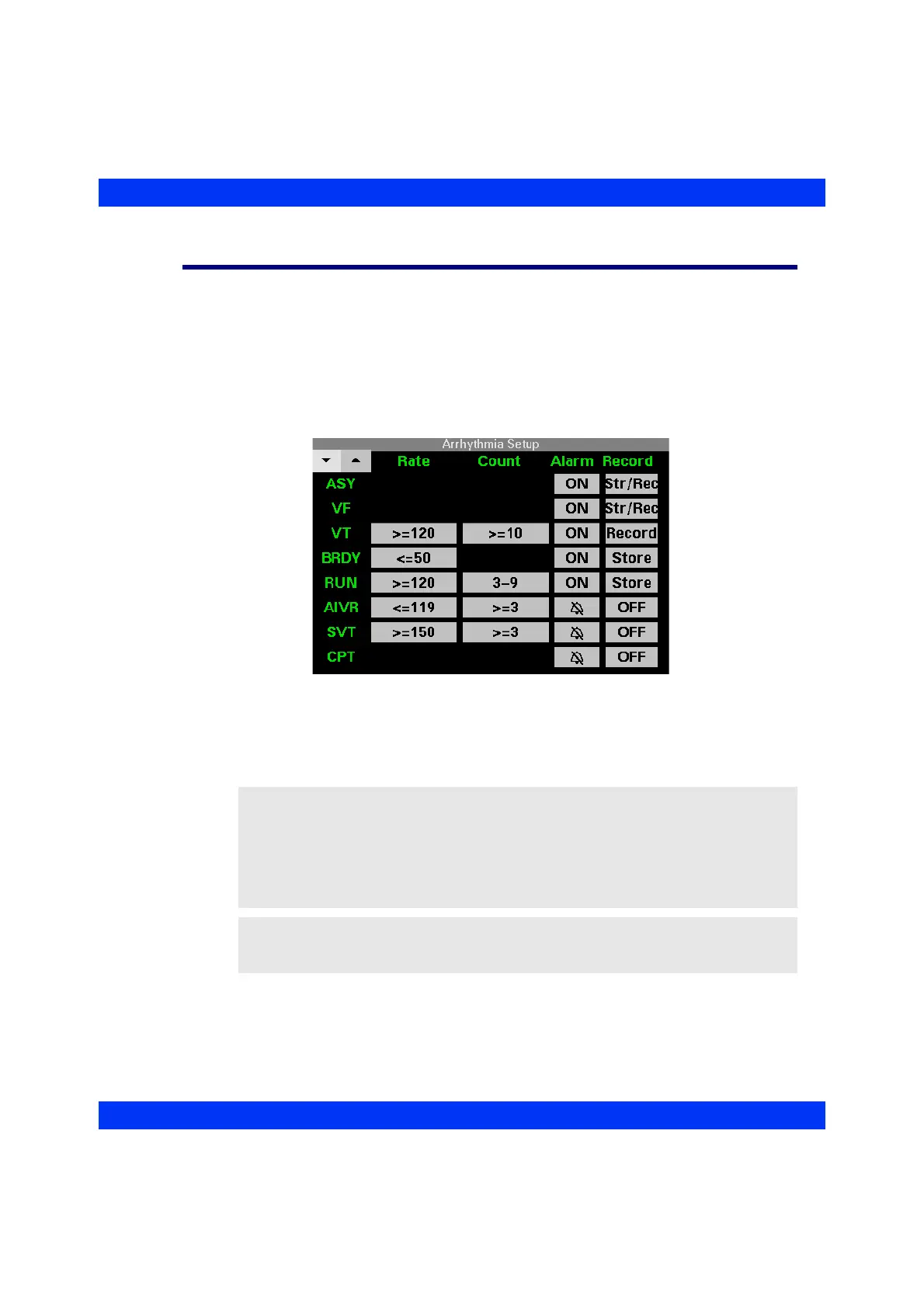
The Arrhythmia Setup table lets you set Rate and Count limits for certain arrhythmia
parameters and turn alarms and alarm recordings on or off. Call up the Arrhythmia
Setup table as follows:
1. Click on the
HR parameter box.
2. Click on
Arrhythmia Setup.
When you turn full arrhythmia monitoring on, the Arrhythmia Setup table spans 2
pages. Click on one of the arrow keys in the upper left-hand corner to view additional
parameters.
NOTE:
z Alarm settings for PVC can be selected in the Alarm Limits table (see the
chapter Alarms and Messages).
z By default, alarms for asystole and ventricular fibrillation are always on;
however, these alarms can be disabled in the password-protected Biomed menu
(see the appendix Default Settings and Biomedical Support).
WARNING: If the monitor displays the banner HR, ASY, VF
Off, there is no alarm annunciation for asystole and
ventricular fibrillation.











 To Next Page