ECG MONITORING SETTINGS
VF6 Infinity Vista 8-13
Pacer Detection
Pacer detection is used for paced patients in the adult and pediatric monitoring modes.
The monitor detects paced pulses in the amplitude range of ±5 to ±700 mV. When
pacer detection is enabled, the letter “P” is added to the flashing j symbol in the HR
parameter box for each paced beat. In addition, green positive spikes on the ECG
waveform indicate pacemaker pulses.
The monitor has an advanced pacer detection mode called Fusion, which offers
increased detection sensitivity to fused paced beats. To select the Pacer Fusion mode
in the HR menu, advanced pacer functions have to be enabled in the Biomed menu.
When monitoring paced patients, Dräger suggests the following:
z Use the electrode positions that are best suited for paced patients (see the
electrode placement section).
z Select the lead with the highest R-wave.
z Follow the pacemaker precautions given at the end of this section (see ECG
and HR Safety Considerations).
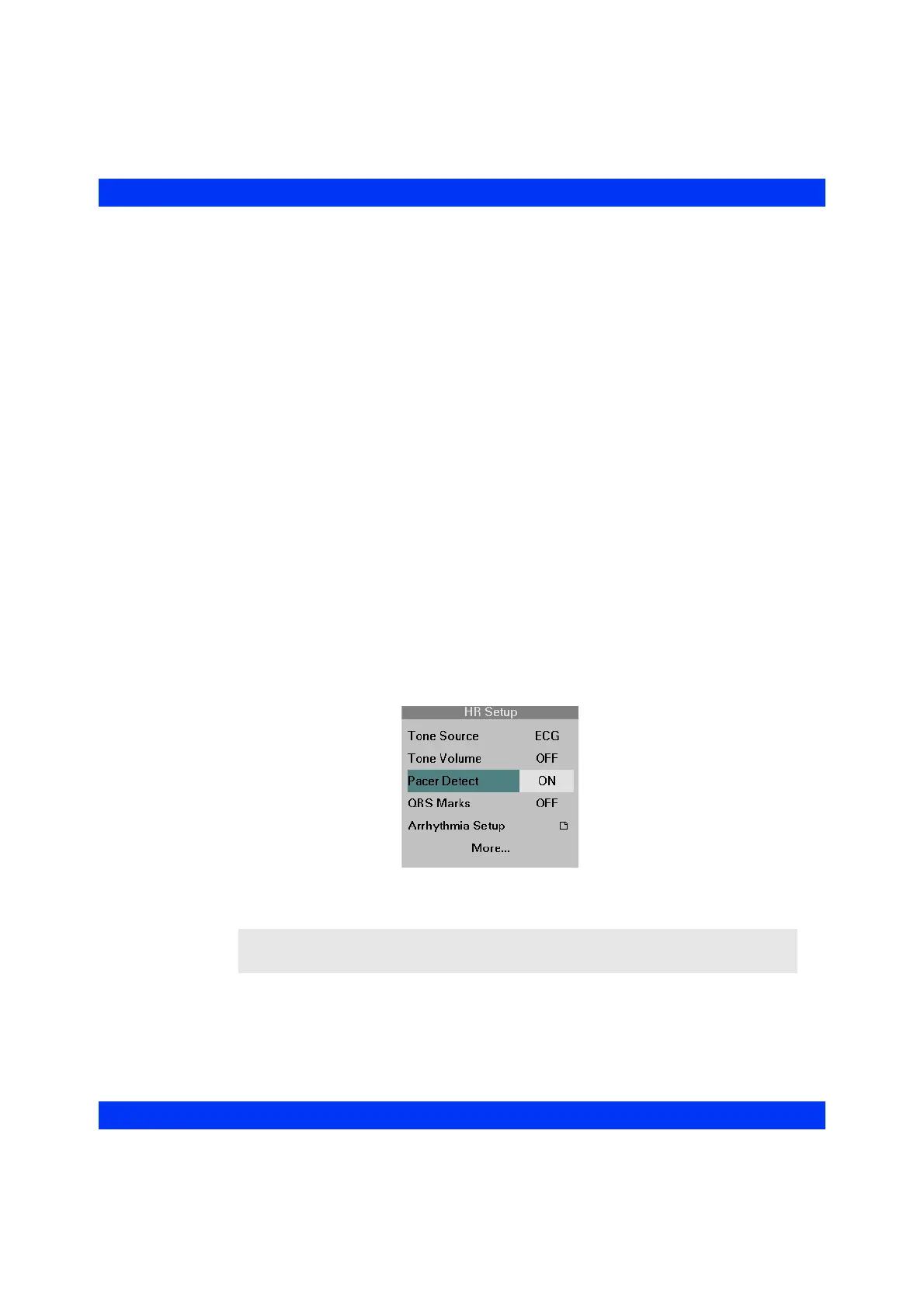
STEPS: Selecting the Pacer Detection Mode
1. Select the HR parameter box and click the knob.
2. Click on
Pacer Detect.
3. Dial in the desired setting (
ON, OFF or Fusion) and click the knob.
NOTE: The monitor indicates Pacer Off or Pacer Fusion Mode between the first two
waveform channels.











 To Next Page