5-6 Infinity Vista VF6
5 ALARMS AND MESSAGES
For the AutoSet function, the monitor calculates alarm limits as a percentage of the
current parameter values as follows:
Turning Parameter Alarms On/Off
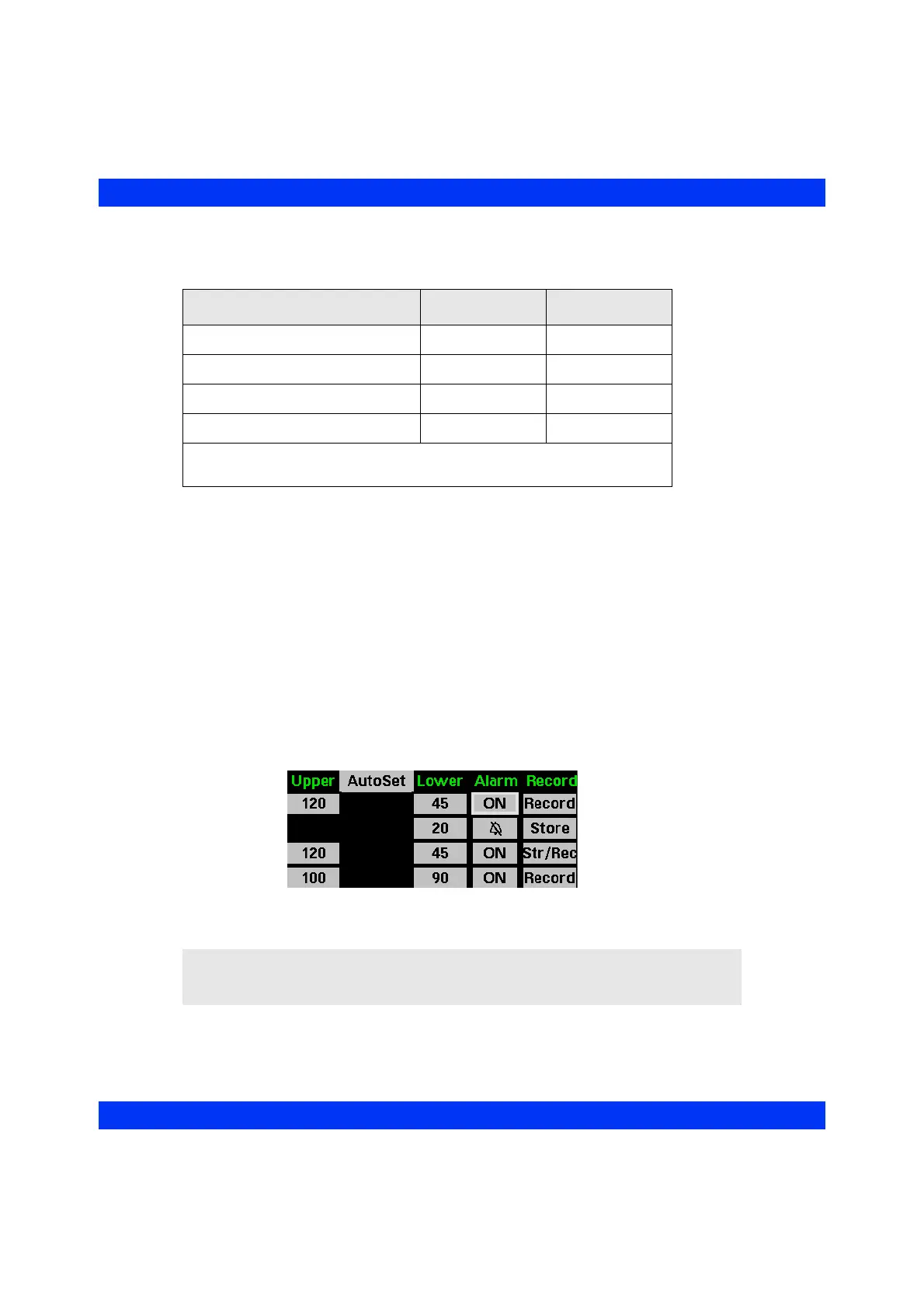
The monitor annunciates alarms only for parameters whose alarm is turned on. You
can turn alarms on or off for each parameter individually.
When you turn a parameter alarm off, the monitor displays a crossed bell icon in the
corresponding parameter box.
STEPS: Turning Parameter Alarms On or Off
1. Press the Alarm Limits fixed key.
2. Scroll to the
Alarm column of the desired parameter and click the knob.
3. Dial in the desired setting and click the knob.
Parameter Upper Limit Lower Limit
SpO
2
fixed at 100%* -5%
HR, PLS, Rsp, NBP, GP1, GP2 +20% -15%
Temperature +7% -7%
ST +2.0 -2.0
*For neonatal monitoring mode, the Upper Limit Adjustment is fixed at 95%.
Higher adjustments must be made manually.
WARNING: If the monitor displays the banner HR, ASY, VF
Off, there is no alarm annunciation for asystole and
ventricular fibrillation.











 To Next Page