CONNECTIONS
VF6 Infinity Vista 12-3
Connections
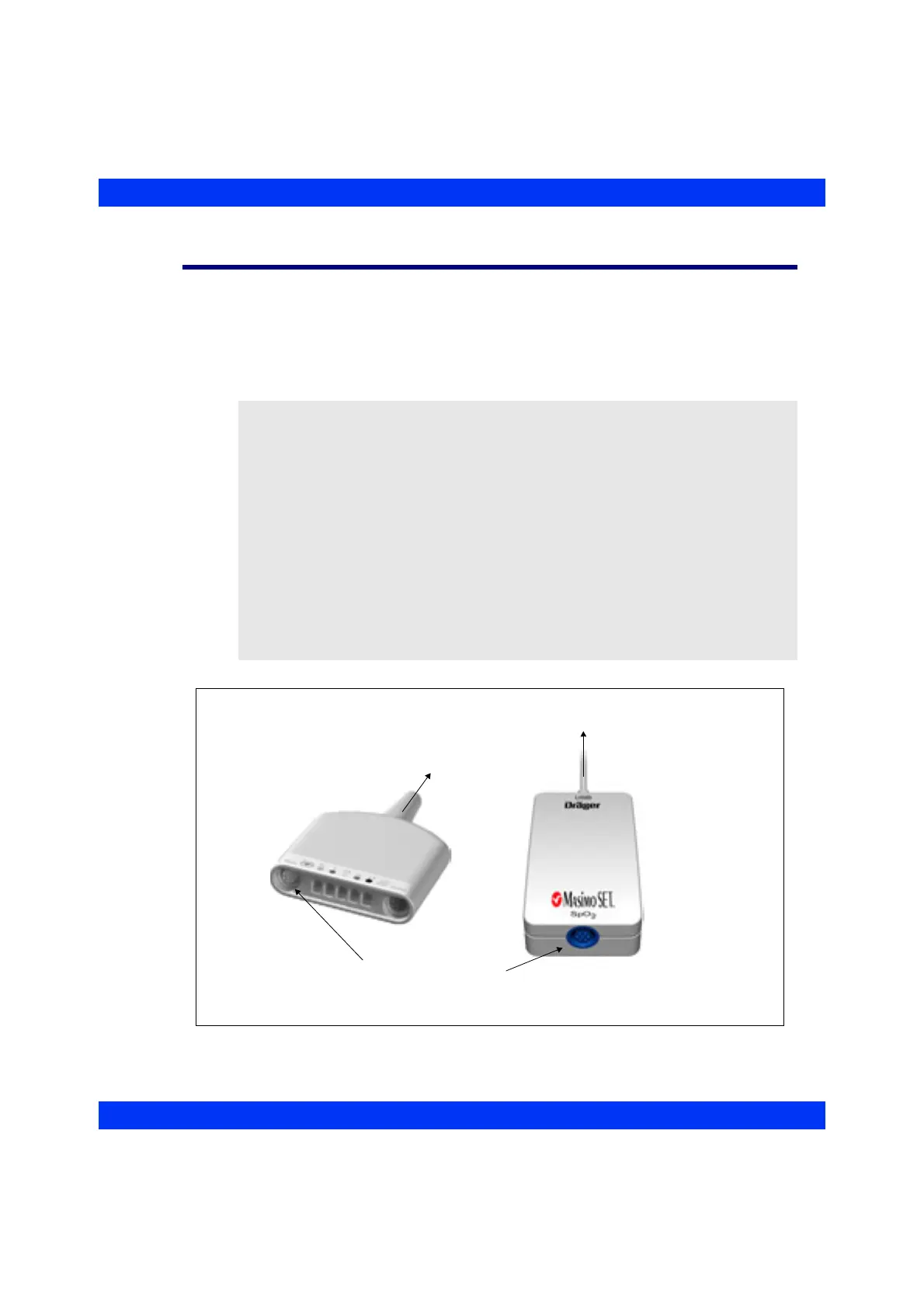
You can connect an SpO
2
sensor to a MultiMed/NeoMed pod or to an SpO
2
pod
communicating via USB interface with the monitor (Infinity® Masimo SET™).
Connect the MultiMed/NeoMed pod to the MultiMed connector on the monitor’s left
side plate.
Connect the SpO
2
pod to the USB connector X8 on the monitor’s right side plate.
NOTE:
z You can use either the MultiMed/NeoMed pod or an SpO
2
pod for SpO
2
monitoring, but not both at the same time. If you connect an SpO
2
pod while a
MultiMed/NeoMed pod with SpO
2
sensor is connected to the monitor, the
monitor displays an error message.
z The SpO
2
pod interface is a locked option and must be enabled in the password-
protected Biomed menu.
z Compatibility for the Masimo SET SpO
2
pod is a locked option and must be
enabled in the password-protected Biomed menu.
z The USB connector must be configured for the SpO
2
pod interface in the
password-protected Service menu.
z When a Masimo pod is connected, the SpO
2
menu displays Masimo* in the
sensor type field.
Connector for SpO
2
Intermediate Cable
Masimo SET™ Pod
MultiMed Pod
To Monitor
(MultiMed Connector)
To M oni to r
(USB Connector X8)











 To Next Page