530 Eos Family Operations Manual
MIDI Raw
Also known as MIDI Strings, MIDI Notes, MIDI Messages, or Channelized Event Data. Originally inten-
ded for communication between musical instruments, MIDI has been adapted for a variety of uses
between devices. Eos Family consoles can send or receive MIDI messages through the built-in MIDI
ports (when available).
Net3 Show Control Gateways do not support MIDI RAW Note On/Off, Program Change, and Con-
trol Change functions. Those functions are only supported through the local I/O cards. System
exclusive (SysEx) messages, including MSC, do work with a Show Control Gateway.
Receiving MIDI
Eos Family consoles can be configured to respond to specific MIDI messages or messages matching
a specific pattern. These are configured in an Event List in the Show Control Display.
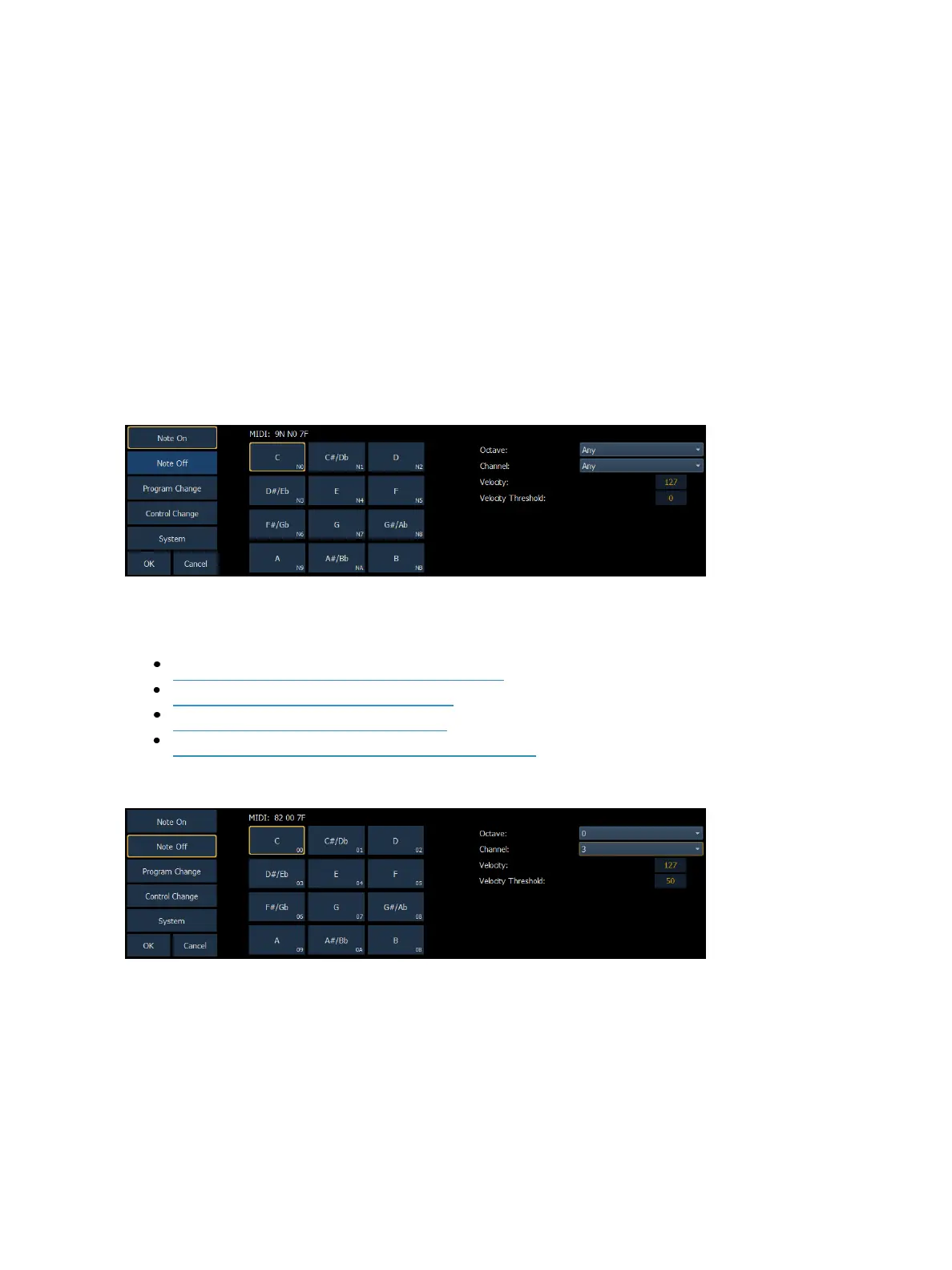
Strings are configured in the MIDI String configuration display, shown below:
MIDI Message Types
The following MIDI messages can be received:
MIDI NoteEvents (NoteOn/Note Off) (below)
Program Change Events (on page532)
Control Change Events (on page532)
System Events (MIDI Show Control) (on page533)
MIDI Note Events (Note On/Note Off)
Note On and Note Off commands simulate activating (on) and releasing (off) a musical note. The
MIDI data that is expected to be received is shown above the Note selection area, with ‘N’ shown
where any valid number will be considered a match. This display will change as configuration options
are selected. When finished configuring a Note On or Note Off event, press {OK} to store the event.
Otherwise, press {Cancel} to undo the changes.



 To Next Page