Patch 97
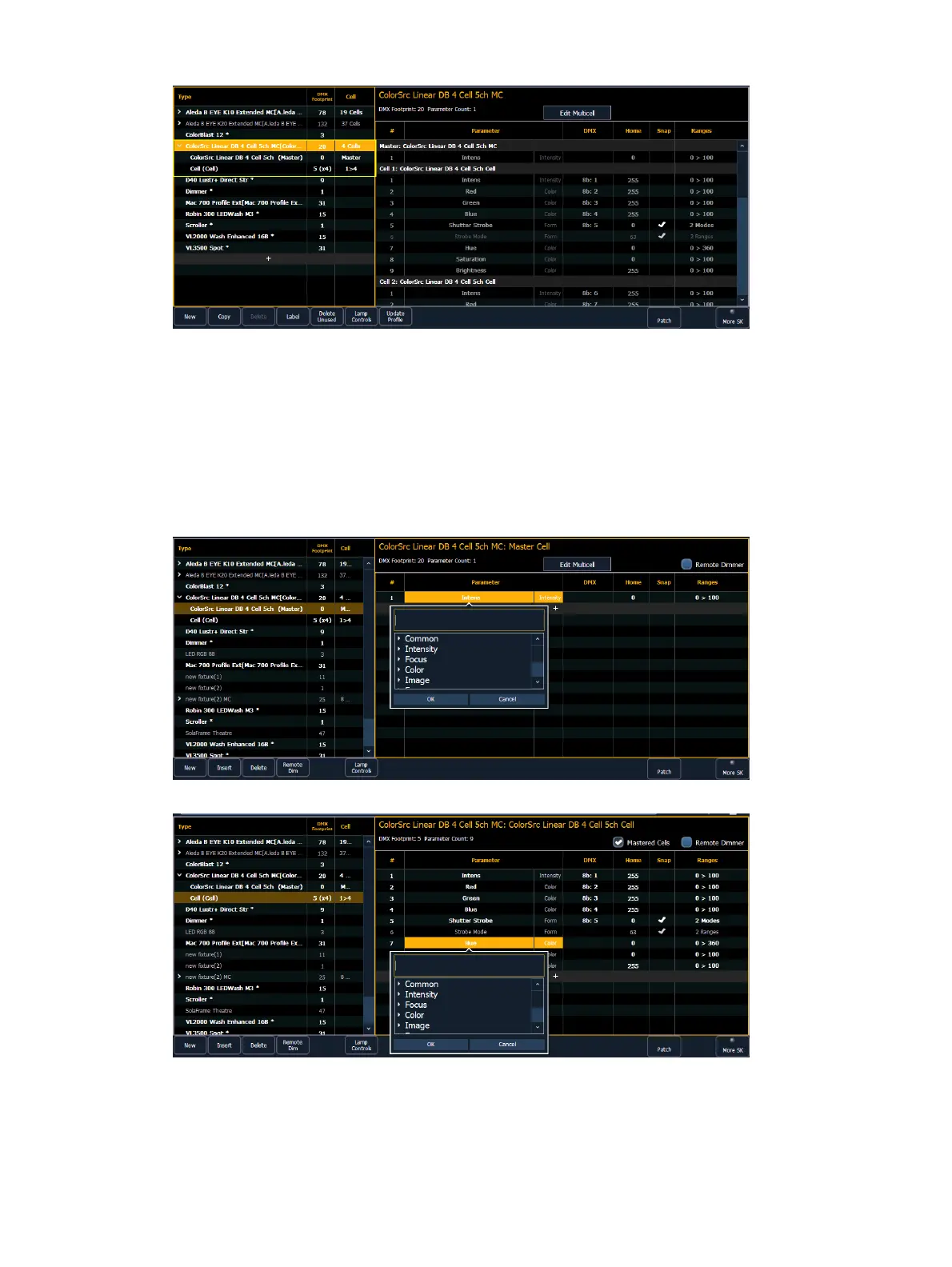
On the right, you can see the full personality of the selected multicell fixture. If you have the
whole fixture selected, you will be able to see all of the parameters for each cell and the master
but changes cannot be made here.
Editing Multicell Fixtures
You will need to select the master or cell profile to edit parameters. In this view, you'll be able
to edit parameters, DMX, Home, Snap, and ranges/modes. See
Creating a New Fixture (on
page116)
and
Range editing a parameter (on page119)
for more information.



 To Next Page