114 Eos Family v2.9.0 Operations Manual
Errors and Warnings
One of the advantages of using dimmer and RDM feedback is error and warning reporting. If
something happens with a patched and attached dimmer/ device, you will be notified in live,
patch, and about.
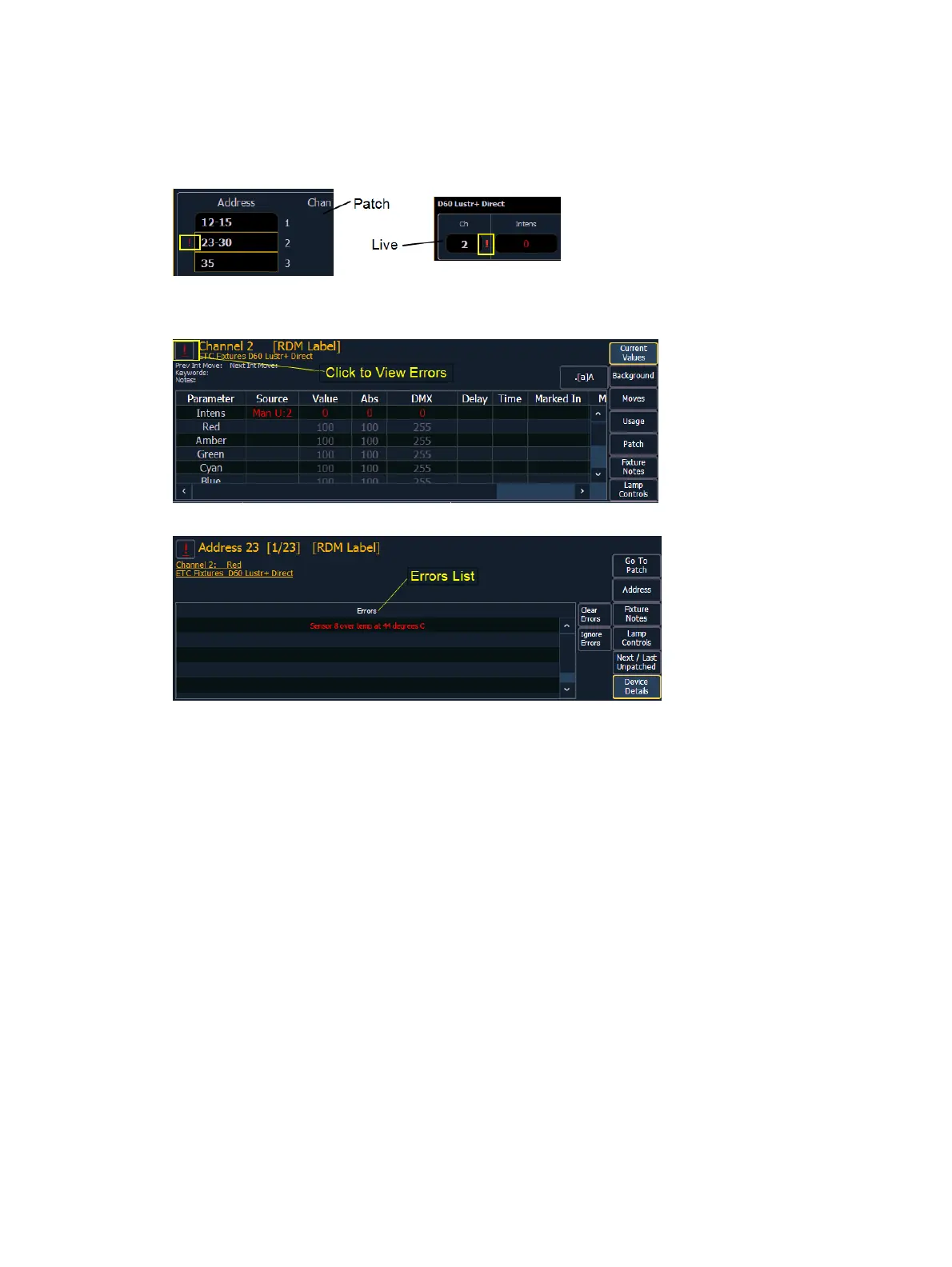
Errors can be viewed in the About Channel and About Address displays.
The notifications you can see are:
A red “!” means that the dimmer/ device has errors, such as overtemp, breaker trip, and
lamp out.
Yellow “?” means that the dimmer/ device has a warning message. Warning messages
can include:
Multiple devices’ addresses overlap
Multiple devices or different devices at this address
Patched fixture type mismatch
Patched fixture address mismatch
Offline
Detaching Devices
Pressing {Attach} twice will post the {Detach} command.
<Chan> [X] {Attach} {Attach} or <Address> [X] {Attach} {Attach} will remove the link between
that channel/address and the device at that address.



 To Next Page