Patch 113
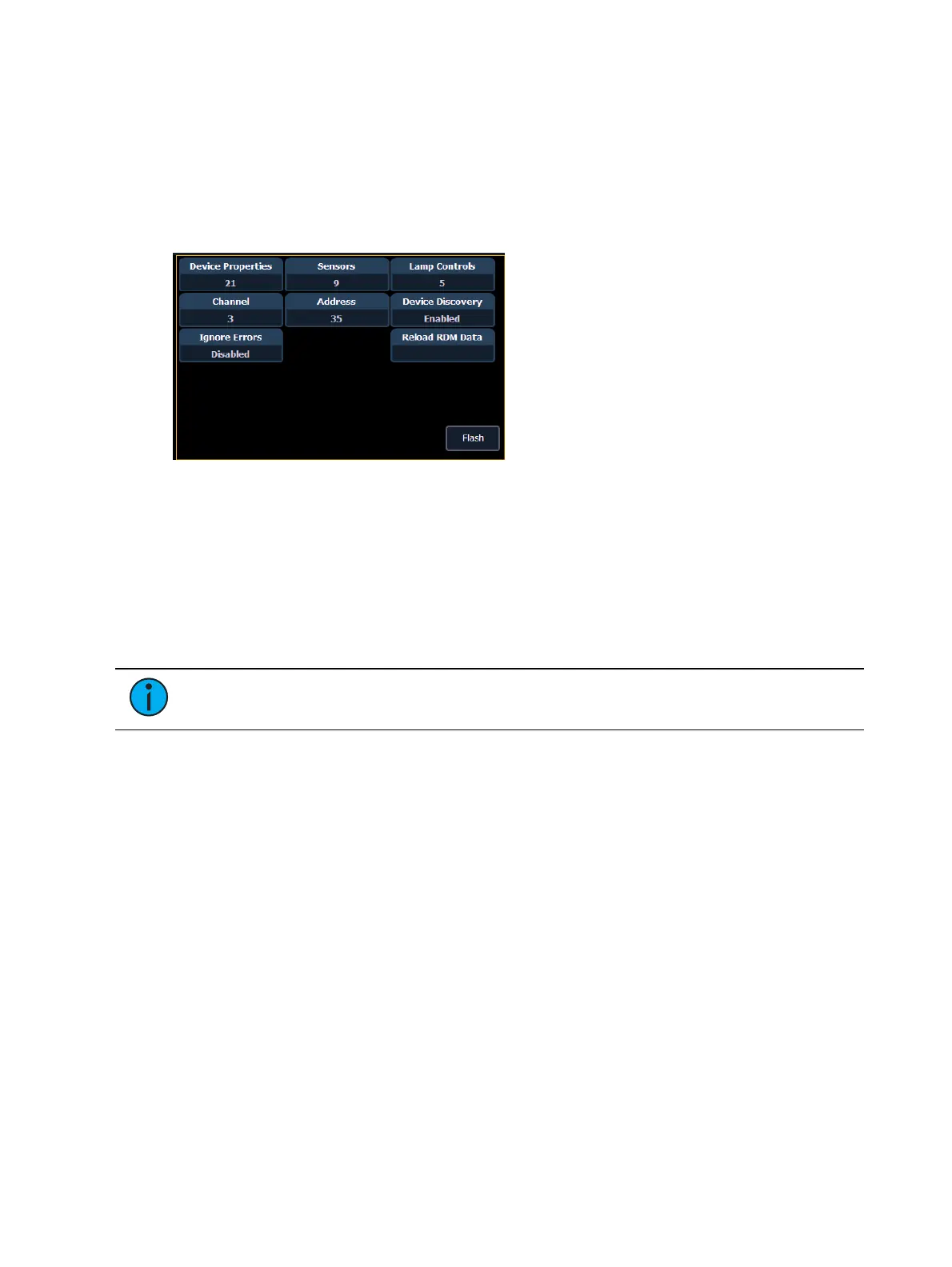
{Device Discovery} - allows for discovery ofRDMdevices.
{Ignore Errors} - when enabled, errors messages will not display in the live/blind displays.
They will still display in about and the properties display in patch.
{Reload RDM Data} - deletes the fixture data from the desk and reloads it from the device.
{Flash} - triggers the identify function of the RDM device. The identify function may defer
between different manufacturers' devices. For example, Wybron scrollers identify by
wiggling their gel back and forth.
{!} or {?} - displays if selected device has errors. Pressing {!}/{?} will open the error list.
Patching Discovered Dimmers and RDM Devices
When dimmers/devices are discovered, they are not automatically attached to any patched
channels in Element. If you want the benefits of dimmer or RDM feedback, you must attach a
dimmer or device to a channel.
If you patch a dimmer/device's address to a channel, while in the device list display, the
dimmer/device will be automatically attached to that channel. However, if you patch outside of
the device list, you will need to {Attach} the device to the channel.
Note: If the dimmer/device's address is not yet used in the patch, it is easiest to patch
the address to a channel in the dimmer list or device list screen.
<Chan> [X] {Attach} or <Address> [X] {Attach} will link that channel/address in patch and the
dimmers/devices at that address.
When a channel number is attached to a dimmer/device, by patching it or using {Attach}, the
channel’s fixture type is changed to the dimmer or device fixture type.
The advantages of attaching a dimmer to a channel are:
The desk warns you when a channel’s attached dimmer has an error or is offline.
Items that are attached between patch and the device list will display a caret (>) beside
their channel/address in patch.
The advantages of attaching a device to a channel are:
Its fixture type is copied to the channel.
The desk warns you when a channel’s attached device is offline or has an error.
The device will always appear in the device list display, even if the device is offline.
Items that are attached between patch and the device list will display a caret (>) beside
their channel/address in patch.



 To Next Page