Patch 121
Units
Degrees
Percent
(none)
Labels
Open
Open/Color N
Blackout
Animation
Animation N
Color
Color N
Color N/N
Color N/Open
Effect
Effect N
Gobo
Gobo N
(clear)
Units are used to add a degree or percentage symbol to the end of a label when it displays in the
encoder display or MLcontrols. If you want to remove a unit, select (none).
Labels are used to replace the text for all of the ranges. Labels that have an Nafter them will
display the appropriate number in the encoder display or MLcontrols. For example, Gobo N will
display the number of the gobo. Select (clear) to remove the labels.
Modes
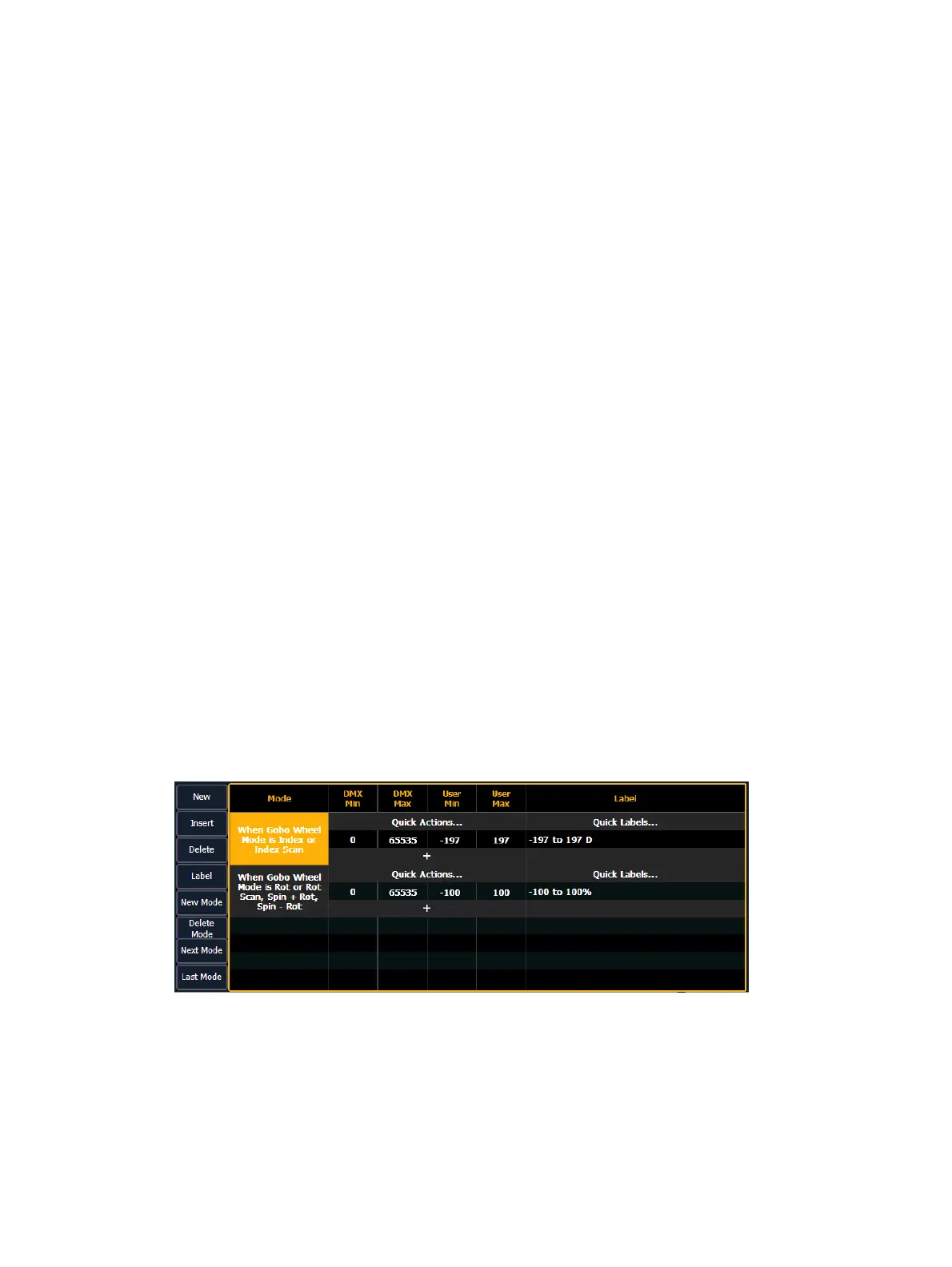
A mode is a collection of ranges that will display in the encoder display and in MLcontrols when
the mode's conditions are true. These ranges are part of one DMXaddress that is used to control
two or more different by related functions, such as gobo index and rotate.
Examples of mode conditions are "When Gobo Mode is Indexed" or "When Strobe Mode is
Random". Multiple conditions can be assigned. An example of this would be "When Gobo
Wheel Mode is Index or Index Scan".
When viewing a fixture profile, the parameters that have modes will display the number of
modes in the ranges column.



 To Next Page