Patch 125
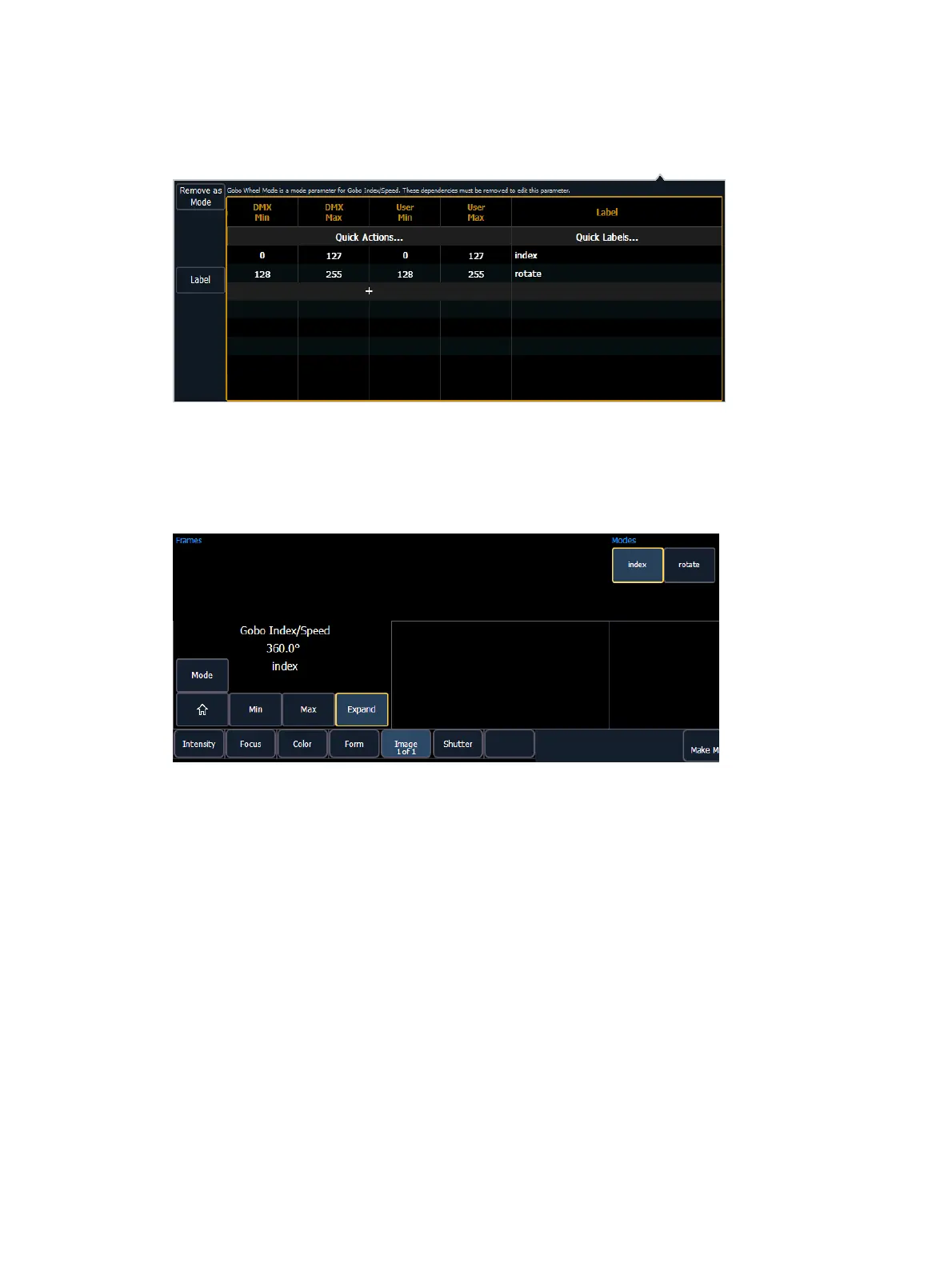
Once the modes are created using the index and rotate ranges, the gobo wheel mode
parameter will be read only. The range editor for gobo wheel mode will give an advisory saying
which mode the ranges are used in. If changes are needed to those ranges, press {Remove as
Mode} in the range editor. After the changes are made, you will need to reassign the modes.
After patching the new fixture, you will be able to check your modes in the encoder display and
MLcontrols.
There are now buttons for the modes, and for index, the degree symbol is displayed with the
user value.
Lamp Controls
For many devices, their lamp and motor control functions can be controlled remotely using
DMX. These will often require use of a timed sequence of DMX levels to control various
functions such as striking the lamp, resetting the fixture, and other specific actions.
To define the lamp controls for a device:
1. With the fixture selected, press {Lamp Ctrls}. The lamp control display will open.
2. Press {New} or {+} to add as many lamp control options as needed.
3. Click on the name in the lamp control column to name it.
4. Click in the Steps columns (#, Time, DMX, and Level).
# - the step number. Each step is tied to a time value, and will execute in order of the
step number.
5. Press {New} or {+} to add as many steps needed for the lamp control.



 To Next Page