124 Eos Family v2.9.0 Operations Manual
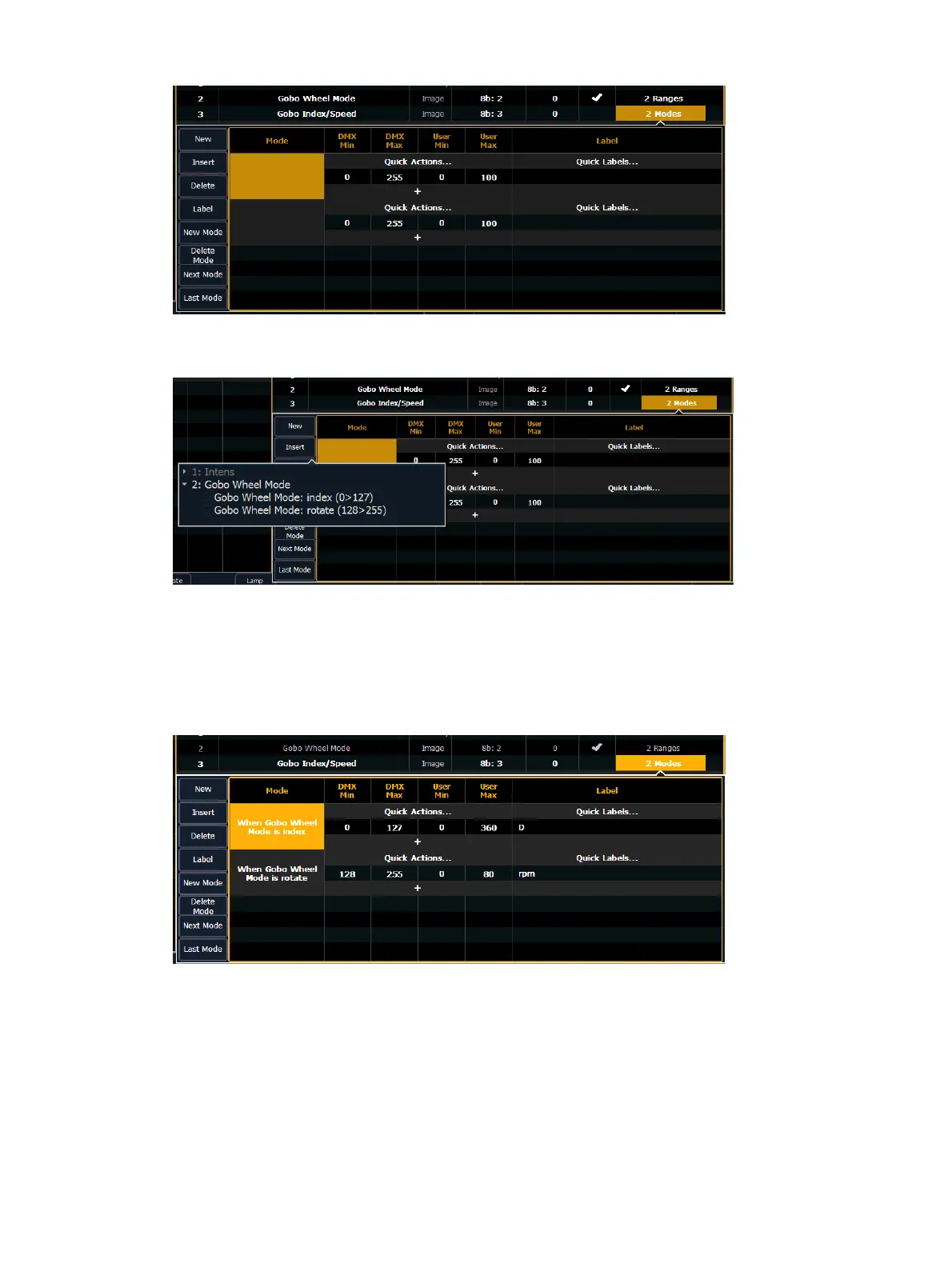
Click in the mode cell to open the mode selection window.
This window will display all possible conditions that can be applied to your fixture. In this case,
there are only two possible.
If a parameter has multiple ranges and is selected as a condition for a mode parameter, all the
ranges for that parameter must be used. The fixture editor will allow you to select a condition for
a mode and it will automatically place the other range(s) on the next mode.
Assign the DMX and user values. The range values were used for the DMXvalues. For index, the
user values were set to 0-360 degrees. The quick label for degree unit was used so the degree
symbol will display in the encoder display. For rotate, the user values were to 0-80 rpms.



 To Next Page