Patch 123
Note: A single range parameter is not useful as a condition so those will not be
available for selection.
Note: Some fixtures use virtual modes. Those are modes without a DMXaddress
assigned to them.
Creating Modes
Let's take a look at how to create modes for a gobo wheel. This gobo wheel can be indexed or
rotated.
In the fixture's manual, you will see something similar to this:
16 Gobo Function
Index 0 127
Rotate 128 255
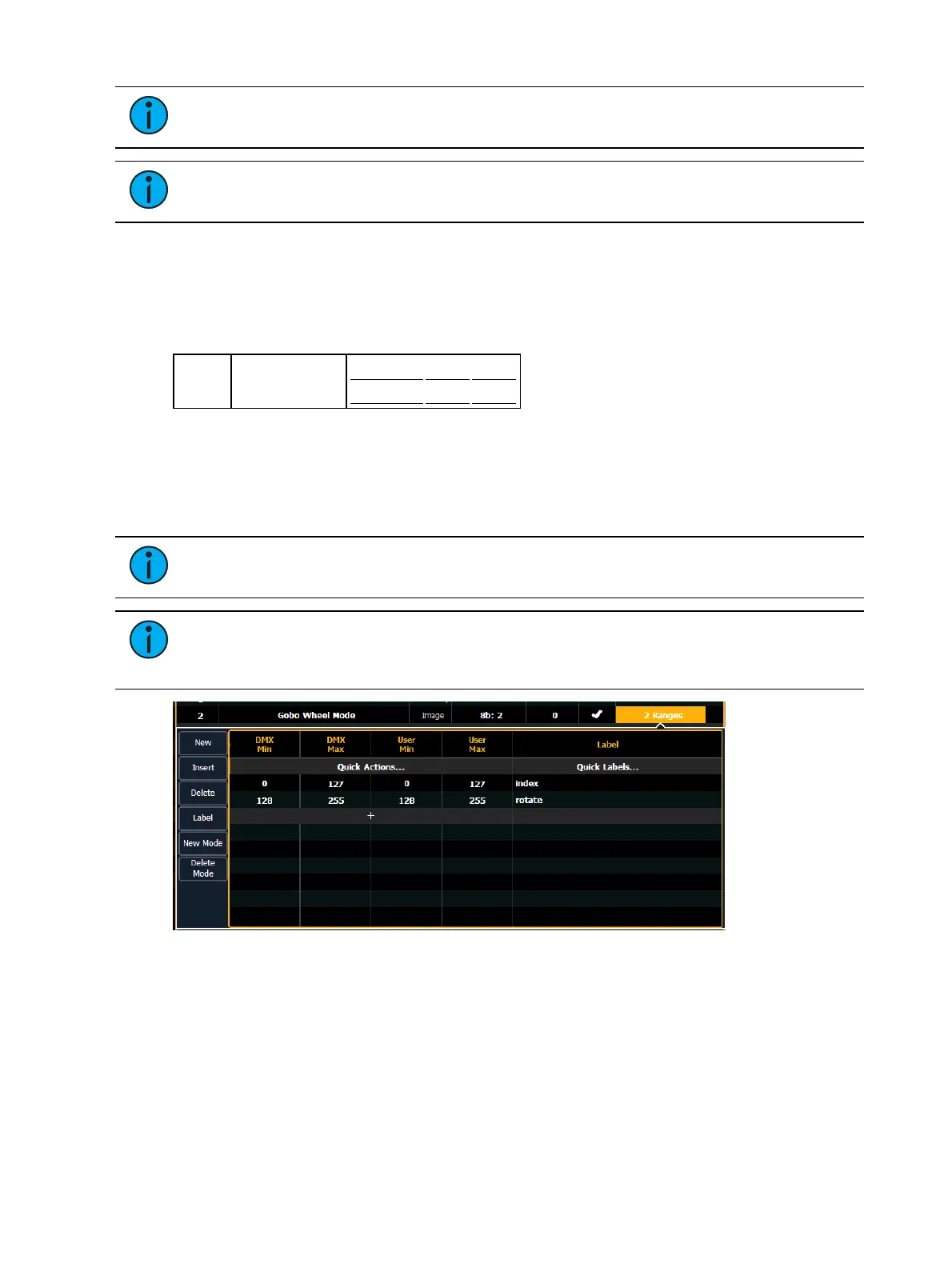
The sixteenth DMXslot for this fixture is gobo function, which has two ranges for index and
rotate.
In the fixture editor, you assign a parameter as gobo wheel mode. Click in the range column to
open the range editor. Use {+} to add a second range slot. Assign the appropriate range values,
and label each range.
Note: For this example, the DMX min and max values were entered and then the
Quick Action of Matched was used so the user values were the same as the DMXones.
Note: It is important to name your ranges. Without labels, only the range values will
display when selecting conditions, and the mode buttons in the encoder display and
MLcontrols will be blank.
Back in the fixture editor, assign a parameter as gobo index/speed. Click in the range column to
open the range editor. Press {New Mode} to create two modes.



 To Next Page