Introduction 7
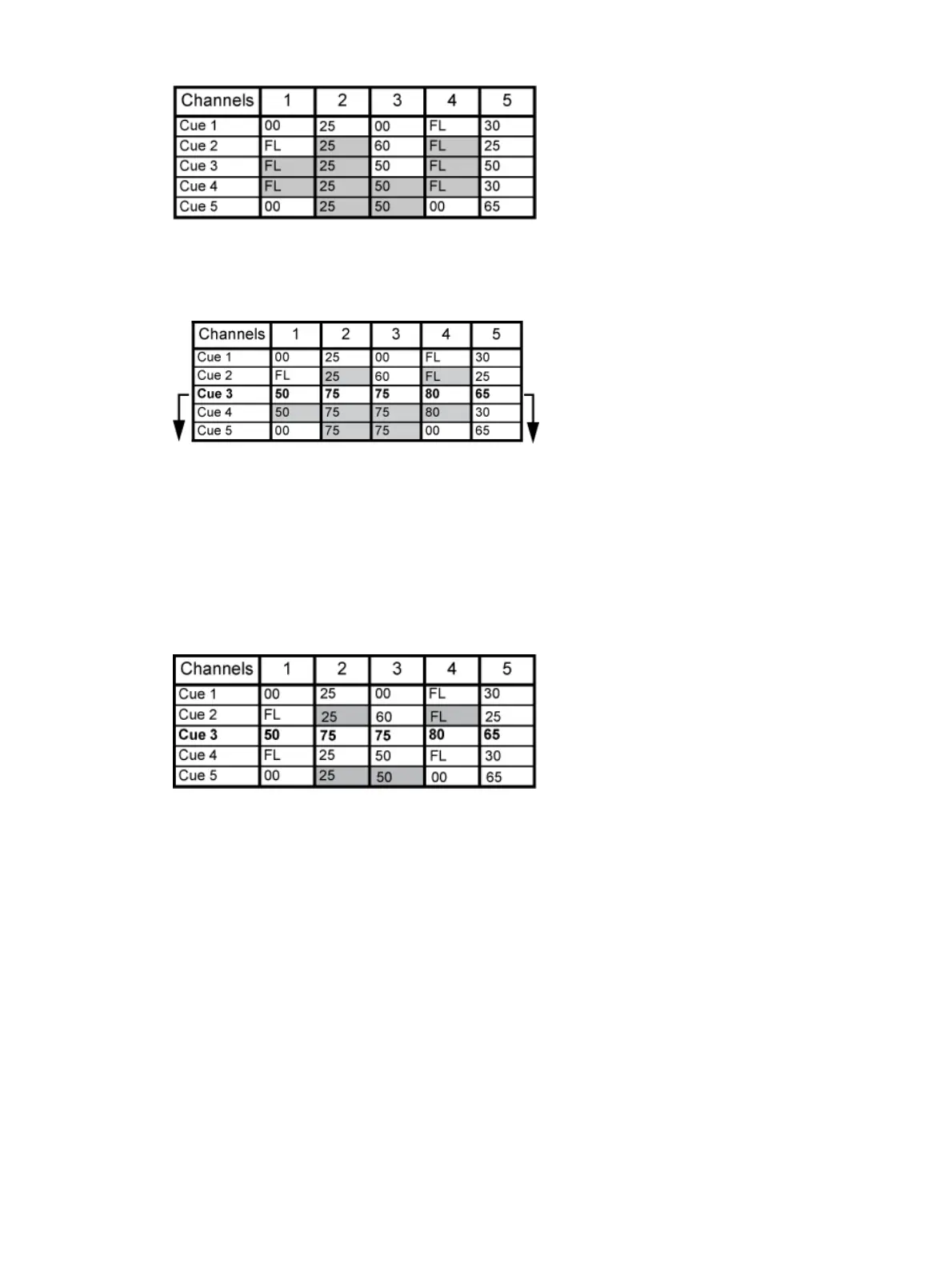
When in tracking mode, edits made to an existing cue will track forward through the cue list
until a move instruction is encountered. Changes made to Cue 3 will affect the cue list as shown
below in bold.
Cue Only Mode
The [Cue Only/Track] key is an exception to this behavior. [Cue Only/Track] button combined
with [Record] or [Update] modifies standard tracking behavior. When you record a cue in the
middle of the cue list, using the [Q Only] button will prohibit new information from tracking into
the subsequent cue, and will protect the previously tracking levels by adding a move instruction
into the next cue for those levels. When you rerecord or update a cue, the modifications will not
track forward. Using [Record] <Cue> [3] [Q Only] [Enter] would affect the cue list as shown
below.
Using Trace
{Trace} works just like Tracking mode, except it allows changes to be tracked backwards though
the cue list, until it sees a move instruction. In the example below, the channel levels have been
adjusted while cue 3 is live on stage. Using Trace will take those adjusted levels and update
them into the cues as follows: channel 1's new level is recorded into cue 2, channel 2's level is
recorded into cue 1, and channel 3's level is recorded into cue 3. This is because the move
instruction for those channels are contained in those cues. In the case of channels 1 and 2, their
new level will track into cue 3.Using [Record] <Cue> [3] {Trace} [Enter] would affect the cue list
as shown below in bold.



 To Next Page