306 Eos Family v2.9.0 Operations Manual
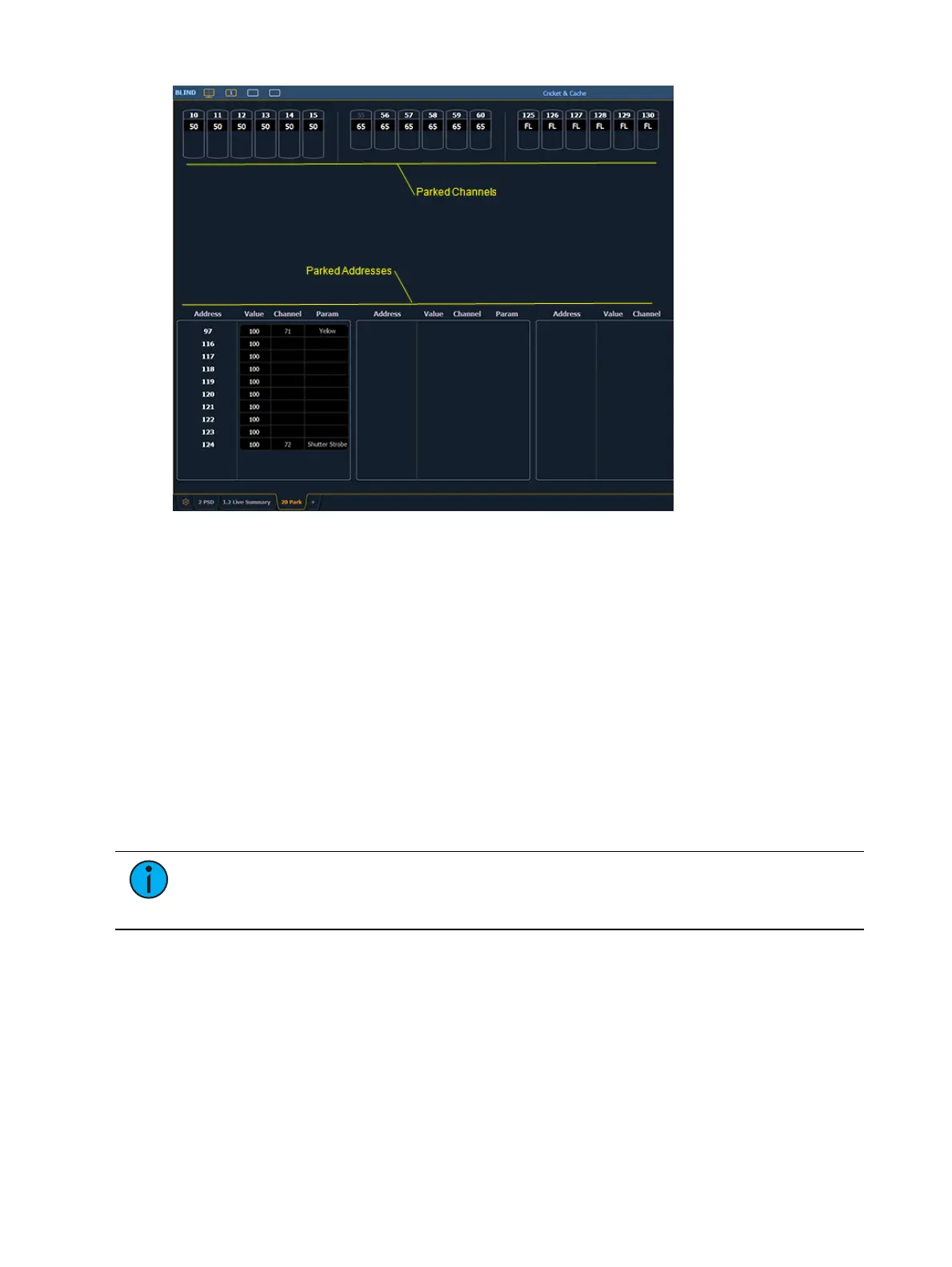
Following are examples for parking channel parameters from the park display:
[3] [At] [4] [5] [Enter] - parks channel 3 at 45%.
[3] {Color Palette} [4] [Enter] - parks color for channel 3 at color palette 4.
You can use the {Offset} softkey to aid in channel selection. For a list of the {Offset} options, see
Offset (on page179)
.
Following are examples for clearing parked values while in the park display:
{Select Active} [Park] [Enter] - clears all parked channel parameter values.
[channel list] [Park] [Enter] - unparks channels in the list.
[channel list] [At] [Enter] - unparks channels in the list.
Below are examples for parking addresses in the park display:
[Dimmer/Address] [5] [At] [5] [0] [Enter] - parks address 5 at 50% intensity.
[Dimmer/Address] [5] [At] [Enter] - unparks address 5.
Note: When parking a range of addresses in Park, using [Thru] will only park the
intensities. If you want to park all of the addresses and parameters within the selected
range, you will need to use [Thru] [Thru].



 To Next Page