432 Eos Family v2.9.0 Operations Manual
{String MSC TX}
When enabled, this setting will cause the console to send serial strings when certain actions
happen at the console. See
Sending From User Events
.
Port Setup Options
Eos Ti, Gio, Eos RPU3, Gio @5, Ion Xe, Element 2, Ion, Ion RPU, Element, and Eos Programming
Wing have additional ports and connectors located on the rear panel for show control.
Additional setup options for these ports and connectors are in the ECU>{Settings}>{Local I/O}
and in ECU>{Settings}>{Network} .
Note: The built-in I/O ports on these devices will not broadcast information over the
network and are only used in a local console system.
MIDI Rx and MIDI Tx Group IDs
Allows you to set the group number for the MIDI In and MIDI Out ports. Group numbers can be
from 1-32. Default for both ports is 1.
To receive MIDI from the built-in ports, the ACN MIDI Rx ID in Setup>{System}>{Show Control}
must match the MIDI Rx Group ID in the ECU. To transmit MIDI from the local ports, the ACN
MIDI Tx ID in Setup>{System}>{Show Control} must match the MIDI Tx Group ID in the ECU.
Note: While Gio@5 has contact closure ports, it does not have local MIDI ports. A
Show Control gateway is required for MIDI input.
Contact Closure (remote trigger connector)
Allows you to set the Group and Address In values for the remote trigger input on the back of
your console. The contact closure only reports on/off even though it is considered an analog
input.
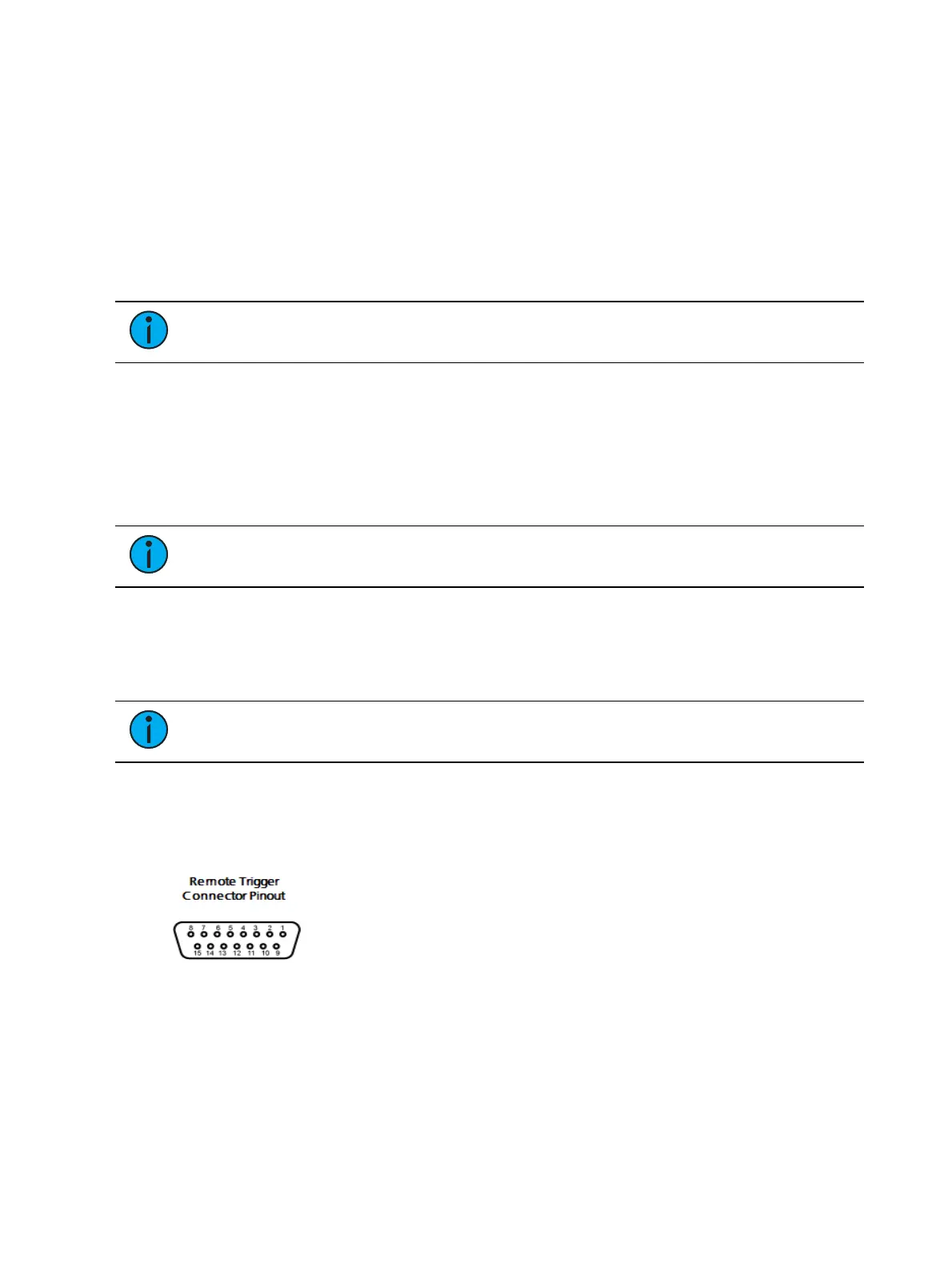
Note: The contact closures require DC voltage, which is supplied by the console on
pins 14+15. See the diagram in Relay Out (remote trigger connector) (below).
Relay Out (remote trigger connector)
Allows you to set the Group and Address In values for the remote trigger port on the back of
your console.



 To Next Page