464 Eos Family v2.9.0 Operations Manual
{Program Number}
The program number is any value between 0-127 (0-7F). Many devices will display this as 1-128
– if this is the case for your other device, subtract one from the desired program number.
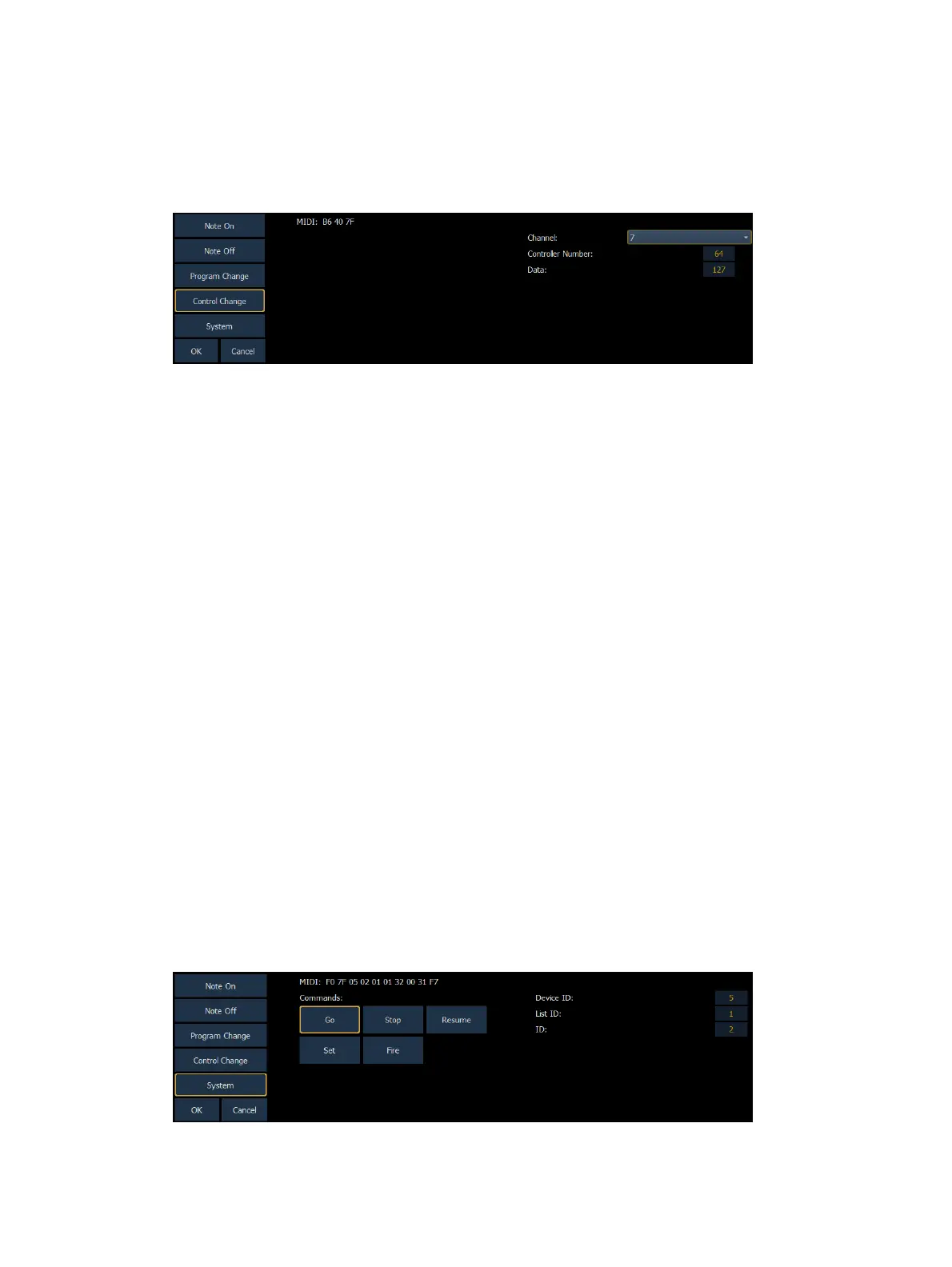
Control Change Events
Control Change commands were designed to represent specific actions on MIDI devices, like
pedals actuations and effects. For example, the Damper Pedal on a keyboard is often
represented by controller number 64 (hex 40). Similar to MIDI Note commands, the MIDI data
that is expected to be received is shown in the CIA and changes as you select event parameters.
When finished configuring the control change event, press {OK} to store the event. Otherwise,
press {Cancel} to undo the changes.
Message Structure
Program change messages have the structure BN XX YYY, where N represents the MIDI channel
number, XX represents the controller number, and YY represents the data byte.
Options
The following options are available:
{Channel}
This should match the MIDI Channel for the note command (1-16, 0-F). If set to Any, the console
will respond when any MIDI channel is sent a note command.
{Controller Number}
The controller number is any value between 0-127 (00-7F). Many devices will display this as 1-
128 – if this is the case for your other device, subtract one from the desired controller number.
{Data}
The data parameter is any value between 0-127 (00-7F). Many devices will display this as 1-128
– if this is the case for your other device, subtract one from the desired data byte.
System Events (MIDI Show Control)



 To Next Page