System Basics 63
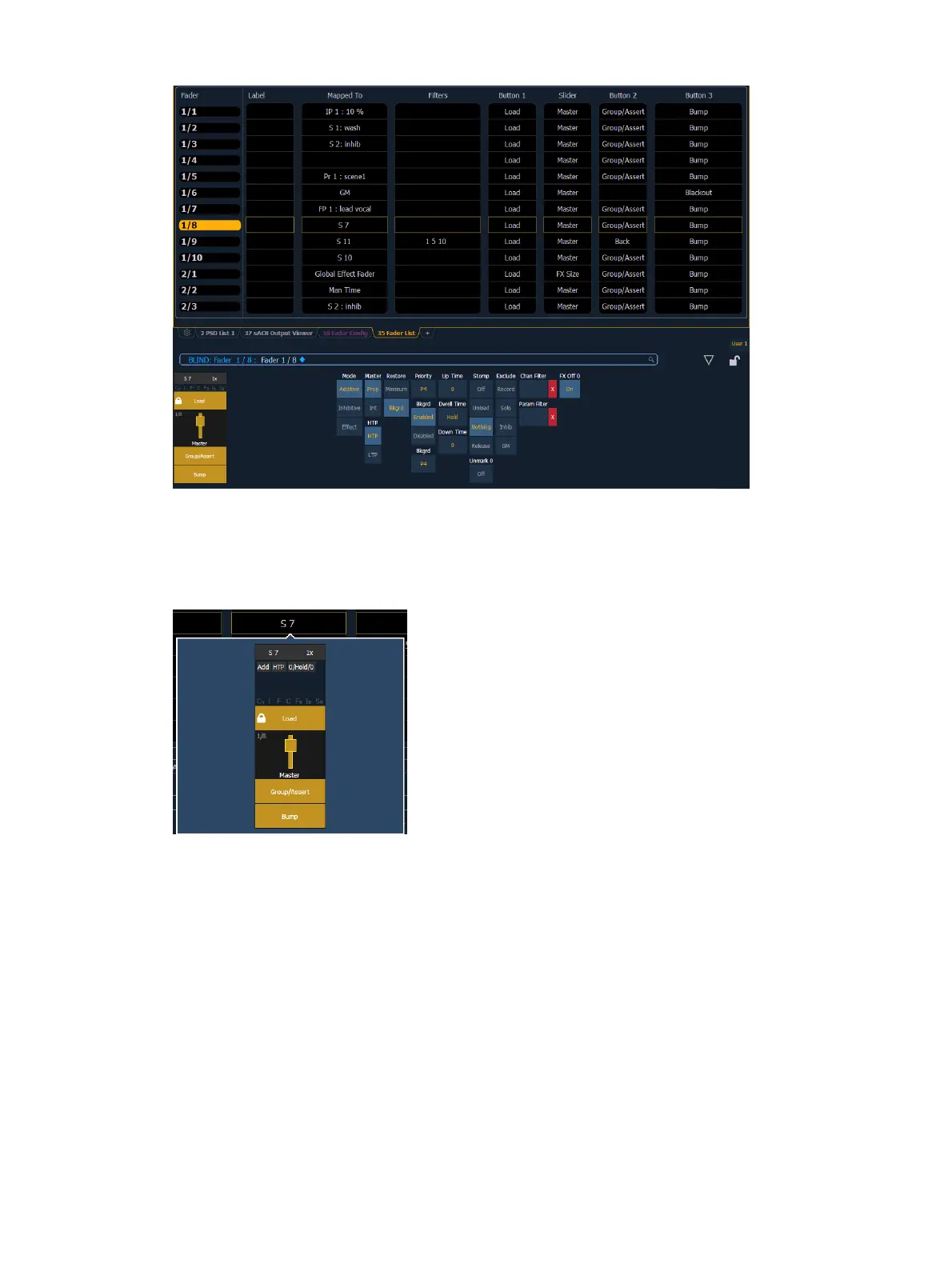
You can also make changes to a fader's configuration while in the fader list display by clicking
on a column. A virtual fader will be displayed. Click on the appropriate area of the fader to
access the configuration options. Selection can be done by clicking in the column or from the
command line.
Range editing is possible in this display by selecting all the needed faders. Changes made to the
configuration will be made to all of the selected faders.
With a fader selected, the CIAwill also display a virtual fader and the configuration options for
that fader.
Grandmaster Configuration
When a fader is configured as a grandmaster, you can set the fader itself as a master or disable
it. Fader size is set to 1x, and can not be changed.
The first button is locked as a load button, and cannot be configured. The second button is
disabled and cannot be configured. The third button can be configured as a blackout button or
disabled. When configured as a blackout, both buttons must be pressed to set the grandmaster
to blackout.



 To Next Page