031914 7-3
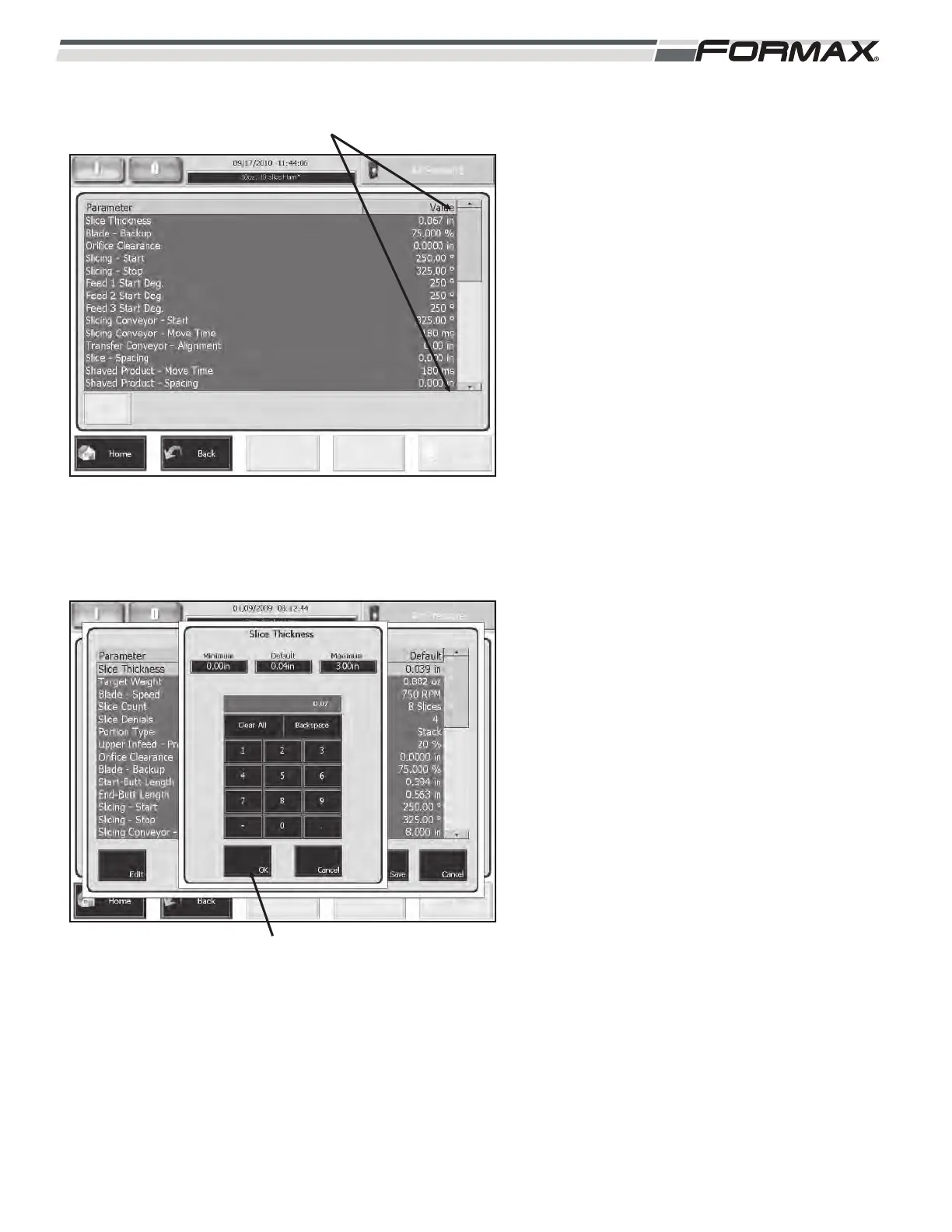
4. Touch the “Up/Down” arrows to scroll
through the parameters. (Illustration 5)
5. Touch and highlight the parameter that
needs editing and then touch the “Edit”
button. A window will display with a
keypad. (Illustration 6) The minimum and
maximum adjustment settings will also
display in the window.
6. Enter the new setting on the keypad and
touch the “OK” button to program the
parameter.
7. Repeat steps 5 through 7 until all
parameters are set properly.
8. Refer to the “Select a Product Code”
procedure to use the edited Code for
Production.
ILLUSTRATION 5
“UP/DOWN” ARROWS
ILLUSTRATION 6
“OK” BUTTON



 To Next Page