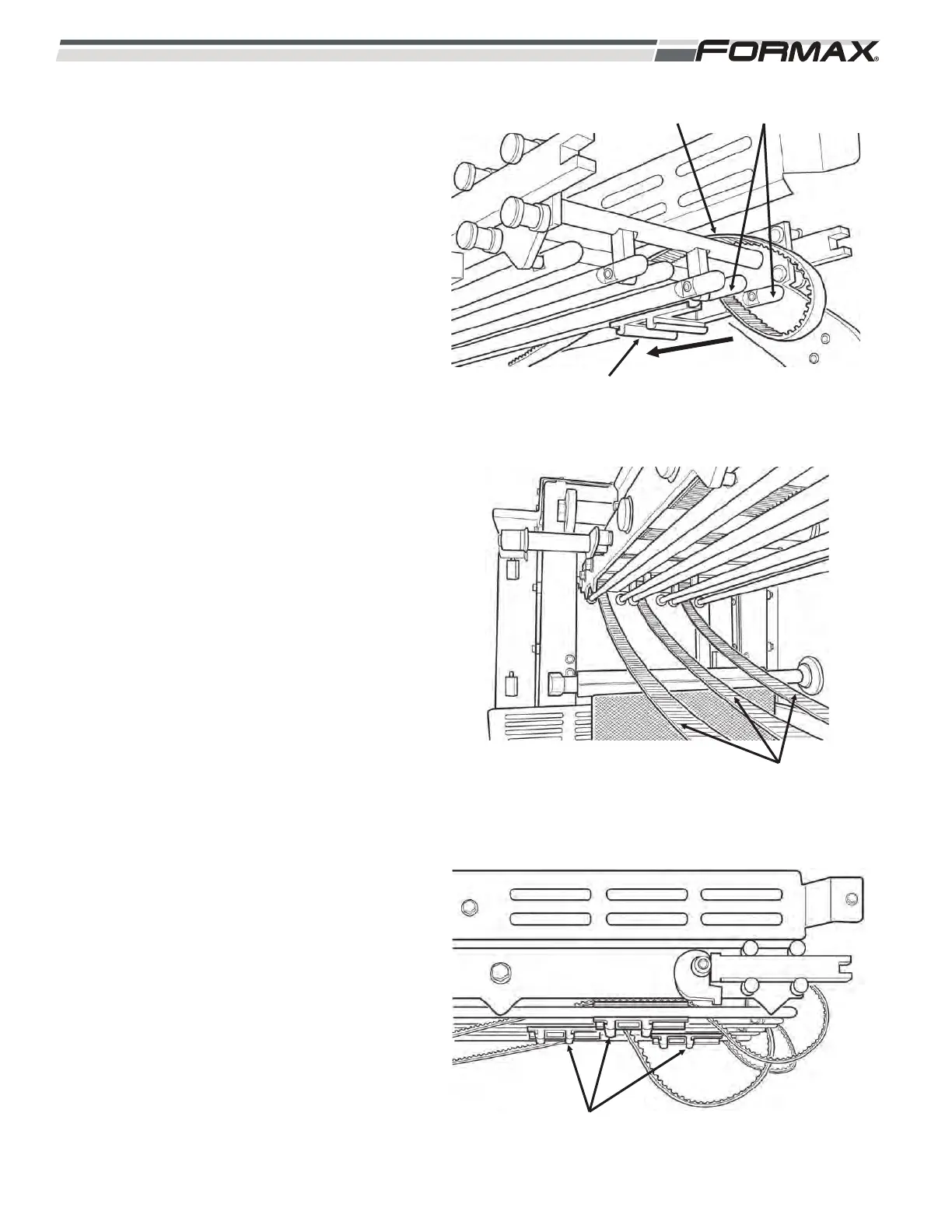
STEP 5 INSTALL THE GRIPPER DRIVE
ASSEMBLY
1. Slide the #3 Gripper mounting bracket
onto the guide rails with the teeth on
the drive belt facing “up.”
(Illustration 26)
2. Feed the Drive Belt between the side
frame and the guide rails and install
the belt over the #3 drive pulley.
3. Pull the drive belt toward the back of
the machine. Let the slack hang out
the back. (Illustration 27)
4. Install the #2 and #1 Gripper Drive
belts in the same way. Stagger the
location of the mounting brackets.
(Illustration 28)
5-8 031914
ILLUSTRATION 26
DRIVE BELT
MOUNTING BRACKET
GUIDE RAILS
ILLUSTRATION 27
DRIVE BELTS
ILLUSTRATION 28
STAGGER MOUNTING BRACKETS



 To Next Page