031914 M5-5
PRESSURE SWITCH
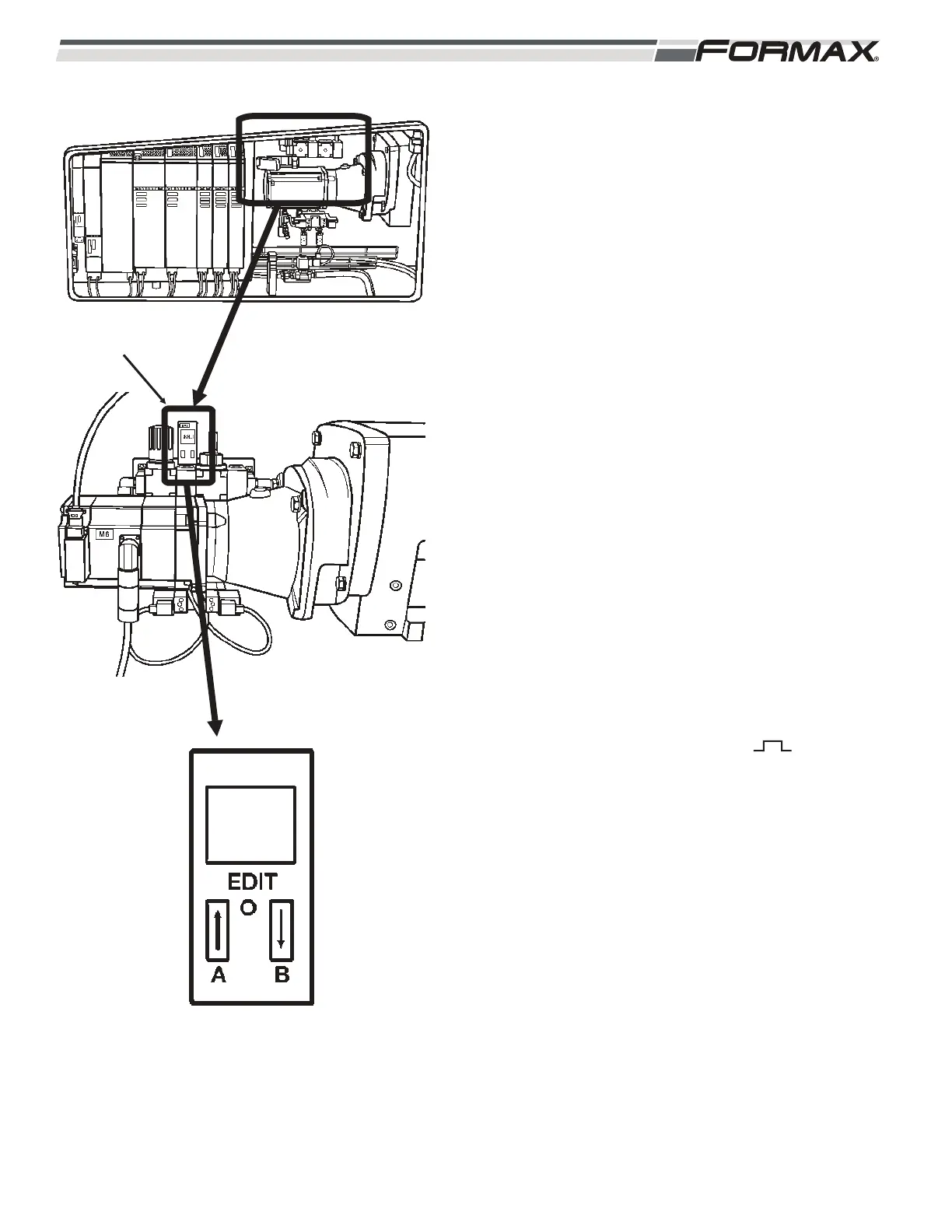
The SP1 pressure switch sends an input signal to the
Computer that the air supply is in the correct operating
range. (Illustration 6) This switch should activate at 4.1
bar (60psi) on the rising pressure. Follow this procedure
after replacing the SP1 pressure switch.
STEP 1 Turn on the power and the air. The
pressure switch is now in pressure “Run”
mode.
STEP 2 Select “P.S.I.”
1. Press “EDIT.” “OUT A” flashes.
2. Press “UP/DOWN” until unit “BAR” flashes.
3. Press “EDIT.”
4. Press “UP/DOWN” until “PSI” flashes.
5. Press “EDIT,” “LOCK” flashes. Leave this at “0.”
6. Press “EDIT.”
7. You are back in RUN mode and system
pressure is displayed.
STEP 3 Select Pressure Switch Settings
1. Press “EDIT.” “OUT A” flashes.
2. Press “EDIT.”
3. Press “UP/DOWN” to choose .
4. Press “EDIT.” “SP MIN” flashes.
5. Press “UP/DOWN” to choose “35psi.”
6. Press “EDIT.” “SP MAX” flashes.
7. Press “UP/DOWN” to choose “125psi.”
8. Press “EDIT.” “HY” flashes.
9. Press “UP/DOWN” to choose “0.3.”
10. Press “EDIT.” “N.O.” flashes.
11. Press “UP/DOWN” to choose “N.O.” (normally
open).
12. Press “EDIT.”
13. You are back in RUN mode and the system
pressure is displayed.
PRESSURE SWITCH
ILLUSTRATION 6



 To Next Page