031914 6-1
INTRODUCTION
This section describes the basic Slicer Operation
and the Machine Adjustments necessary to
operate and fine-tune the Slicer during production.
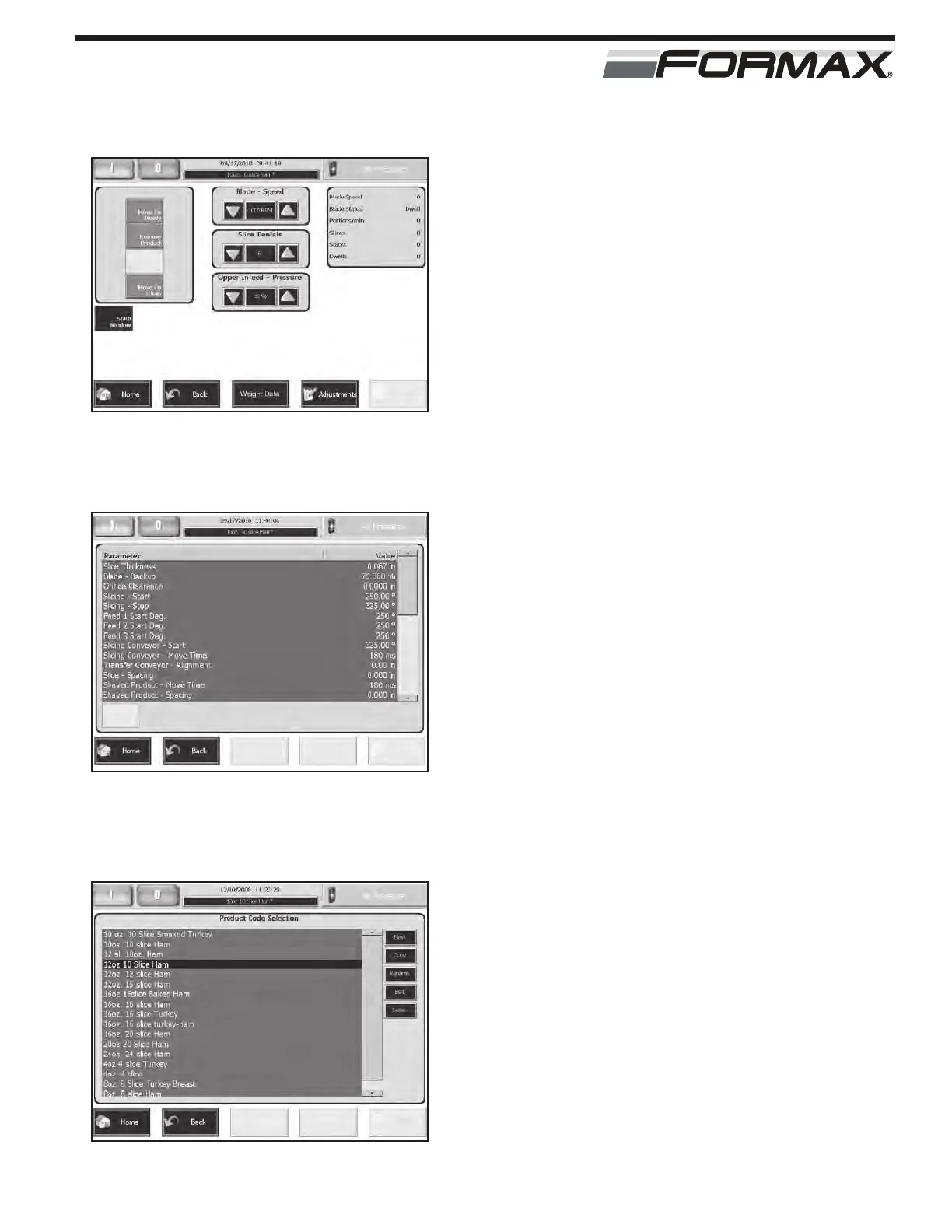
These adjustments are accessed on the “Run”
screen and on the “Adjustments” screen.
(Illustration 1 and 2) The “Adjustments” screen is
accessed by touching the “Adjustments” button on
the “Run” screen.
Most of the adjustments can also be
pre-programmed in the Product Codes to save
time when the same product is run again.
(Illustration 3) Some of the adjustments can only
be adjusted in the Product Code Parameters.
Refer to the “Adjusting and Creating Product
Codes” section for more information on changing
these Product Code Parameter settings.
IMPORTANT!
Read and understand the complete “Operation”
section of the manual before attempting to run
the Slicer.
STEP 1 ASSEMBLE THE MACHINE
Refer to the “Assembly” section for the correct
assembly procedures.
OPERATION
ILLUSTRATION 1
“RUN” SCREEN
ILLUSTRATION 2
“ADJUSTMENTS” SCREEN
ILLUSTRATION 3
“PRODUCT CODE SELECTION” SCREEN



 To Next Page