7-2 031914
EDITING A PRODUCT CODE
Existing Product Code Parameters can be
edited or adjusted to improve the machine
performance the next time the Product Code is
used.
To “Edit” an existing Product Code:
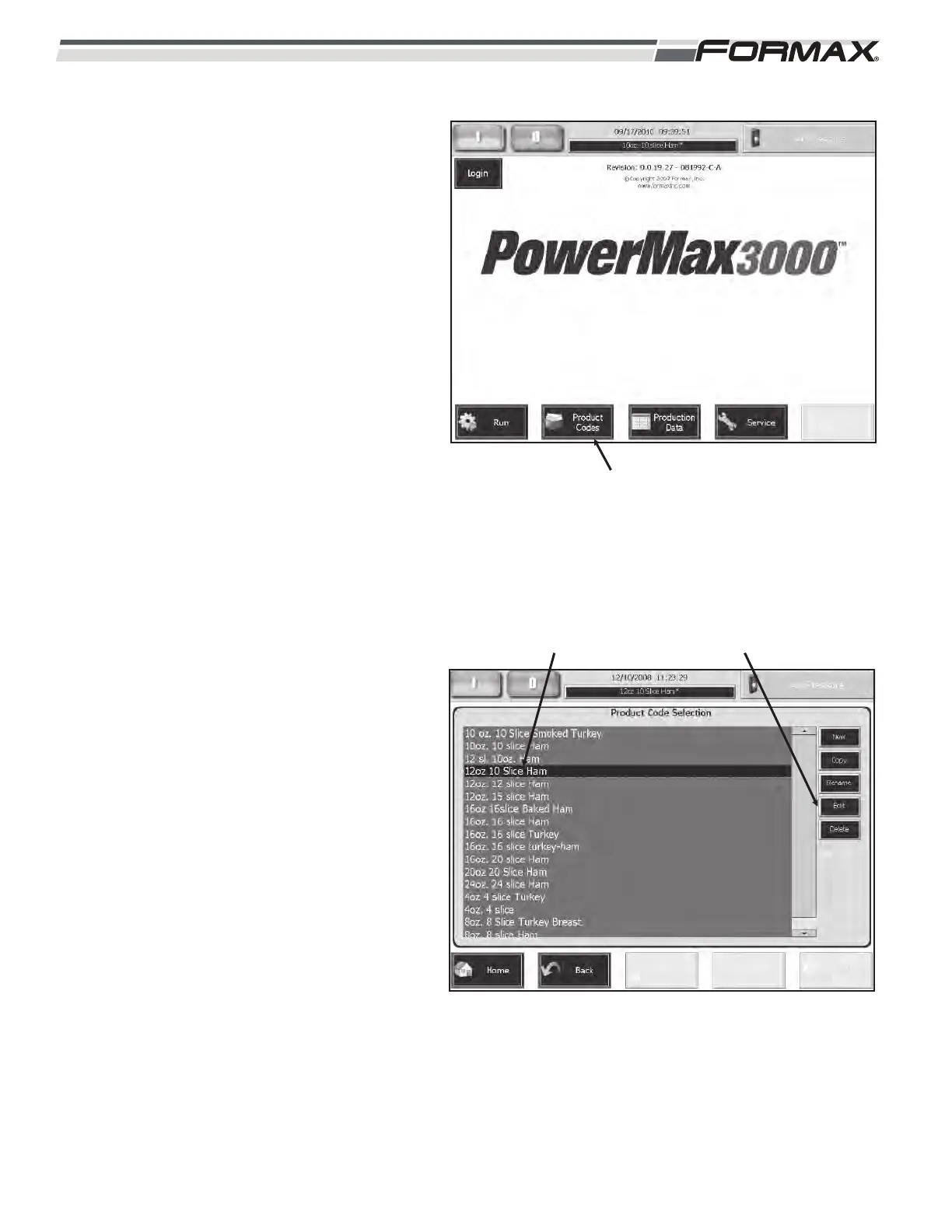
1. Touch the “Product Codes” button on
the “Home” screen. (Illustration 3)
2. Touch and highlight the “Product Code”
that requires editing. (Illustration 4)
3. Touch the “Edit” button to access the
“Edit Product Code” screen.
ILLUSTRATION 3
“PRODUCT CODES” BUTTON
ILLUSTRATION 4
SELECT PRODUCT CODE “EDIT” BUTTON



 To Next Page