031914 7-1
INTRODUCTION
This section describes selecting, editing,
creating a Product Code and describes the
functions of the Product Code Parameters. A
new Product Code can be created with all
Machine Adjustments and Parameter Settings
pre-programmed, to make “Production Startup”
quicker and easier. Existing Product Codes can
be edited to fine-tune the machine operation.
This will save setup time, the next time the
Product Code is used.
SELECTING A PRODUCT CODE
Product Codes can be created and programmed
to minimize the amount of setup time required to
start production. The Product Code can be
selected and run without having to program any
Machine Adjustments or Settings.
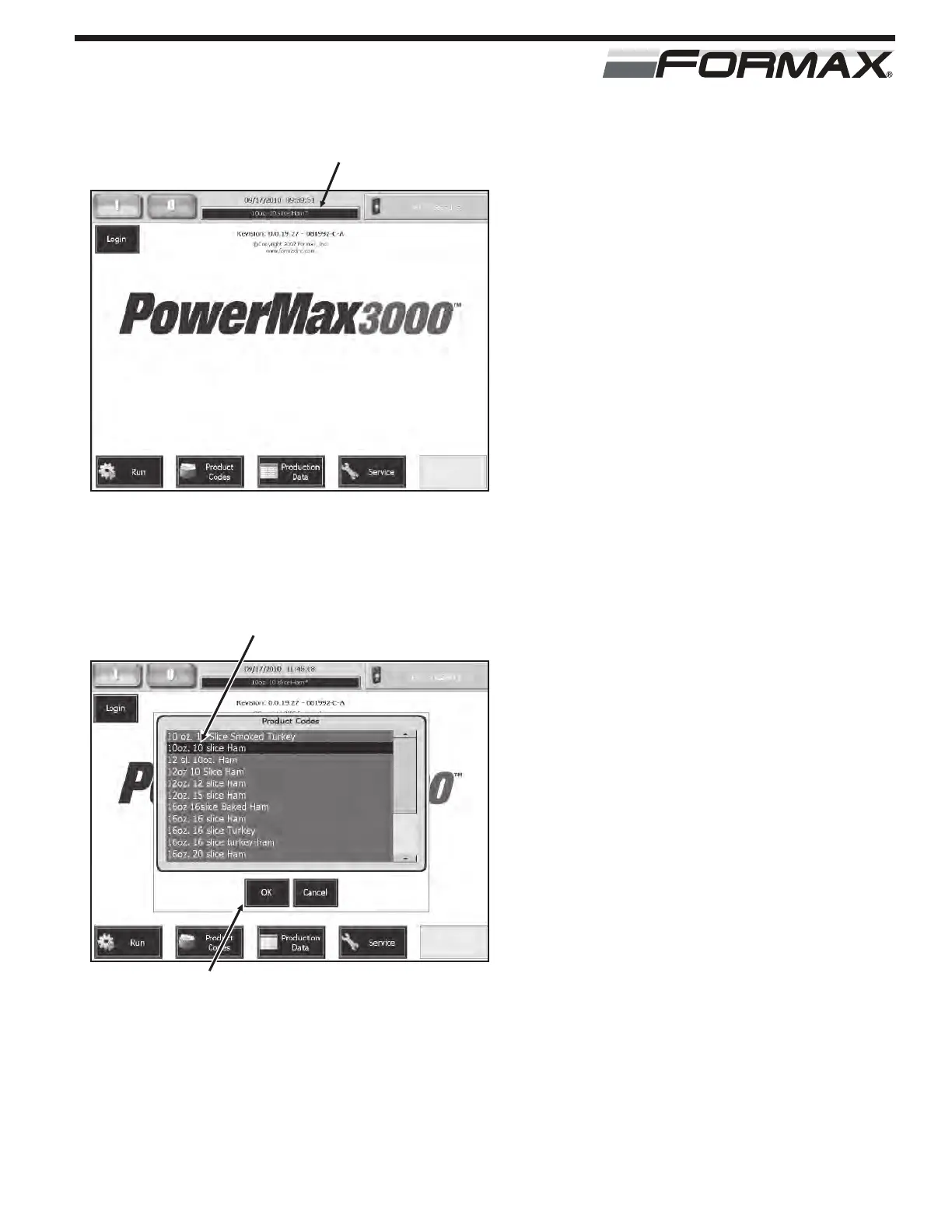
To “Select” a Product Code:
1. Touch the “Product Codes” display
window on the “Home” screen.
(Illustration 1)
2. Touch and highlight the correct Product
Code on the “Product Code List” screen.
(Illustration 2)
3. Touch the “OK” button to select the
code. The Product Code will update all
Machine Adjustments on the “Run”
screen to the pre-programmed settings.
PRODUCT CODE PARAMETERS
ILLUSTRATION 1
“PRODUCT CODES” DISPLAY WINDOW
ILLUSTRATION 2
SELECT PRODUCT CODE
“OK” BUTTON



 To Next Page