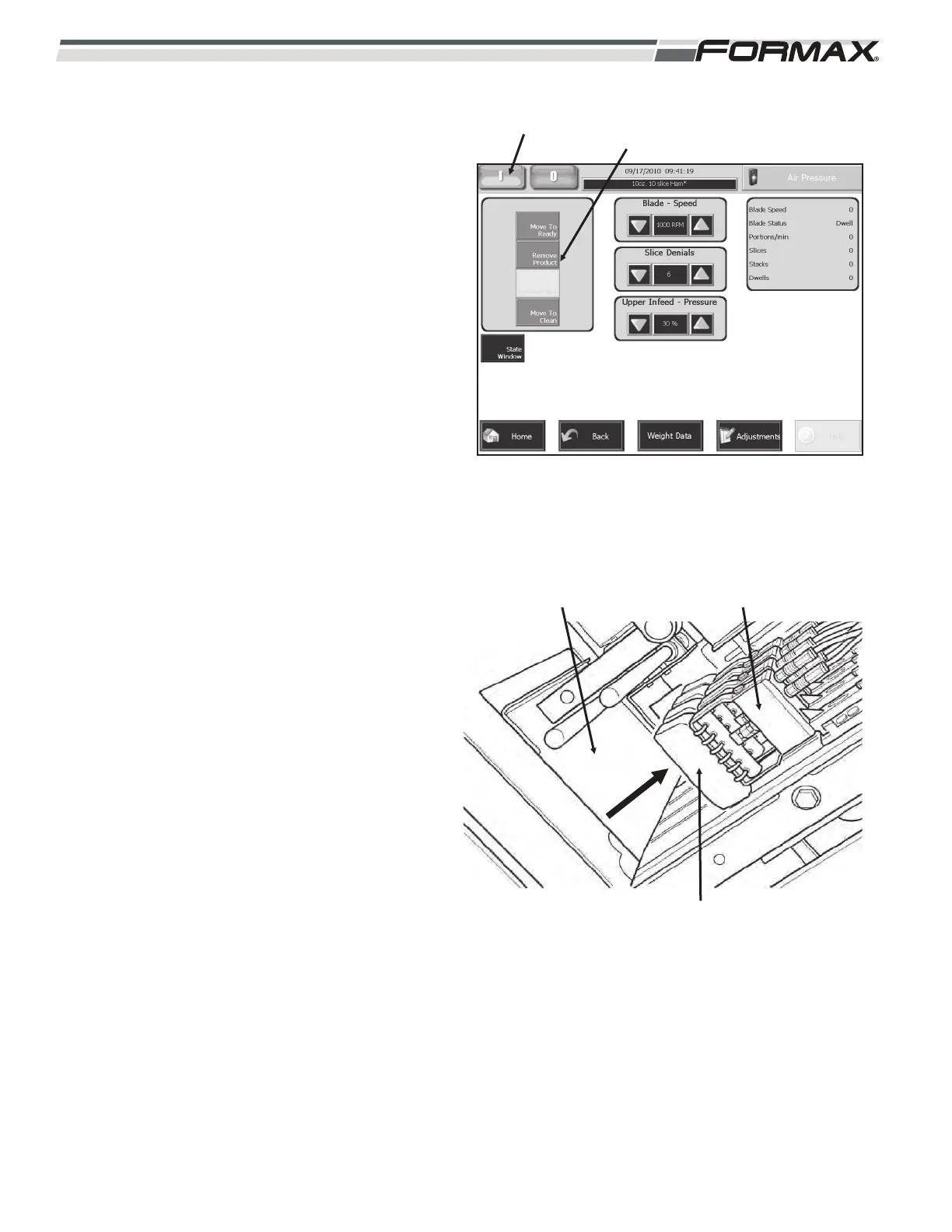
STEP 8 START FEED
To start the Product Feed, touch the “Cycle
Start” button a second time. (Illustration 15)
This will start the Grippers feeding the product
into the Shear Bar. The “Status Window” will
display “Slicing.”
STEP 9 STOPPING THE MACHINE
To “Stop” the machine cycle:
1. Touch the “Cycle Start” button to stop
the Product Feed. The “Status Window”
will display “Cycling.”
2. Touch the “Cycle Stop” button to stop
the Machine Cycle.
STEP 10 REMOVE PRODUCT FROM THE
MACHINE
“Touch” and “Hold” the “Remove Product”
button to the remove the product from the
machine. (Illustration 15)
1. The Grippers and Infeed Conveyors will
reverse direction and raise the loaves
out of the Shear Bar and Upper Infeed
Conveyors. (Illustration 16)
2. When the loaves have cleared the Loaf
Gate, the Loaf Gate will close. The
Grippers will release the loaves and
leave them resting on the Loaf Gate.
3. Remove the Product from the Slicer.
6-6 031914
ILLUSTRATION 15
“FEED” BUTTON “REMOVE PRODUCT”
BUTTON
ILLUSTRATION 16
LOAF GATE
PRODUCT
GRIPPERS



 To Next Page