STEP 5 REMOVE THE KNIFE
ADANGER!
The Knife is very sharp! Use extreme
caution when reaching into this area!
Never transport or remove the Knife
without the Knife Guard/Carrier installed!
Failure to do so can cause severe injury!
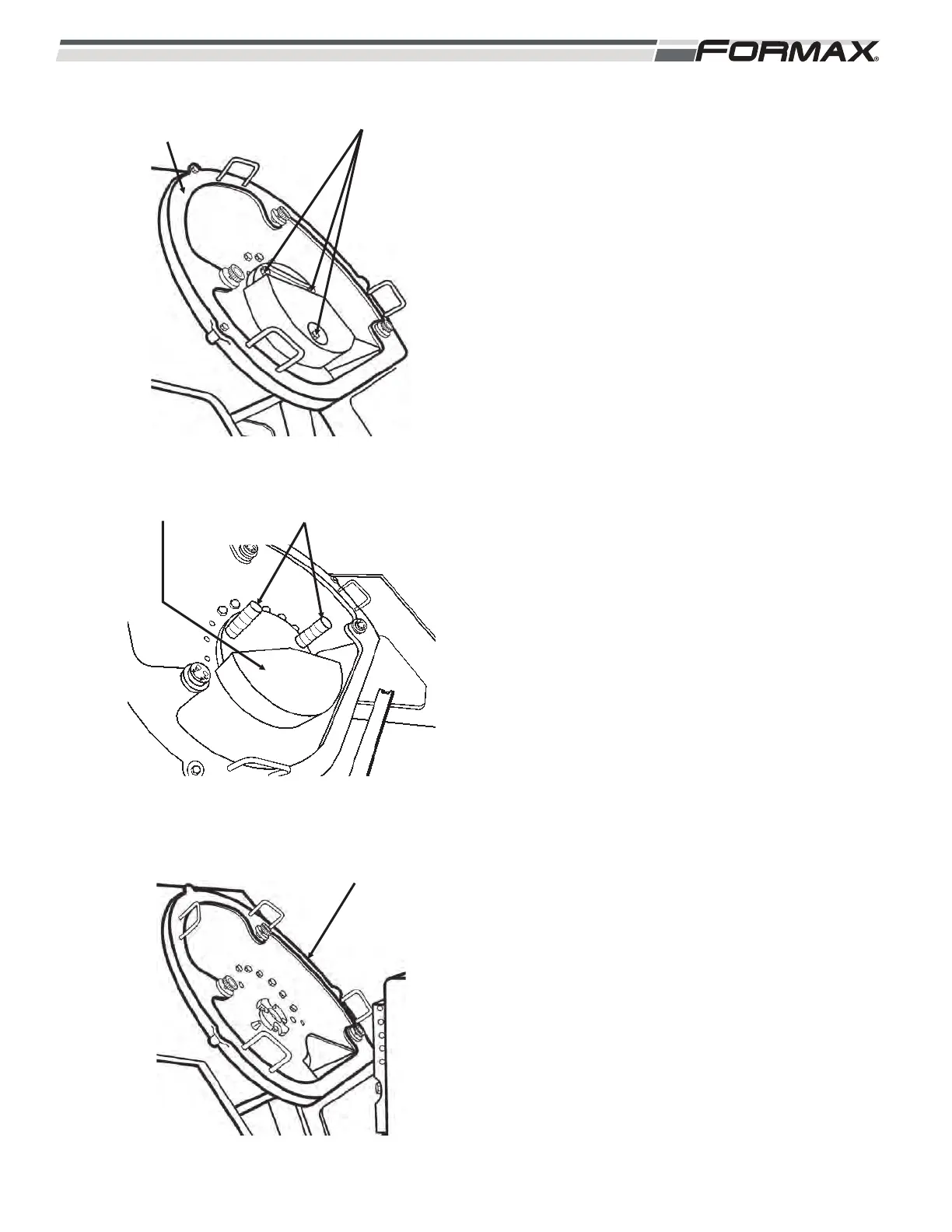
1. Carefully install the Knife Guard/Carrier.
(Illustration 7)
2. Remove the 3 retaining bolts.
3. Install the 2 Counterweight handles in the
Counterweight. Remove the
Counterweight. (Illustration 8)
4. Use 2 people to lift the Knife off the
orbiting head.
031914 8-3
ILLUSTRATION 7
RETAINING BOLTSKNIFE GUARD
CARRIER
ILLUSTRATION 8
COUNTERWEIGHT HANDLES
ILLUSTRATION 9
KNIFE GUARD
CARRIER



 To Next Page