M2-14 031914
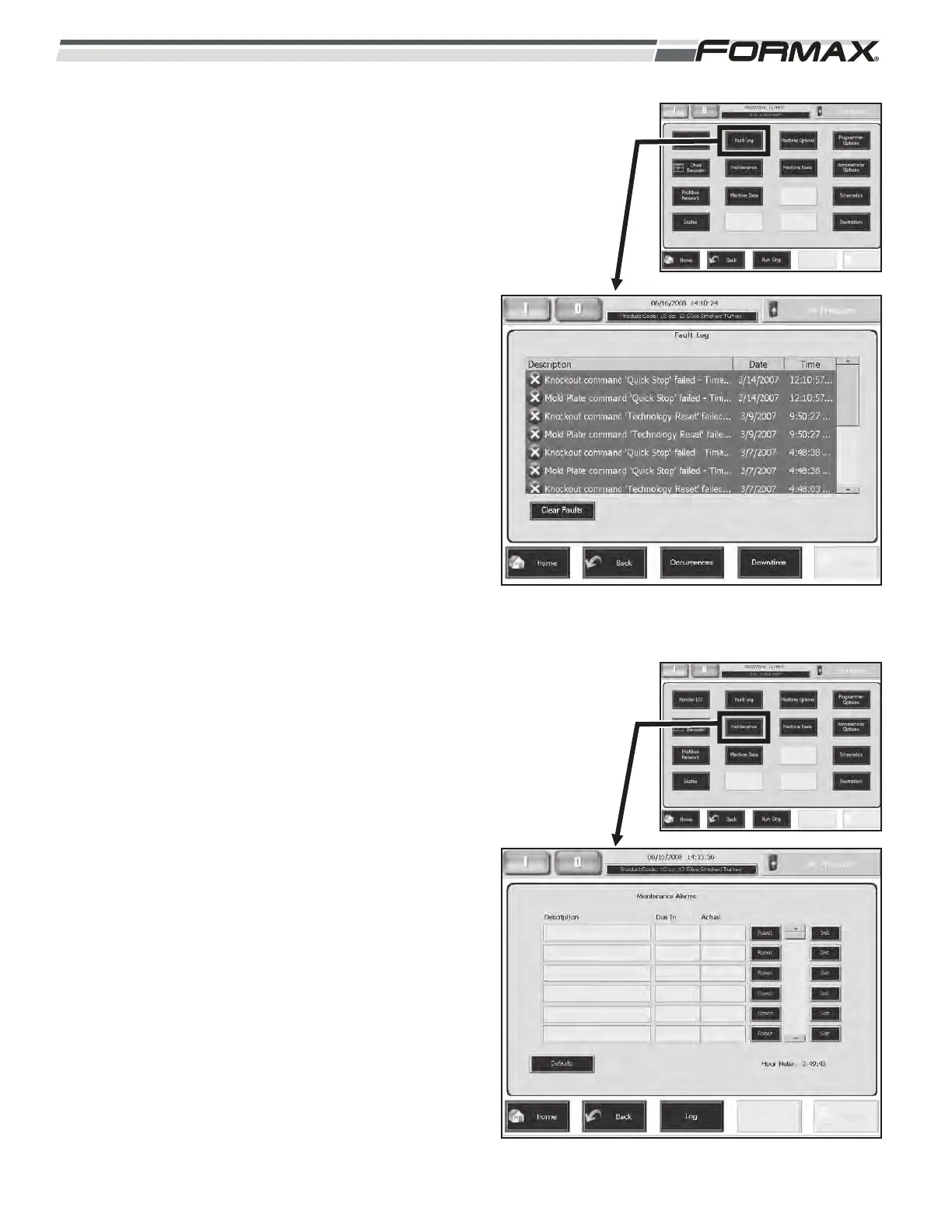
FAULT LOG: The “Fault Log” screen displays the last
100 Faults in order of occurrence. (Illustration 21) The
most recent “Fault” displays at the top of the list. Use
the Up/Down Arrows to scroll through the list of
“Faults.”
IMPORTANT!
Touching the “Clear Faults” button below the
Fault Log will erase all of the Faults! Do not touch
this button unless you are sure you want to
“Clear” all of the Faults.
MAINTENANCE: The “Maintenance” screen is
inactive at this time. The “Maintenance” screen will
display Maintenance Alarms as a reminder for
servicing of the machine, component replacement
and lubrication etc.
The “Log” screen allows the mechanic to record the
“Service” and the “Date” that it was performed.
ILLUSTRATION 21
ILLUSTRATION 22



 To Next Page