031914 M2-15
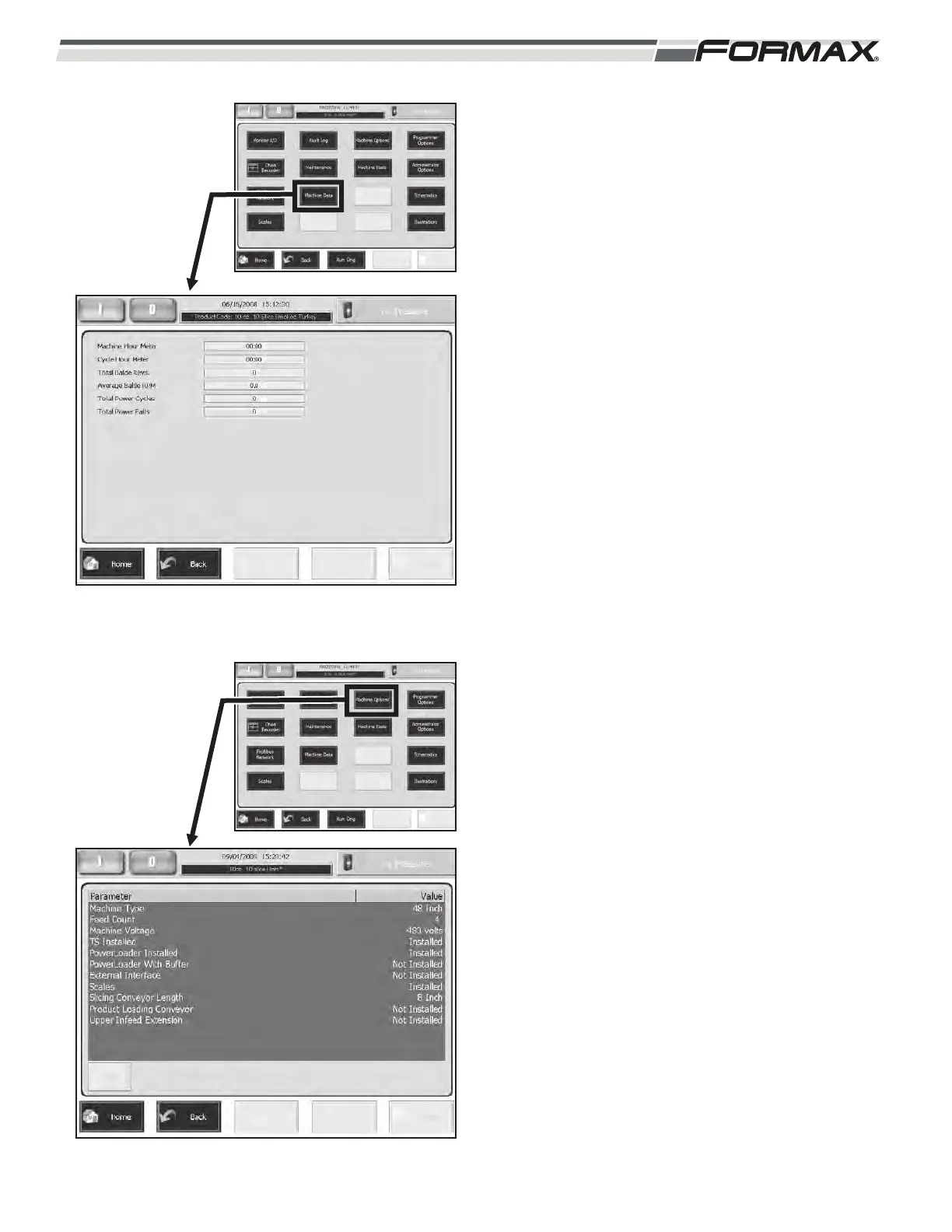
MACHINE DATA: The “Machine Data” screen
displays the “Machine Hour Meter,” the “Cycle
Hour Meter,” the “Total Blade Revolutions,” the
“Average Blade RPM,” the “Total Power Cycles”
and the “Total Power Failures.” (Illustration 23)
MACHINE OPTIONS: The Machine Options
screen displays the options that are active on
your PowerMax3000
TM
Slicer. (Illustration 24)
This screen is usually programmed at the time
of installation. If an additional option is installed
at a later date, add the new option by touching
the option and touching the “Edit” button. A
window will display and give you the choice of
“Not Installed” or “Installed.” Touch the
“Installed” button to install the option.
ILLUSTRATION 23
ILLUSTRATION 24



 To Next Page