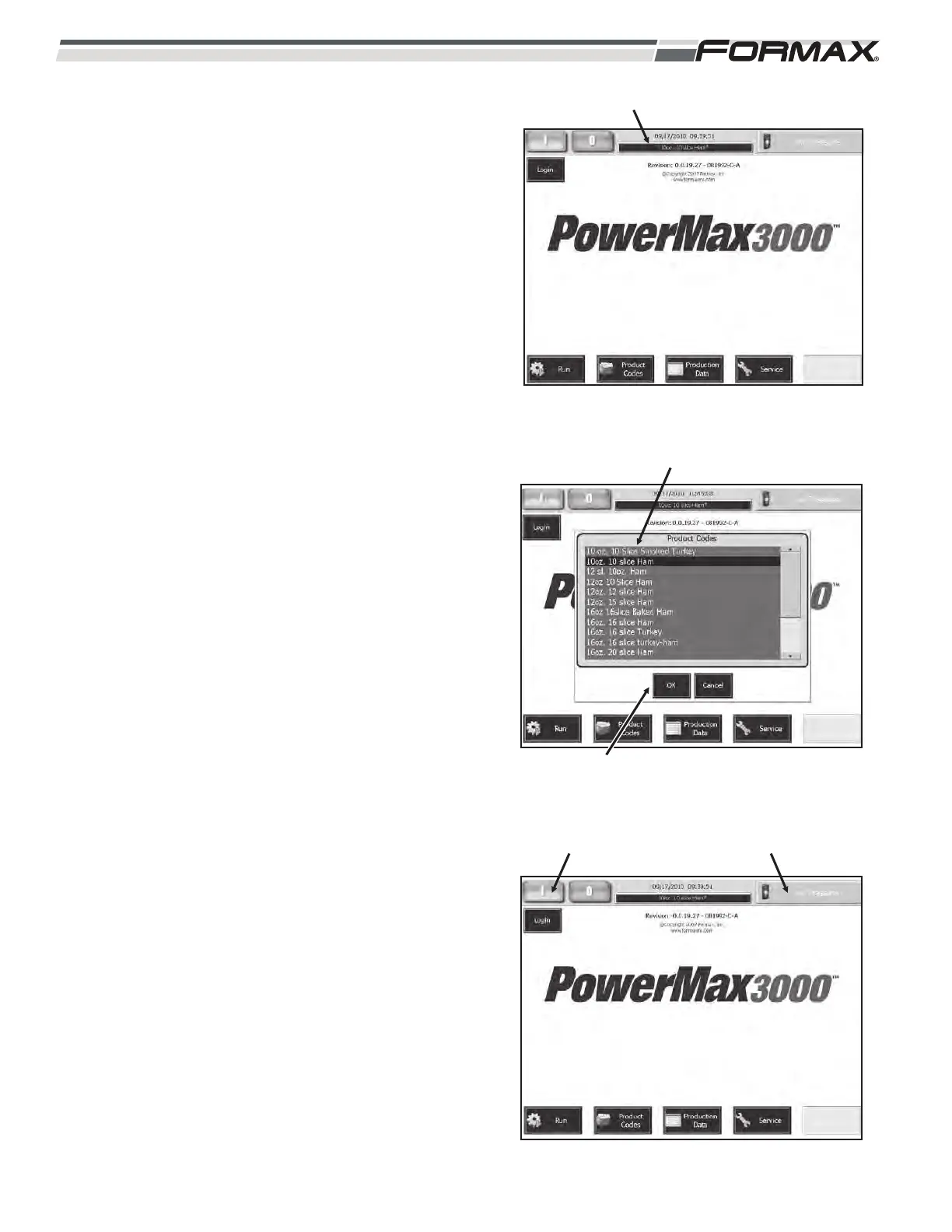
STEP 5 SELECT PRODUCT CODE
1. Touch the “Product Codes” display
window on the “Home” screen.
(Illustration 10)
2. Touch and highlight the correct Product
Code on the “Product Code List” screen.
(Illustration 11)
3. Touch the “OK” button to select the
code. The Product Code will update all
Machine Adjustments on the “Run”
screen to the pre-programmed settings.
STEP 6 CYCLE START
Touch the “Cycle Start” button. (Illustration 12)
The Knife will cycle and the Knife Speed will
display. The “Status” window in the upper right
corner of the Touchscreen will display
“Cycling.”
6-4 031914
ILLUSTRATION 10
“PRODUCT CODES” DISPLAY WINDOW
ILLUSTRATION 11
PRODUCT CODE LIST
“OK” BUTTON
ILLUSTRATION 12
“CYCLE START” BUTTON “STATUS” WINDOW



 To Next Page