031914 M3-51
MOTION CONTROLLER REPLACEMENT
CONTROL MODULE (U1)
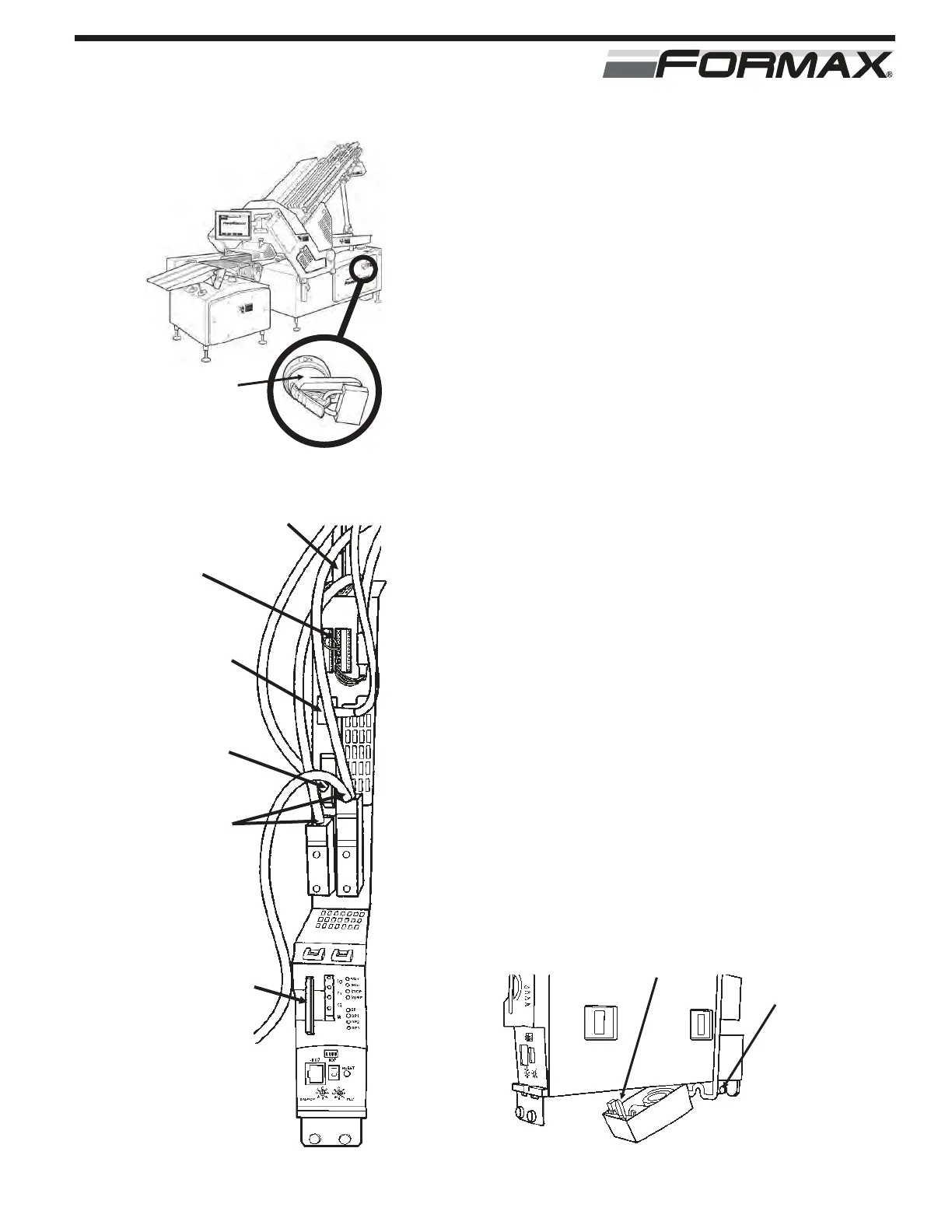
STEP 1 TURN “OFF” THE MAIN POWER AND AIR
ADANGER!
Follow your company’s Lockout/Tagout
procedures when performing any maintenance
on your Formax machine. (Illustration 1)
STEP 2 REMOVAL OF THE CONTROL MODULE
(U1) (Illustration 2)
1. Remove the cables on top of the module X100
and X101. (push in tab and pull up)
2. Pull out the terminal plugs. (X122 and X132)
3. Pull out the power terminal plug. (X124)
4. Remove the Ethernet cable. ( X120 or X130)
(push in the tab, and pull out)
5. Loosen the Profibus terminal plugs retaining
screws.
6. Pull out the plugs. (X126 and X136)
7. Remove the software chip. (slide straight out)
8. Remove the fan. (push in the tab, and lower)
(Illustration 3)
9. Loosen the top and bottom bracket retaining
screws.
10. Remove the Motion Controller.(slide up, pull out)
MOTION CONTROLLER
REPLACEMENT
ILLUSTRATION 3
RETAINING SCREW
(TOP AND BOTTOM)
REMOVE FAN (PUSH
IN TAB, PULL DOWN)
ILLUSTRATION 2
X100-X103
X122 AND
X132
POWER
TERMINAL
PLUG
PROFIBUS
CABLES
PROGRAMMED
FLASH CHIPS
ETHERNET
CABLES
MAIN POWER
HANDLE WITH
LOCKOUT
DEVICE
ILLUSTRATION 1



 To Next Page