WEIGHT DATA SCREEN
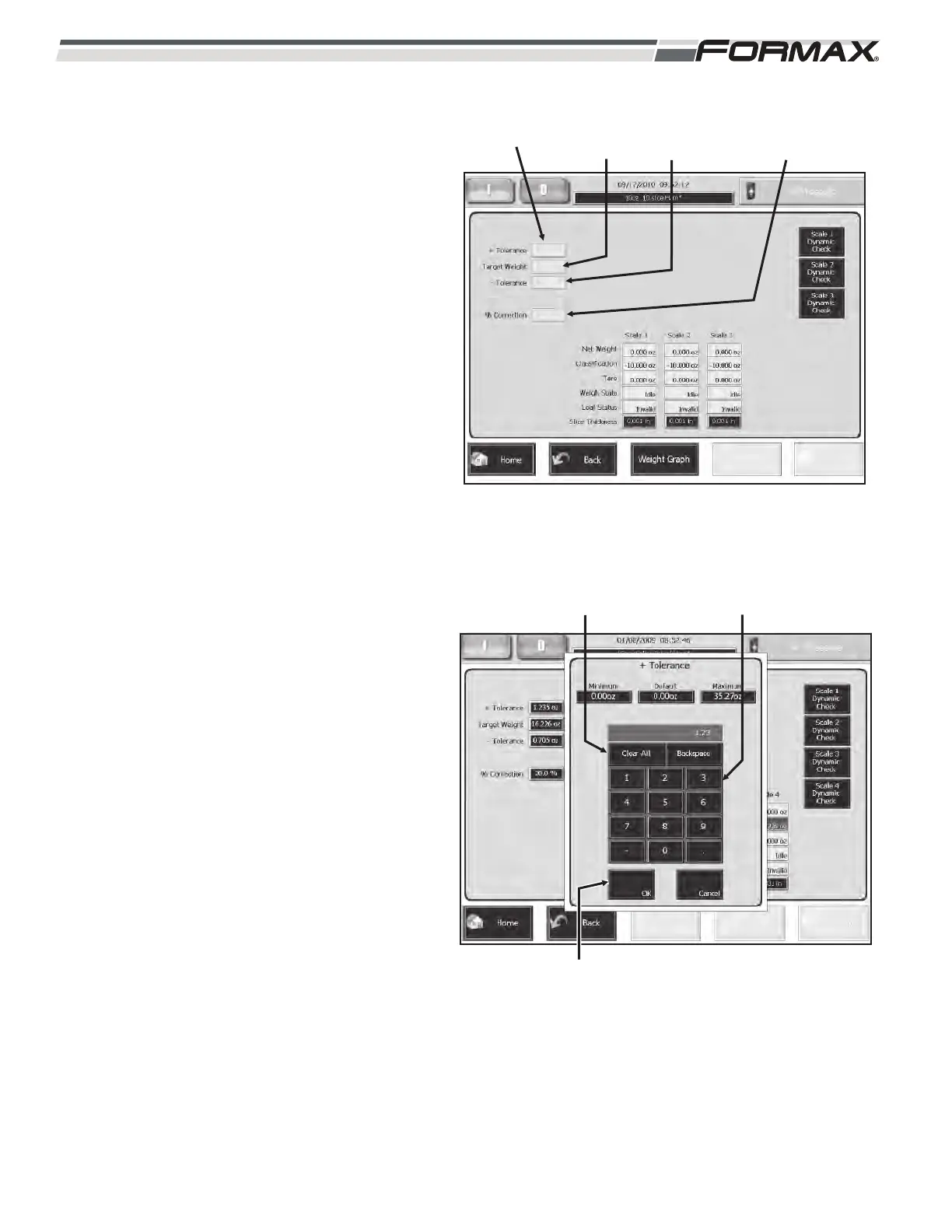
The “Weight Data” screen shows the
“Accept/Reject” tolerances that have been
programmed for this Product Code.
(Illustration 94) They are: “+” Tolerances
(TO1), “Target Weight” and “-“ Tolerances
(TU1).” The “% of Correction” also
displays. These parameters can be
adjusted in the Product Code and also on
this screen. To adjust a “Tolerance” or the
“Target Weight,” touch the display window;
a keypad will display. Enter the new setting
in the keypad and touch the “OK” button.
For example: the “+” Tolerance is set to 30
grams. To change it to 25 grams:
STEP 1 TOUCH THE “+”
TOLERANCE DISPLAY
WINDOW
The “+” Tolerance adjustment keypad will
display. (Illustration 95)
STEP 2 ENTER THE NEW VALUE IN
THE KEYPAD
Touch the “2” and the “5.” If you make a
mistake touch the “Clear All” button and
start over.
STEP 3 TOUCH THE “OK” BUTTON
The keypad will disappear and the “+”
Tolerance display window will display the
new value.
6-36 031914
ILLUSTRATION 94
“+” TOLERANCE
(TO1)
TARGET
WEIGHT
“-” TOLERANCE
(TU1)
“%”
CORRECTION
ILLUSTRATION 95
ADJUSTMENT KEYPAD
“OK” BUTTON
“CLEAR ALL” BUTTON



 To Next Page