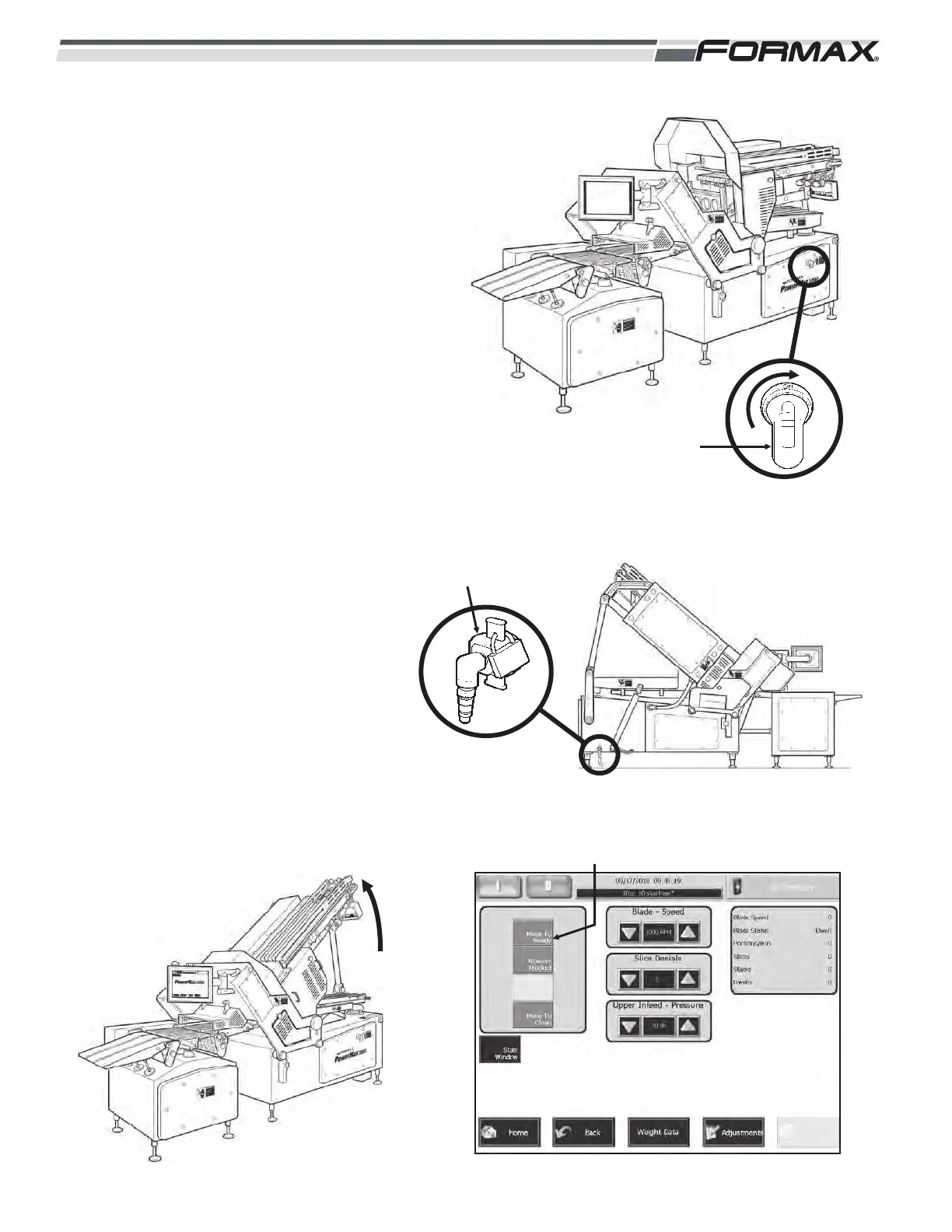
STEP 14 TURN “ON” THE MAIN POWER
AND AIR
(Illustrations 56 and 57)
ADANGER!
Follow your company’s lockout/tagout
procedure before assembling the
machine.
1. Follow the Touchscreen prompts
and calibrate the Touchscreen.
STEP 15 MOVE THE MACHINE TO THE
“READY” POSITION
(Illustrations 58 and 59)
5-18 031914
ILLUSTRATION 58
“MOVE TO READY” BUTTON
READY POSITION
ILLUSTRATION 59
STRUCTURE
RAISES
PNEUMATIC
LOCKOUT/TAGOUT
MACHINE BACKSIDE
ILLUSTRATION 57
POWER ON
ILLUSTRATION 56



 To Next Page