7-8 031914
DELETE A PRODUCT CODE
To “Delete” an existing Product Code:
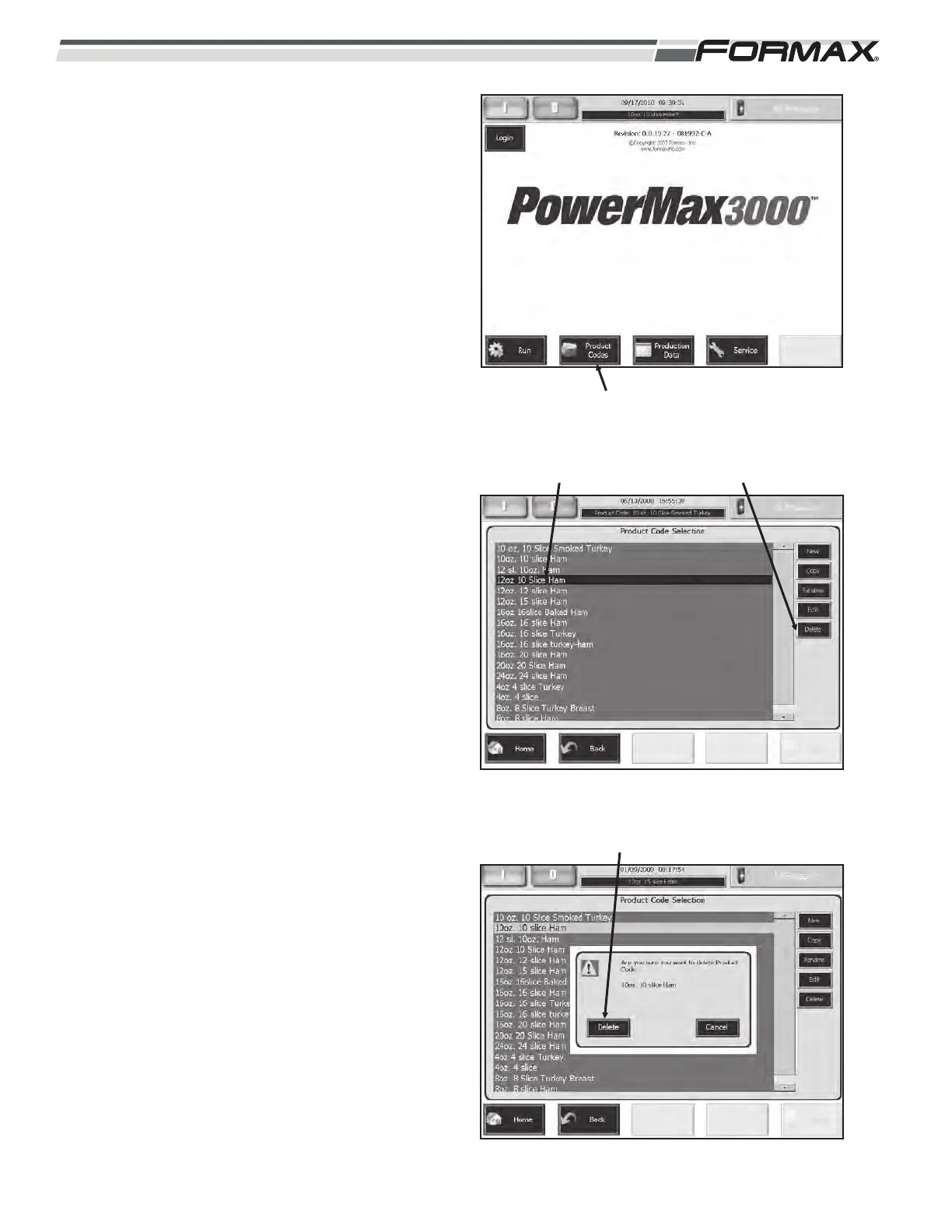
1. Touch the “Product Codes” button on
the “Home” screen. (Illustration 17)
2. Touch and highlight the “Product Code”
that you would like to “Delete.”
(Illustration 18)
3. Touch the “Delete” button to access the
“Delete Product Code” screen.
4. The screen will ask, “Are you sure you
want to delete the Product Code?”
Touch the “Delete” button to delete the
Product Code. (Illustration 19)
ILLUSTRATION 18
“DELETE” BUTTONSELECT “PRODUCT CODE
ILLUSTRATION 19
TOUCH “DELETE”
ILLUSTRATION 17
“PRODUCT CODES” BUTTON



 To Next Page