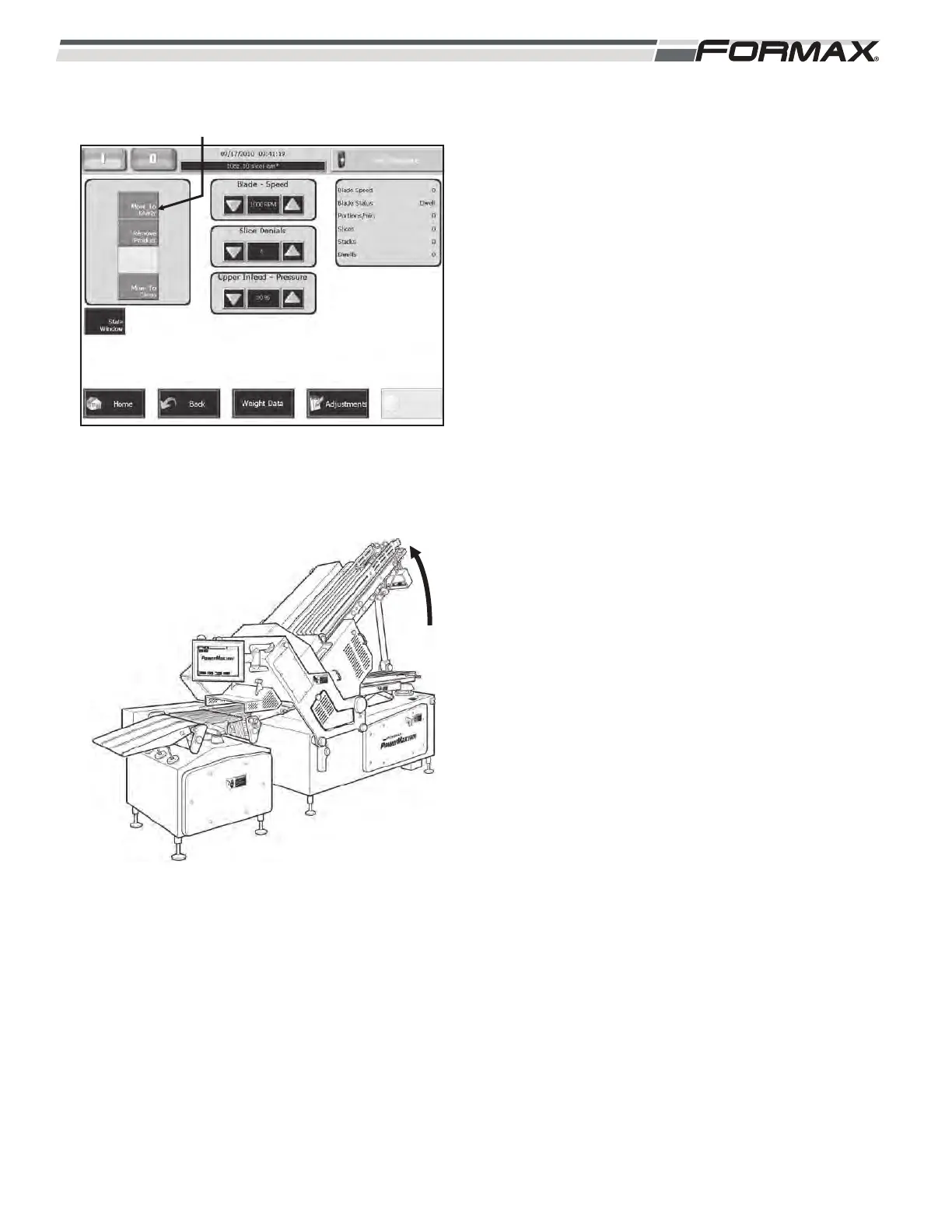
STEP 4 MOVE THE SLICER TO THE
“READY” POSITION
“Touch” and “Hold” the “Move To Ready” button
on the “Run” screen. (Illustration 8)
1. The Infeed structure will raise to the “Up”
position. (Illustration 9)
2. All of the Slicer components will “Align” to
their “Home” position.
IMPORTANT!
The “Move To Ready” button must be
touched whenever the Slicer power is turned
“On.” It will not be necessary to “Home” the
Slicer again during normal production
operation. The Slicer Computer will retain
component position information, even when a
“Master Off” is pushed or a “Fault” occurs.
031914 6-3
ILLUSTRATION 8
“MOVE TO READY” BUTTON
READY POSITION
ILLUSTRATION 9
STRUCTURE
RAISES



 To Next Page