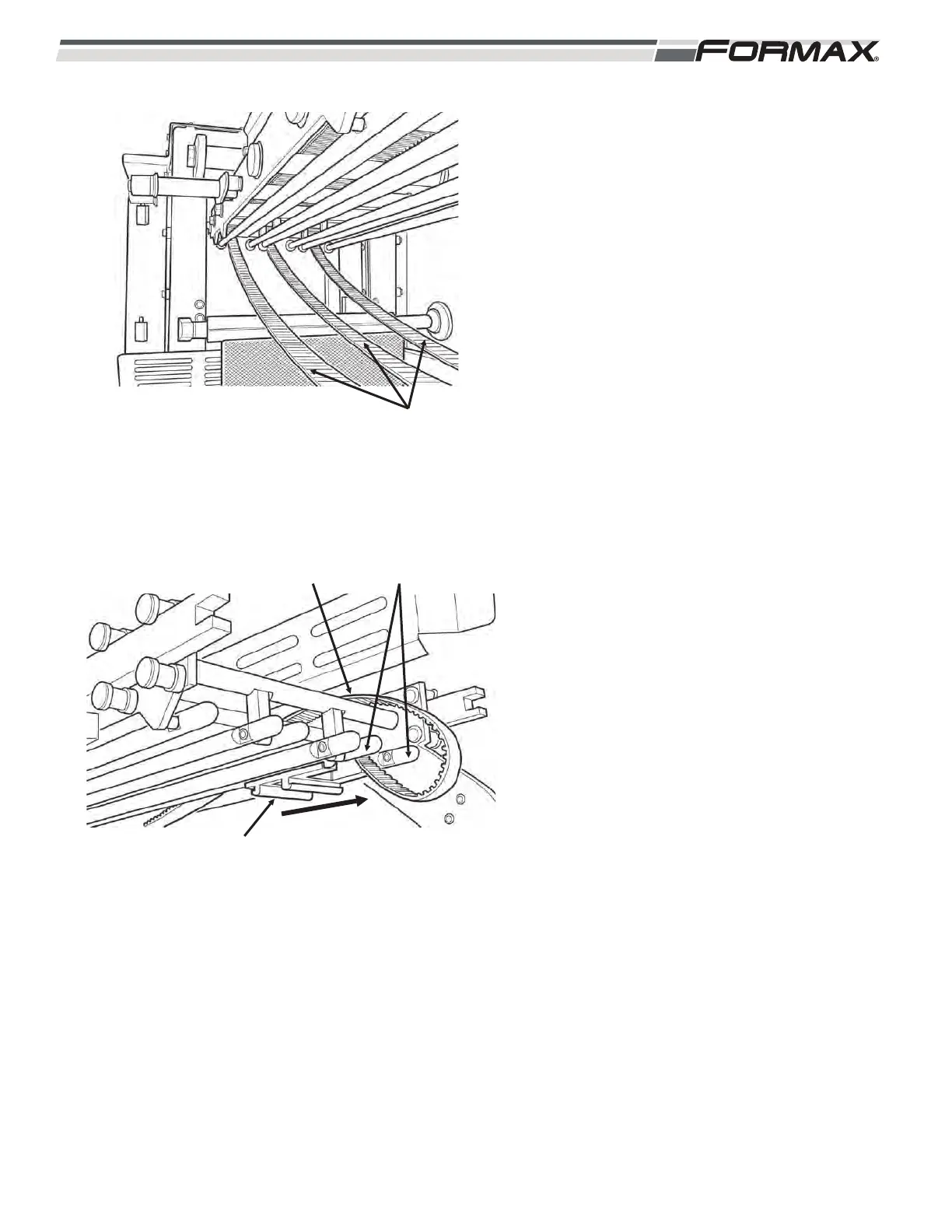
5. Remove the #1 Drive Belt off the drive
pulley and pull it out between the side
frame and the guide rails. (Illustration 33)
6. Slide the #1 Gripper mounting bracket off
the guide rails. (Illustration 34)
7. Remove the #2 and #3 Gripper Drive
belts in the same way.
8. Put all parts in the parts cart for clean up.
031914 8-11
ILLUSTRATION 34
DRIVE BELT
MOUNTING BRACKET
GUIDE RAILS
ILLUSTRATION 33
DRIVE BELTS



 To Next Page