M2-12 031914
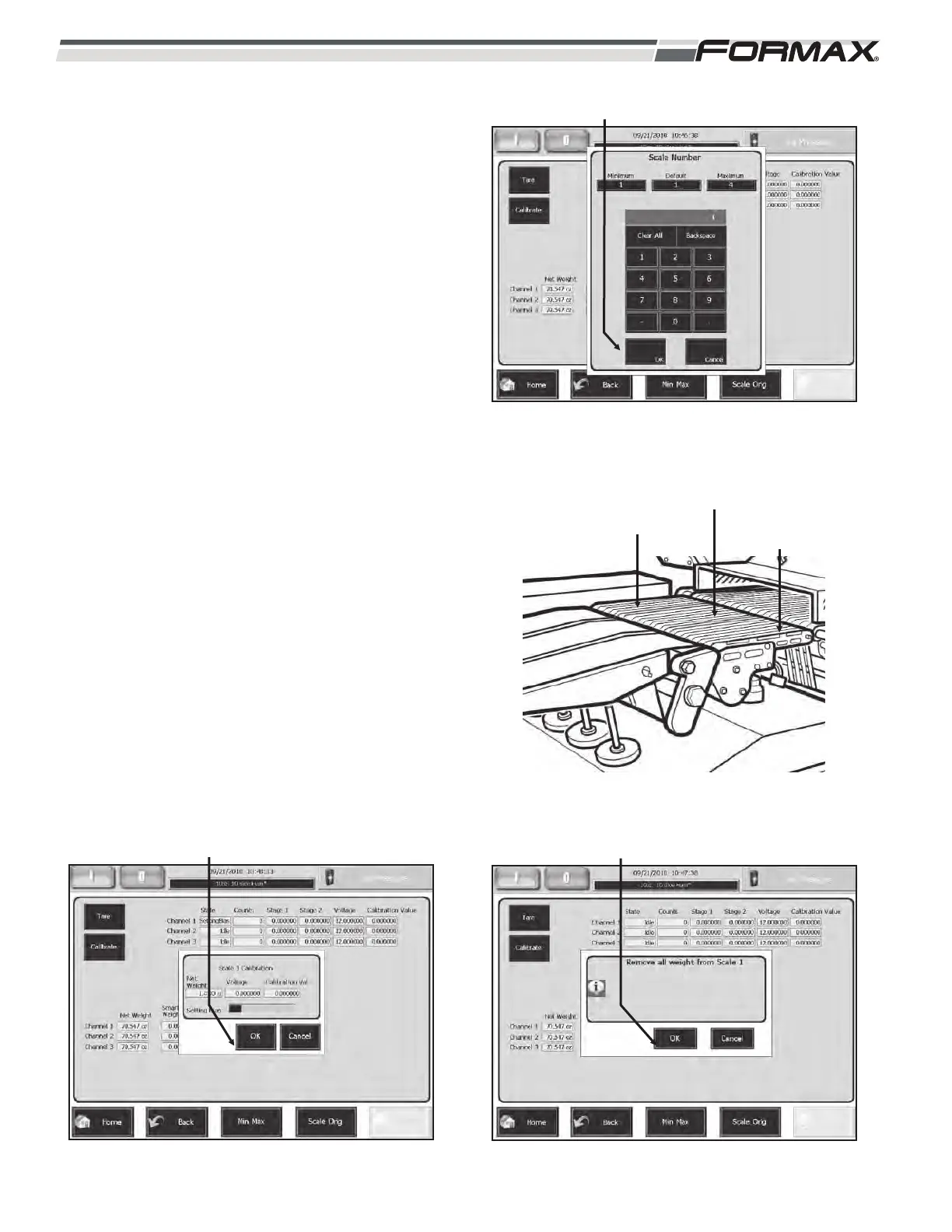
STEP 3 SELECT THE SCALE
1. Enter the position number of the scale
that needs to be calibrated.
2. Press 1, 2, or 3 depending on your
machines configuration. Then press
“OK.” (Illustration 15 and 16)
STEP 4 REMOVE ALL WEIGHT FROM
SCALE
1. Press the “OK” button. (Illustration 17)
STEP 5 SET THE BIAS VOLTAGE
1. The computer will set the Bias voltage.
It will take approximately 30 seconds
to set. (Illustration 18)
ILLUSTRATION 16
DYNAMIC SCALE
CONVEYOR #3
DYNAMIC SCALE
CONVEYOR #2
DYNAMIC SCALE
CONVEYOR #1
ILLUSTRATION 15
“OK” BUTTON
ILLUSTRATION 17
“OK” BUTTON
ILLUSTRATION 18
“OK” BUTTON



 To Next Page