031914 M6-1
The Scale Assembly consists of the Load Cell assemblies, the
Dynamic Scale conveyor and the Drive assembly. If you
change out a Load Cell assembly you must recalibrate the
Scales.
After changing the load cell assembly, allow the old one to sit
in a warm dry room for a couple of days to dry out. Temporarily
install the load cell assembly on the side of the machine. Install
the scale support and support screw to the load cell and mount
the conveyor and drive assembly to it. Perform a static test. If
the scale still fails, it can be repaired at the Formax factory.
Contact the Formax Customer Service Department for
information.
Things to check before you replace the load cell
assembly:
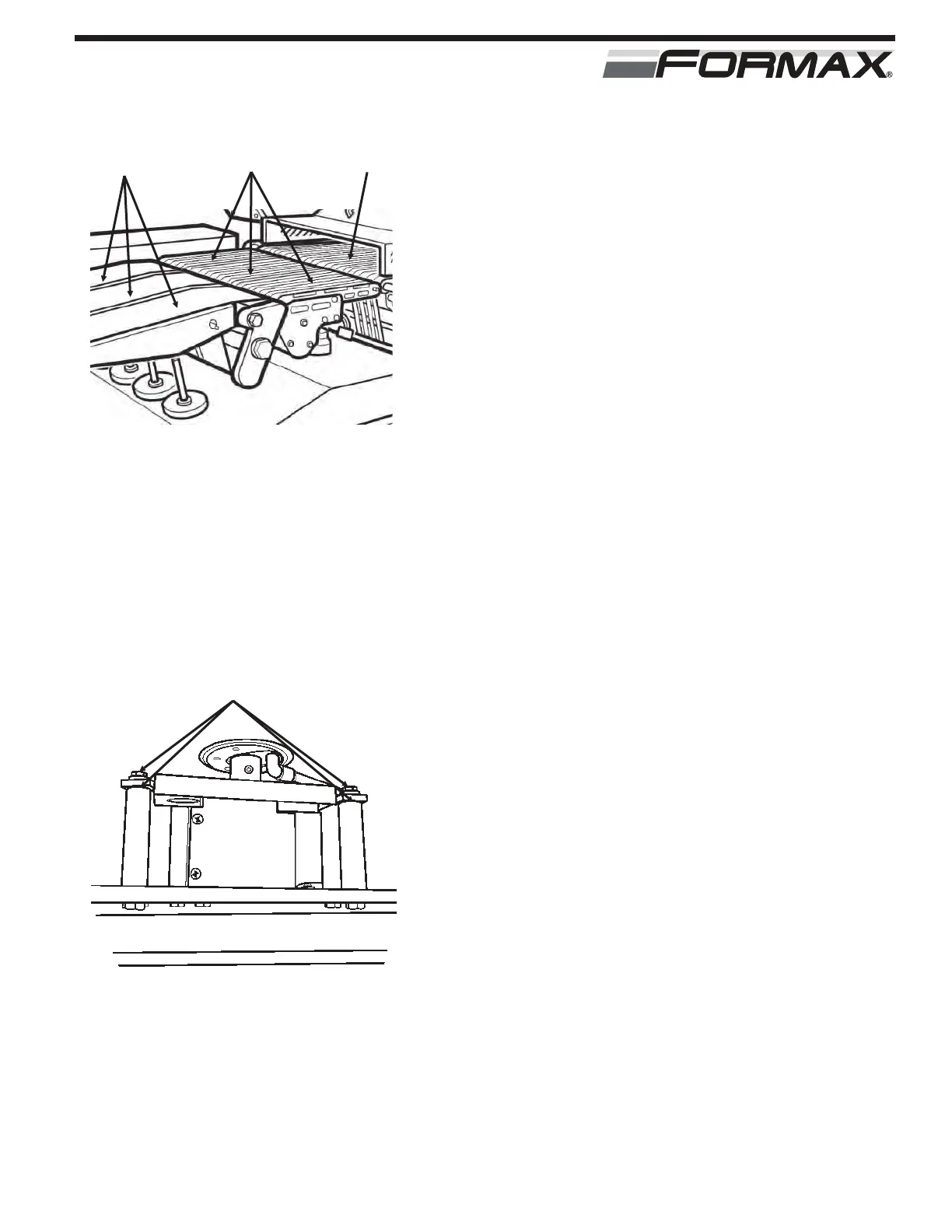
1. Make sure that there is no interference between the
Scale conveyors and the Transfer and Classifier
conveyors. (Illustration 1)
2. Make sure that the Drive assembly is bolted tight to the
support post.
3. Check for food particles interfering between the support
post and the Scale Piston.
4. Remove the side covers and look at the scale support
area. Look for any food particles interfering with the
load cell support posts. (Illustration 2)
5. Make sure that the scale cabinet is level and all 4 legs
are on the floor. If the cabinet is rocking from vibration,
the scales will be affected.
Reasons to replace the scale assembly are:
1. There is no weight reading when the stack is set on the
scale. The target weight will be displayed as a negative
value in the “Classification” box on the “Weight Data”
screen.
2. The stacks are all rejected, a scale error is displayed
constantly on the scale readout or the machine shuts
down with scale errors.
3. The display shows an error when you try to static check
the scale and you have followed the previous checks.
4. The scale gives erratic weight measurements when you
perform 10 static weight checks.
SCALE ASSEMBLY
ILLUSTRATION 2
NO INTERFERENCE AT ALL
4 SUPPORT POSTS
ILLUSTRATION 1
TRANSFER
CONVEYOR
CLASSIFIER
CONVEYORS
SCALE
CONVEYORS



 To Next Page