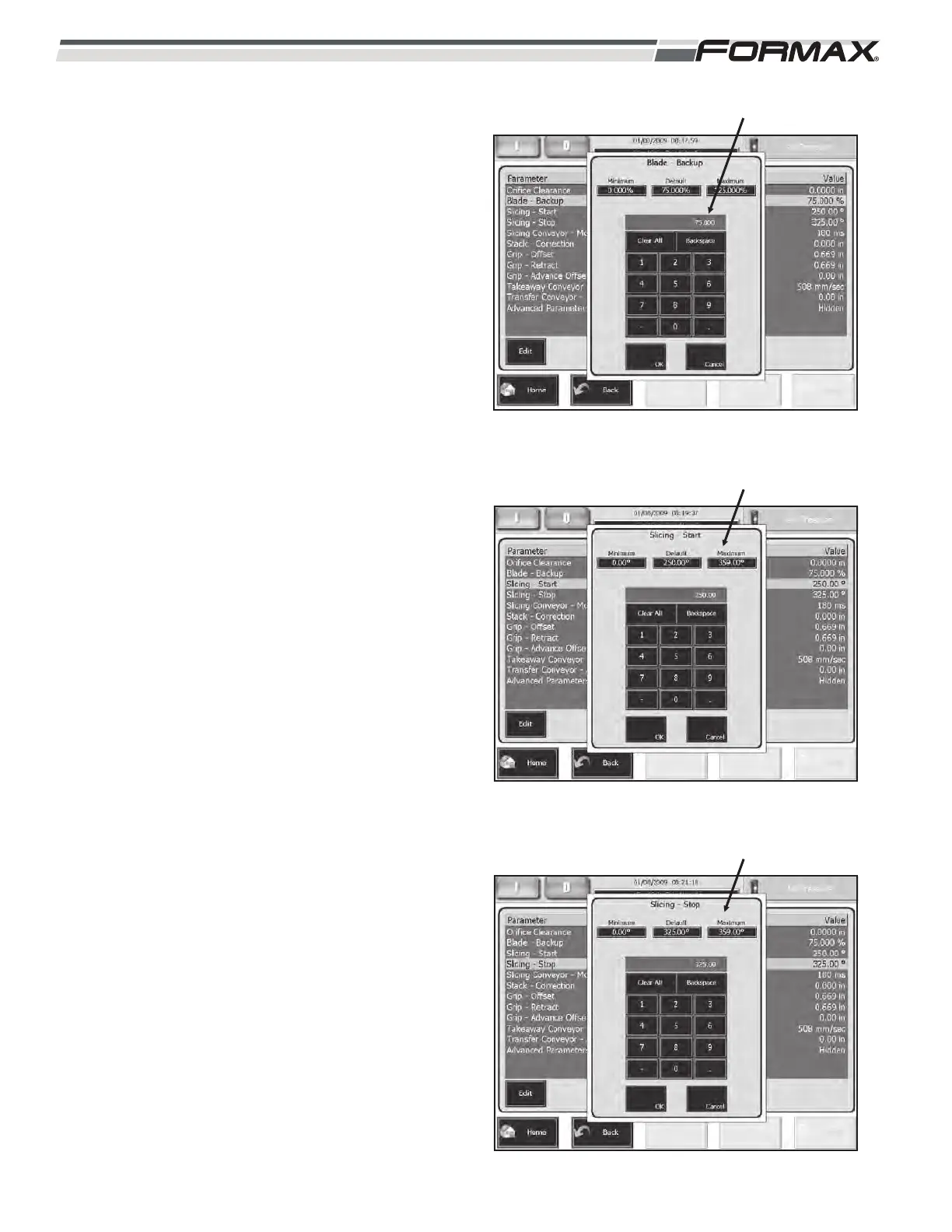
BLADE BACKUP: The “Blade Backup” adjustment
controls the distance that the Blade retracts away
from the product during the “Slice Denial” period.
This adjustment is set as a percentage of one Slice
Thickness. (Illustration 44)
For most products, a setting of 75% is normal.
SLICING START: The “Start Slicing” adjustment
controls when the Blade moves toward the Shear
Bar, into the “Slicing” position. (Illustration 45) This
adjustment is set as a degree of Blade rotation.
If you are getting wedge shaped “first” slices, lower
this setting.
A setting of 200 degrees is normal for most
products.
SLICING STOP: The “Stop Slicing” adjustment
controls when the Blade moves away from the
Shear Bar, during the Denial time. (Illustration 46)
This adjustment is set as a degree of Blade
rotation. If you are getting thin “top” slices, increase
this setting.
6-18 031914
ILLUSTRATION 45
“SLICING START” ADJUSTMENT
ILLUSTRATION 46
“SLICING STOP” ADJUSTMENT
ILLUSTRATION 44
“BLADE BACKUP” ADJUSTMENT



 To Next Page