71
ENGLISH
Navigaon Knob: No acon. When pressing the “Freeze” key, this key is used for S-T segment analysis.
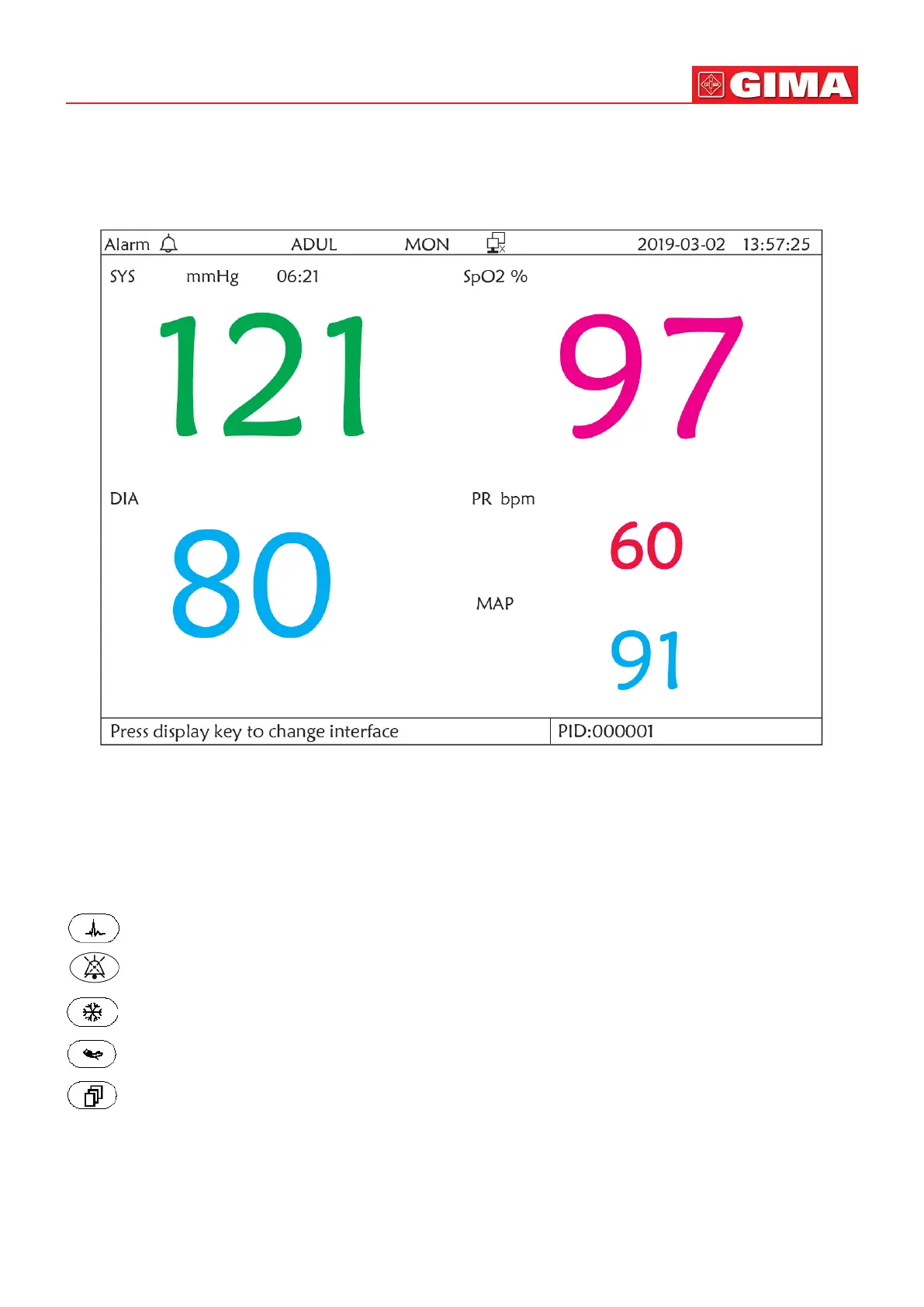
12.2 NIBP Screen Display
Figure 12.2 NIBP Screen display
Press the DISP key to shi the Main Screen to NIBP screen, as shown in Figure, when seng Disp 2 as “NIBP” in “system
menu→system setup→Disp2”. In NIBP screen, PR from SpO2 is shown prior to PR from NIBP.
Operation Instructions:
EGG lead: No acon.
Alarm silence: Press it to enable/disable alarm silence.
Freeze: No acon.
NIBP: Press it to start NIBP measurement, and press it again to cancel measuring NIBP.
Shi: Press it to shi the display to the Main Screen.
Navigaon knob: No acon.



 To Next Page