Operating Instructions • Thermal Transfer Printer TT4030 • 06-2017 • 031-93478
Layout and function
8
Depending on the confi guration, different information is
shown in the header in the form of widgets:
Widget on the start
screen
Meaning
The reception of data through an interface is
signaled by a falling drop.
The Save data stream function is active.
Æ Confi guration instructions
All received data is saved in a
.lbl fi le.
Advance warning of colour ribbon end:
Æ Confi guration instructions
The residual diameter of the supply roll has
undercut the set value.
The SD card is installed.
The USB memory device is installed.
Grey: Bluetooth adapter is installed.
White: Bluetooth connection is active.
WiFi connection is active. The number of white
bars represents the strength of the WiFi
connection.
Ethernet connection is active.
USB connection is active.
Time display
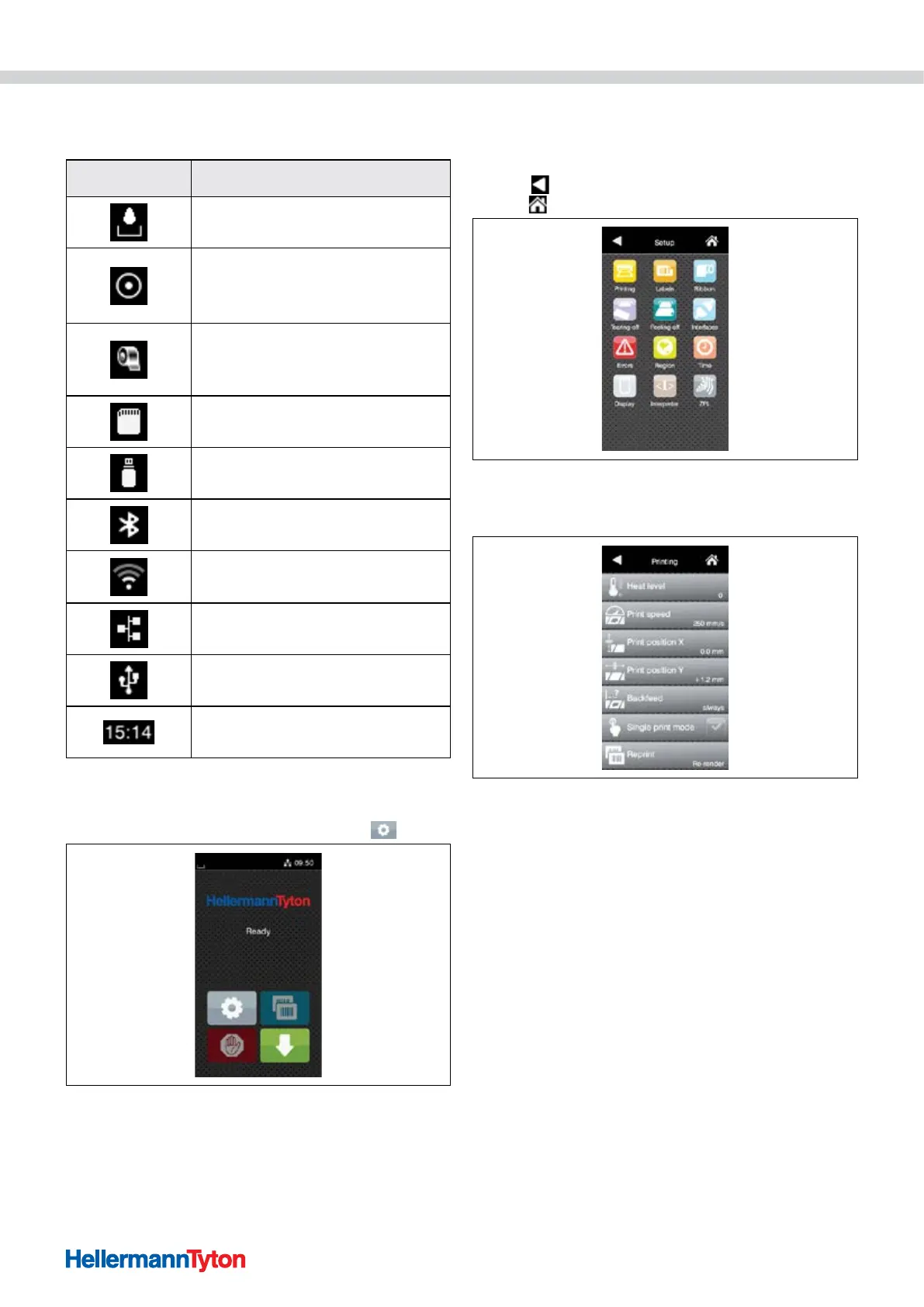
4.2.2 Navigation in the menu
Proceed as follows:
1 To jump to the menu in the start level, press
.
Start level.
2 Choose a topic in the selection level.
; Different topics have substructures with additional
selection levels.
With
, you jump back to the superordinate level, and
with , back to the start level.
Selection level.
3 Continue the selection until the parameter/function level
has been reached.
Parameter/function level.
4 Select the function.
; The device executes the function, after a preparatory
dialogue if necessary.
- or -
5 Select the parameter.
; The setting options depend on the type of parameter.


 To Next Page
 Loading...

