GENERAL INFORMATION
- 20 -
When reading a metric micrometer, add the number of millimeters and half-millimeters on the
sleeve line to the number of one one-hundredth millimeters on the thimble. Perform the following steps
while referring to Figure 25.
1. Read the upper half of the sleeve line and count
the number of lines visible. Each upper line equals
1mm.
2. See if the half –millimeter line is visible on the
lower sleeve line. If so, add 0.50mm to the reading
in Step 1.
3. Read the thimble mark that aligns with the sleeve
line. Each thimble mark equals 0.01mm.
NOTE
If a thimble mark does not align exactly
with the sleeve line. Estimate the amount between the lines.
For accurate readings in two-thousandths of a millimeter
(0.002mm), use a metric vernier micrometer.
4. Add the readings from Steps 1-3.
Standard inch micrometer
The standard inch micrometer (Figure 26) is
accurate to one-thousandth of an inch or 0.001. The
sleeve is marked in 0.025 in. increments. Every fourth
sleeve mark is numbered 1,2,3,4,5,6,7,8,9. These
numbers indicate 0.100, 0.200, 0.300, and so on.
The tapered end of the thimble has 25 lines
marked around it. Each mark equals 0.001 in. One
complete turn of the thimble will align its zero mark
with the first mark on the sleeve or 0.025 in.
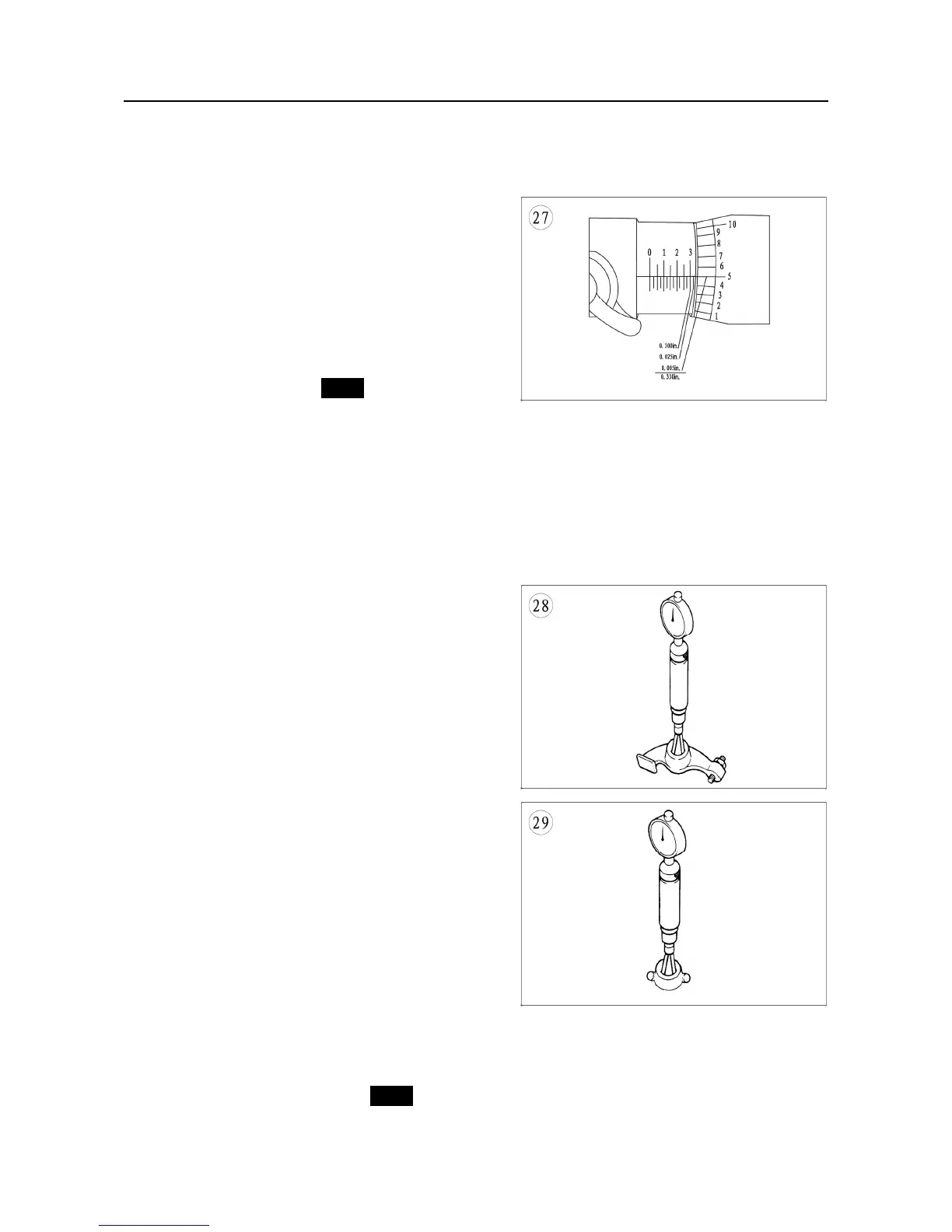
To read a standard inch micrometer, perform the
following steps and refer to Figure 27.
1. Read the sleeve and find the largest number
visible. Each sleeve number equals 0.100 in.
2. Count the number of lines between the numbered
sleeve mark and the edge of the thimble. Each
sleeve mark equals 0.025 in.
3. Read the thimble mark that aligns with the sleeve
line. Each thimble mark equals 0.01 in.
NOTE
If a thimble mark does not align exactly with the sleeve line, estimate the



 To Next Page