2014-03-24
144
B.2 Main Parts Expanded View
B.2.7.1 BRUSH SS,SUS_BRUSH,10mm
144
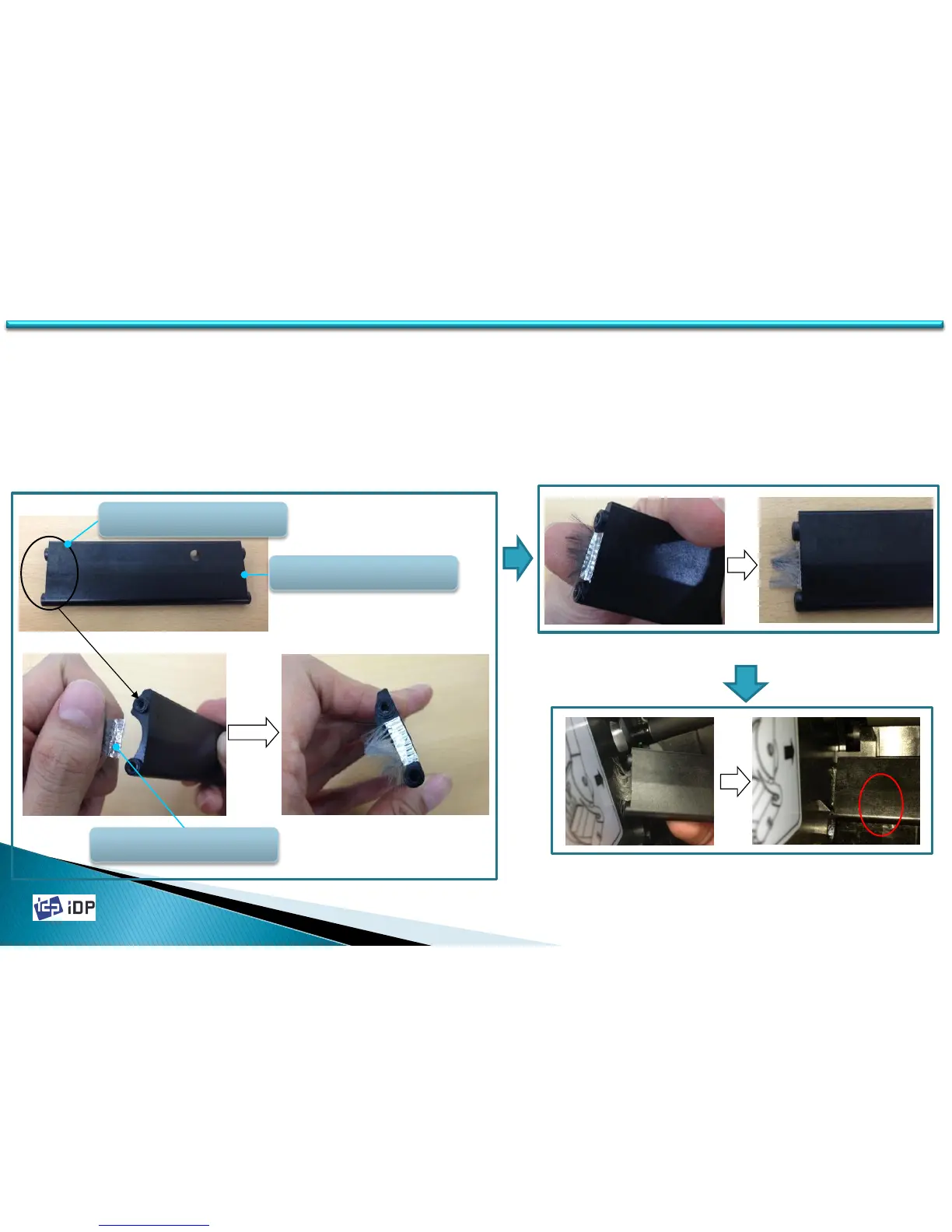
1. Stick BRUSH SS,SUS_BRUSH,10mm to COVER
SS,COLOR_SEARCH,1.0 on the position as Fig.1.
2. Bend BRUSH SS,SUS_BRUSH,10mm more than 90 degree as
Fig.2.
3. Assemble COVER with BRUSH into Printer as Fig.3.
[611013] BRACKET
S3,COLOR_SEARCH_COVER
[611013] BRACKET
S3,COLOR_SEARCH_COVER
SUS_BRUSH 붙이는 부위
<Fig.1>
<Fig.2>
<Fig.3>



 To Next Page