2014-03-24
57
• Resin Black Printing Density
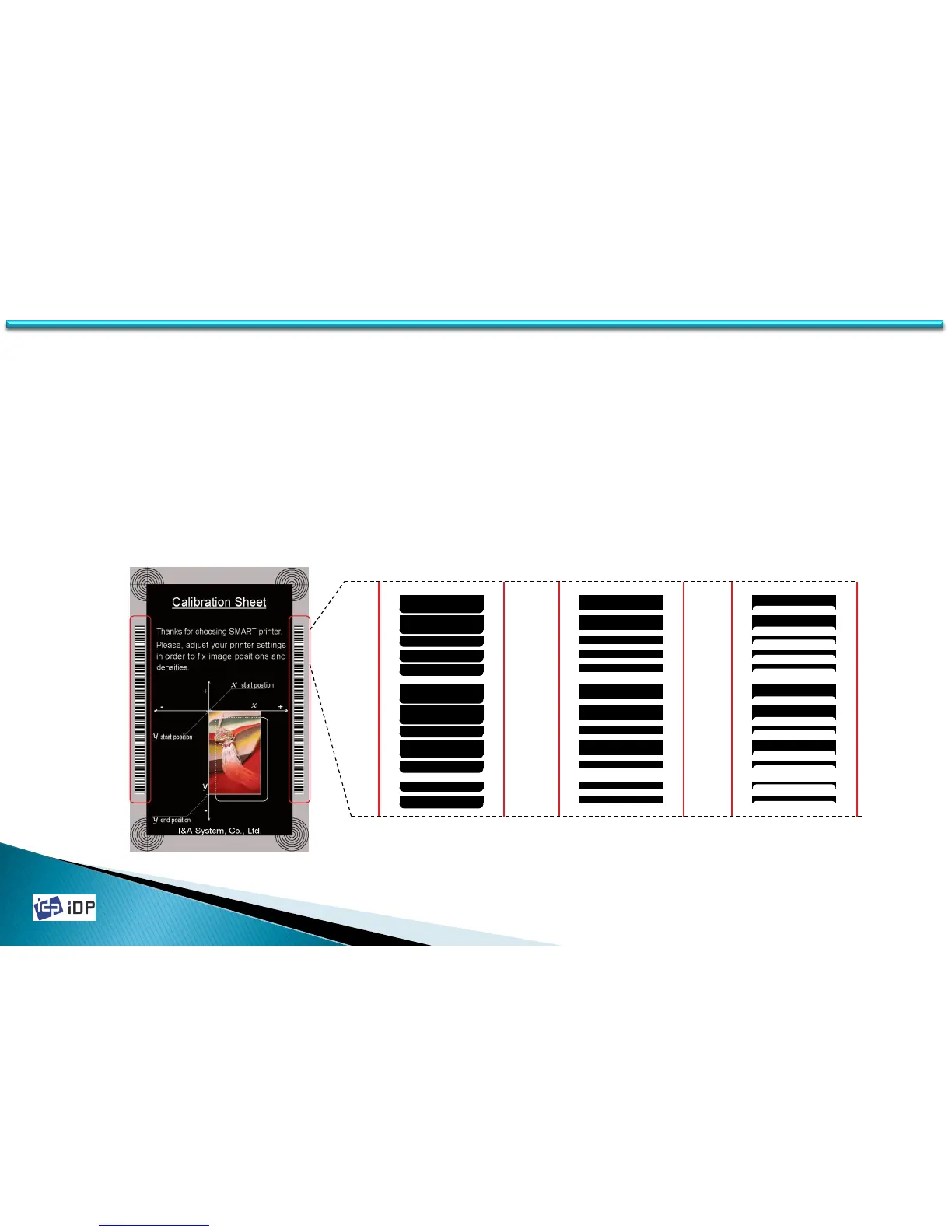
Resin Black is used to print the black clearly such as the barcode or text. It print the black which extracted by
the printer device driver or set as black in Smart Design. The red box in the below figure is printed by resin
black.
Resin Black is printed as binary type, not level for the printing result. So the setting standard of printing
thickness is different.
If the thickness is too strong, the barcode is not clear and too widen. And if too weak, the barcode is printed
too short. Set the resin black printing thickness properly to get the clear barcode printing. Not too strong but
a little bit strong is best.
Too Strong Proper Too Weak
4.1 Setup



 To Next Page