2014-03-24
60
4.1.3.4 Flipper
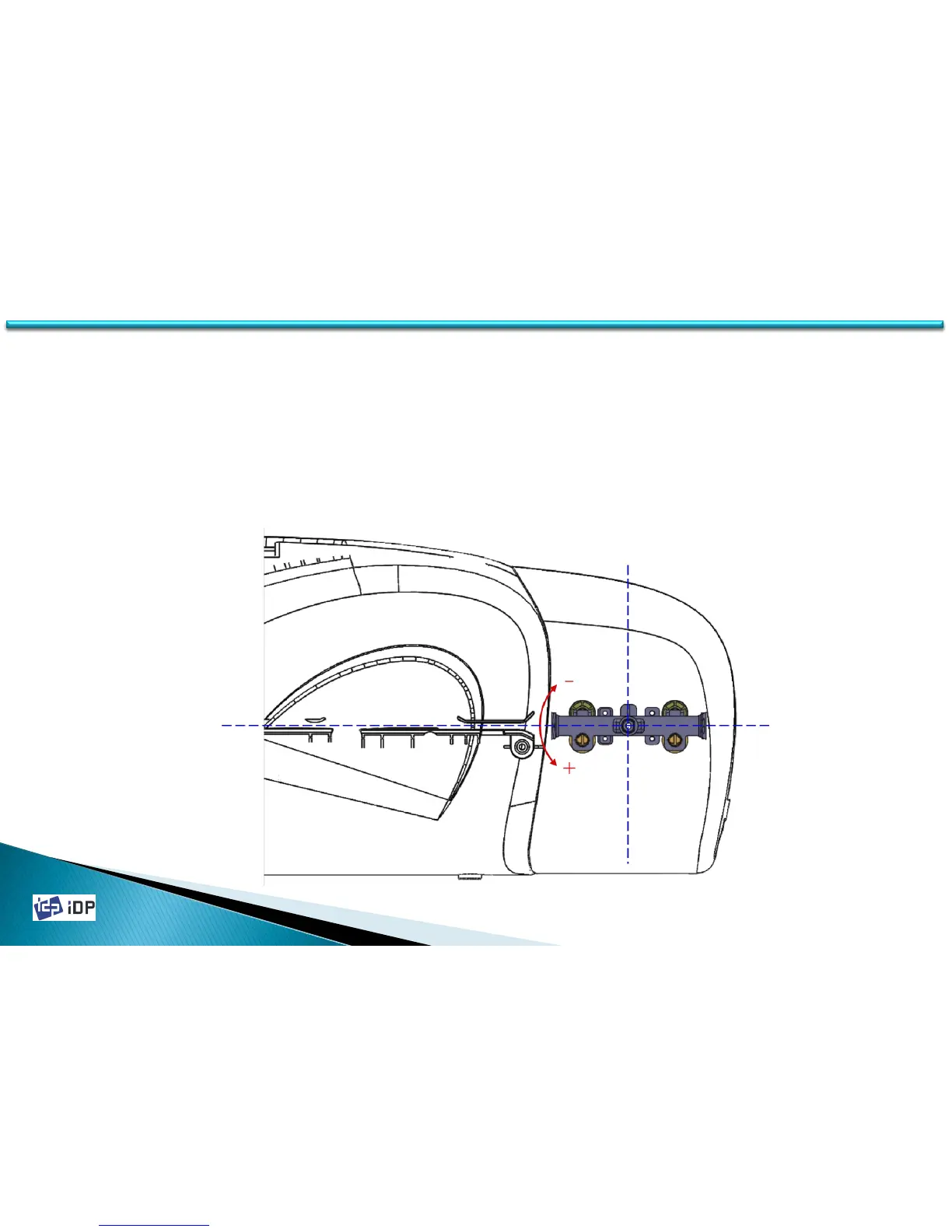
On SMART-30, flipper can be attached as option. When there is no printing, the Flipper keep the horizontal flat. So
the setup of Flipper is to make it the horizontal flat by adjusting its angle.
“Rotate Top” and “Rotate Bottom” are the accurate setting when the Flipper is front side or back side to make a
horizontal flat with the card movement passage. This value is between -30 ~ 30 and + is upper adjustment, - is
down adjustment.
(We recommend that there is Flipper card jam problem.)
4.1 Setup



 To Next Page