2014-03-24
173
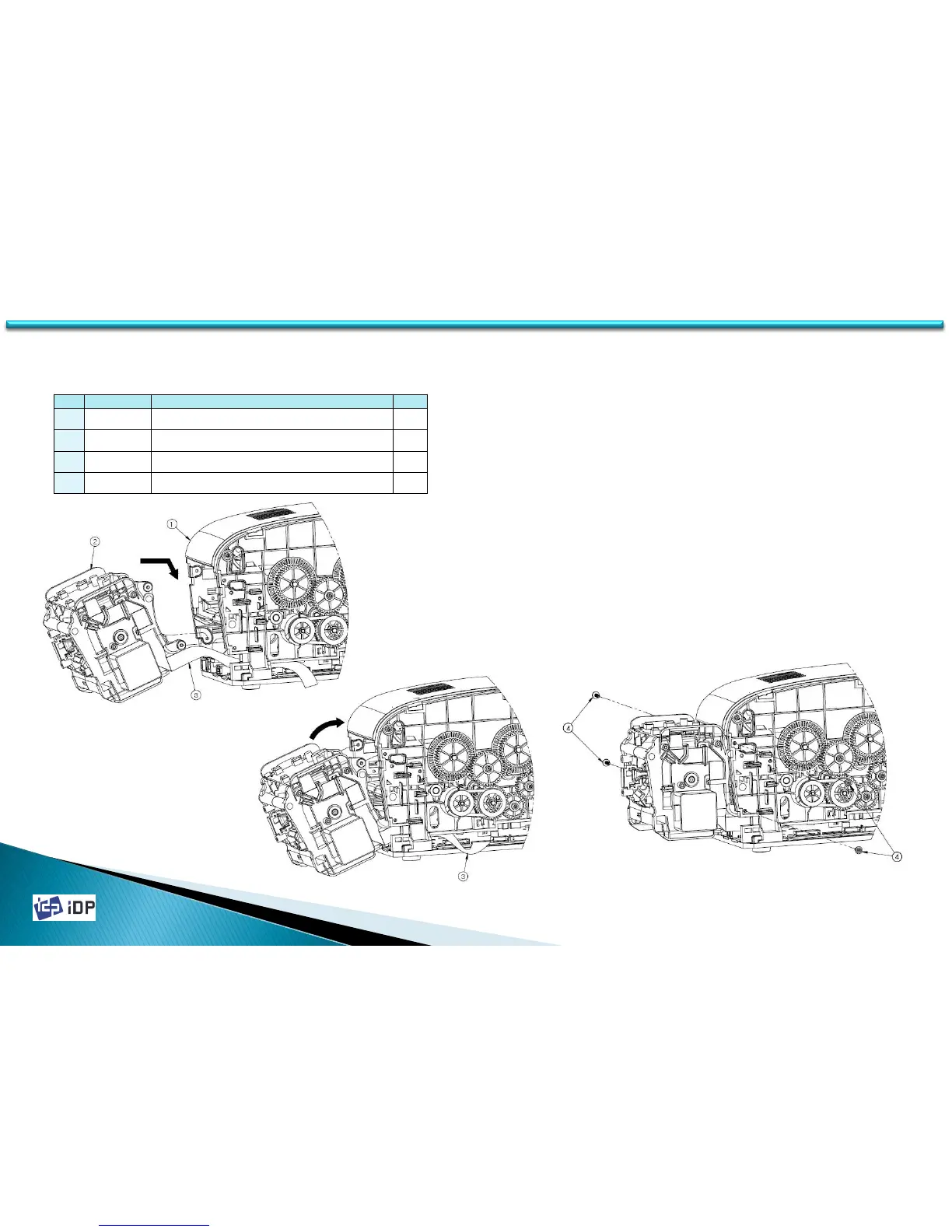
1. To assemble Flipper Unit, disassemble
Side Cover Right / Left and Rear Cover
from Printer (See 3.1 Covers)
2. Insert the lower bumps of Flipper Unit to
the groove of the Main Frame of Printer
as figures.
3. Spin Flipper to fix the upper bumps of
Flipper Unit to the Main Frame of Printer.
4. Tighten 4 screws.
FLIPPER Assembly
C.2 Flipper Option
No. IA. CODE NAME Q'TY
1
640254 ASSY S3,SMART-30_1.0_STD_MD
1
2
640288 ASSY S3,FLIPPER_OPTION
1
3
610148 FFC CABLE,350mm,30P,0.5mm,2896 c-type
1
4
610366 SCREW SS,M3X10,S_W
4
173



 To Next Page