2014-03-24
69
4.1 Setup
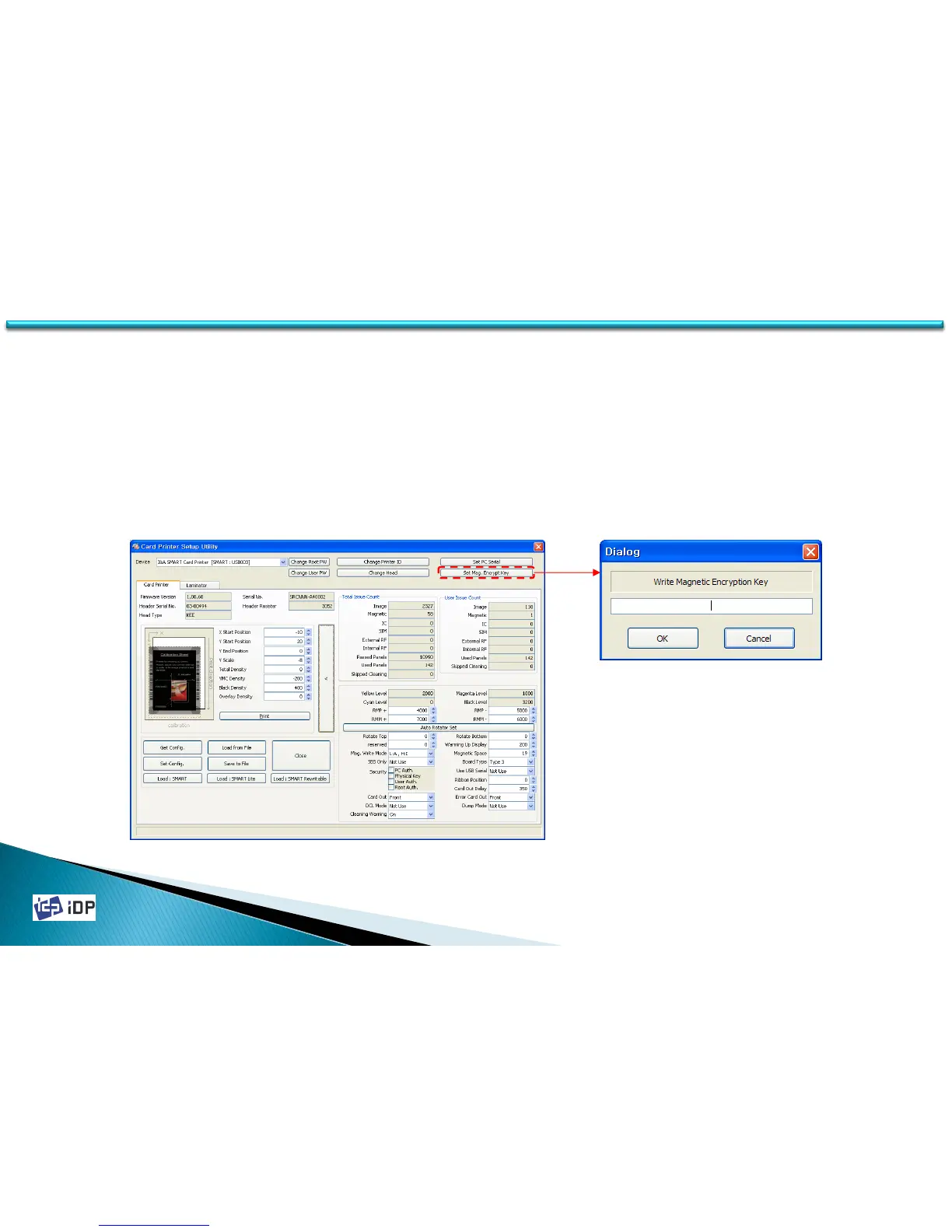
• Magnetic Encryption
If the magnetic stripe card is read and write by SMART printer, the magnetic information can be transfer by USB.
“Magnetic Encryption” is define the key which is used to encrypt the magnetic information to prevent that
information’s hacking between PC and SMART printer.
To use “Magnetic Encryption”, press “Set Mag. Encryption Key” and input the key you want to use to the dialog.
For the encryption, you can use the magnetic read/write encryption key in SDK provided.


 To Next Page