2014-03-24
56
4.1.3.2 Printing Density
SMART Card Printer is direct thermal printer. Use the thermal heat to print. To print the correct and proper
printing, the thermal heat should be different in color printing, resin black printing, overlay printing. So for the
best printing image, some adjustment is needed.
• Color Printing Density
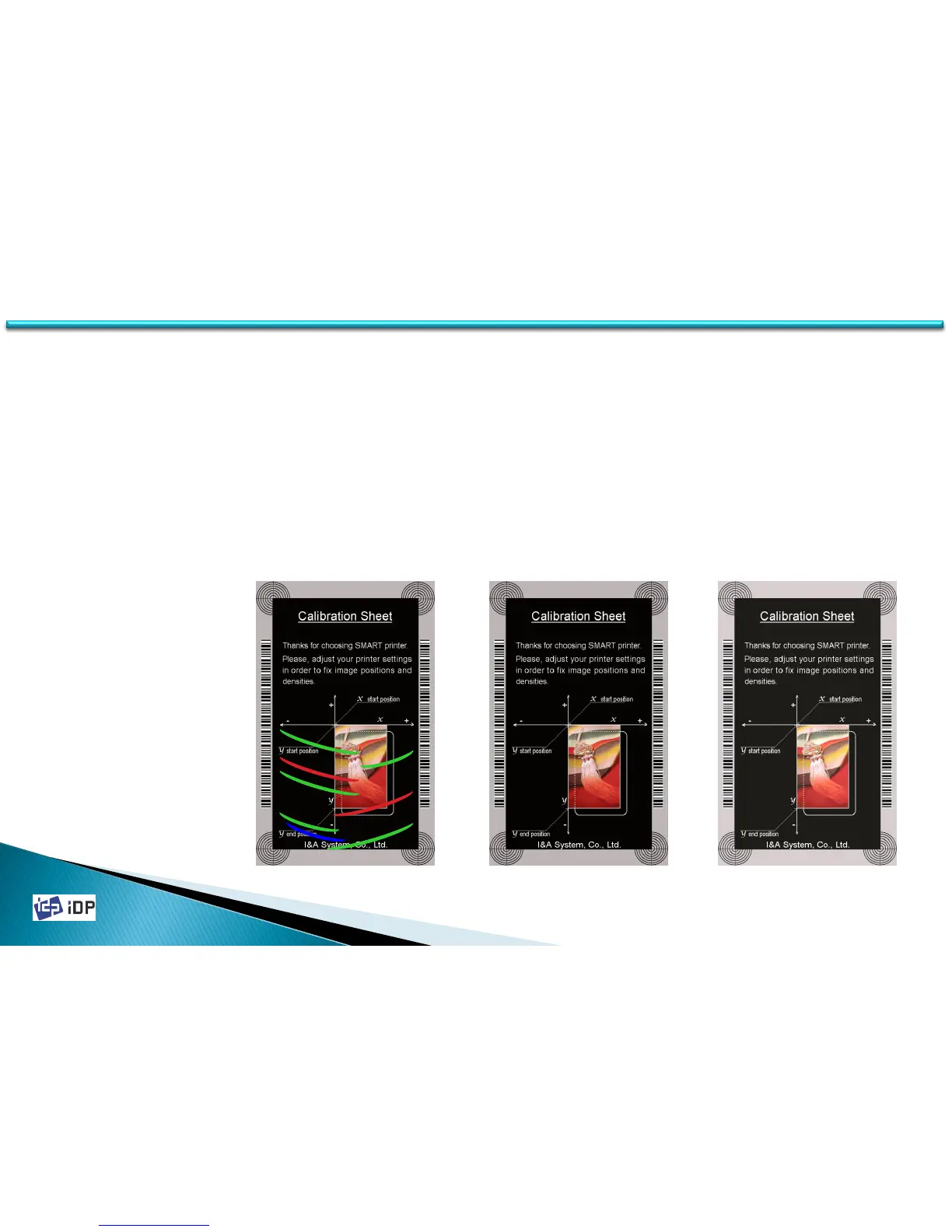
Color printing is print the color image using the color ribbon. SMART printer can print 16,777,216 color. In its
color printing thickness, the color expression range can be widen and get the clear image by printing so thickly
as possible as the ribbon is allowed. However if it is too thick, the ribbon can folded and there might be green or
red bad image. And if it is too weak, the image is not clear as below third figure. Set the proper thickness.
Too Strong Proper Too Weak
4.1 Setup



 To Next Page