2014-03-24
102
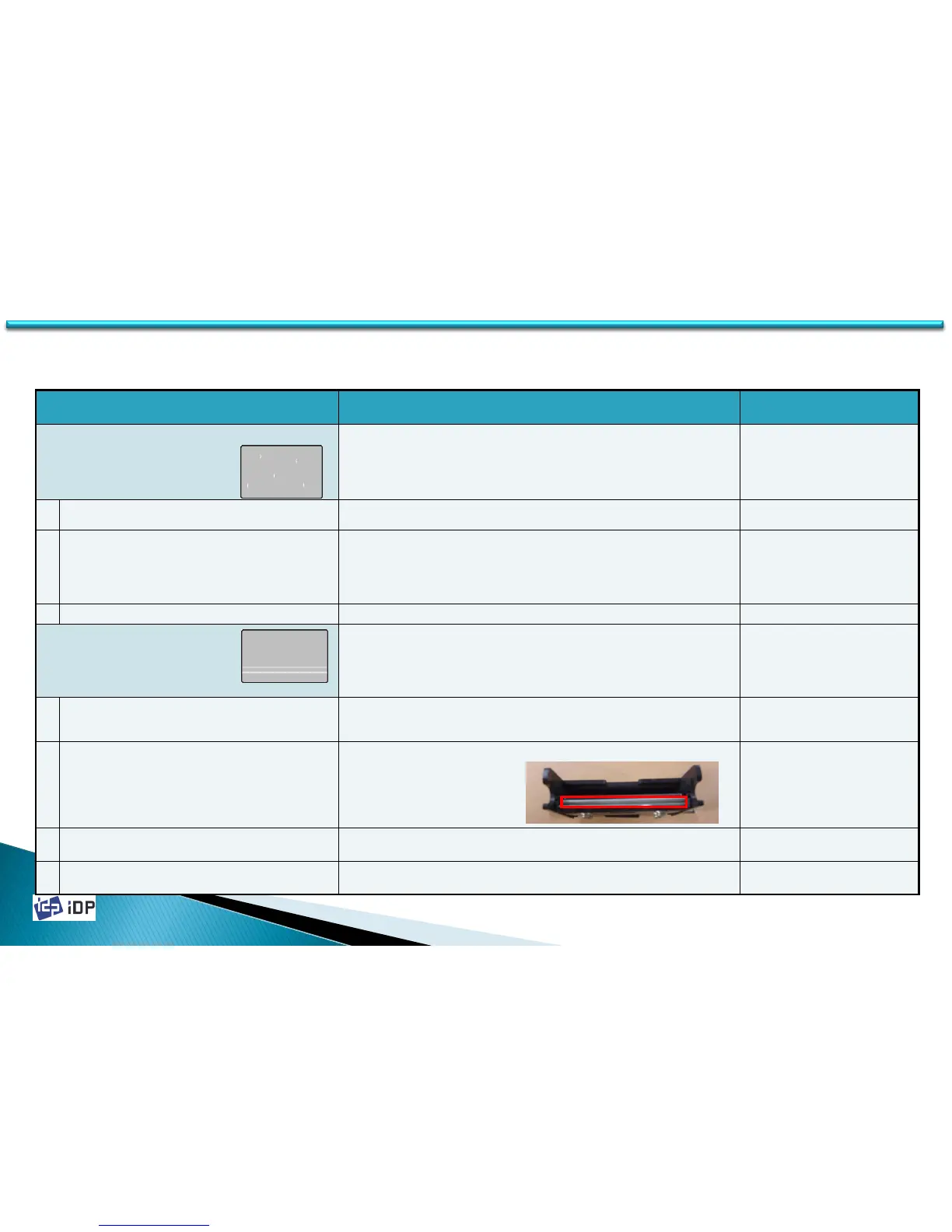
5.4 Printing Quality
Symptom Countermeasures Related Parts
Some parts of a card are not printed or printed in
different colors
It can be happened if the printer is not used for a long time or not clean
card is used. Change the card and try to print again. If the problem is
occurred so often, refer to the below countermeasures.
1 When there is dust on the surface of card Remove the dust on card surface or change to the new card.
2
Cleaning roller in ribbon cartridge is
contaminated
If the cleaning roller is contaminated, change to the new one.
※ If the printer is not used for long time, the adhesive power of the
disposable cleaning roller is decreased so in this case, it should be
changed to new one.
Disposable
Cleaning Roller
3 There is too much dust inside of the printer Remove the dust inside of the printer
When there is not printed lines
This can be occurred when there is dust on the Thermal Print Head or
the Print Head thermal line is damaged. Refer to the below
countermeasure.
1
The ribbon or ribbon cartridge is not installed
properly
Check the ribbon cartridge’s installation state and whether the ribbon
panel is wrinkled.
2 When there is dust on the Print Head
Clean the Print Head using the cleaning kit.
3 Thermal Print Head surface is damaged
The Print Head should be changed. Refer to the manual 3.2.1./ 4.1.3.6
and change.
640257(ASSY
S3,PRINT_HEAD_KPE)
4 Thermal Print Head’s thermal line is damaged
The Print Head should be changed. Refer to the manual 3.2.1 / 4.1.3.6
and change.
640257(ASSY
S3,PRINT_HEAD_KPE)
5.4 Printing Quality



 To Next Page