2014-03-24
67
4.1 Setup
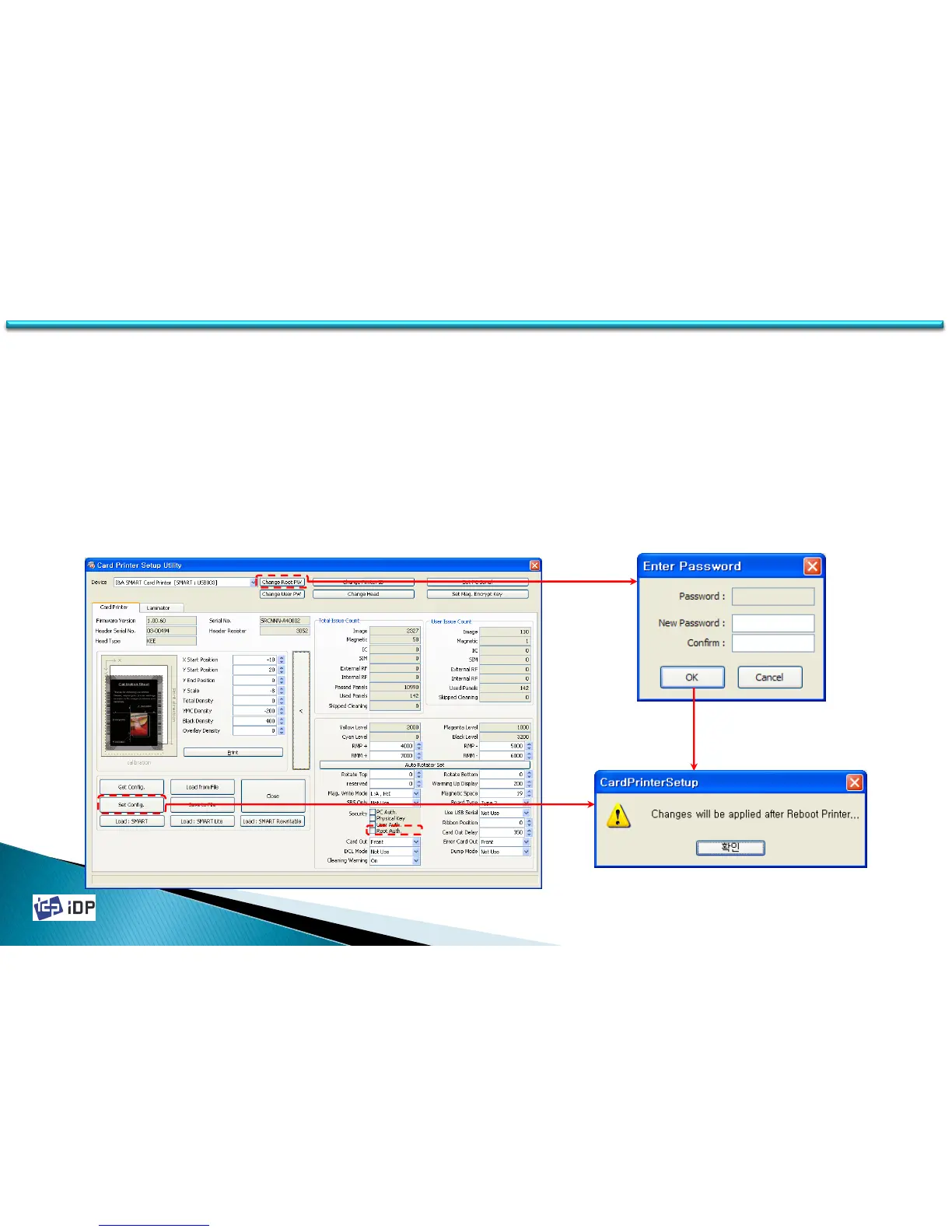
• Root Auth.
Root Witness allows using PC for someone (administrator) who knows Root password.
To activate this function, please tick ‘Root Auth.’ and click ‘Set Config’.
After setting Root Auth., this function is activated after re-booting ID card printer. In case printer is locked, LCD
(or Watchman) displays “Unlock Please” message. When you unlock the printer by inputting password using SDK,
“System Ready’ is displayed.
To change password, click ‘Change Root Password’ and password change pop up comes up. You can change
password and it will be applied after card printer is re-booted.



 To Next Page