2014-03-24
94
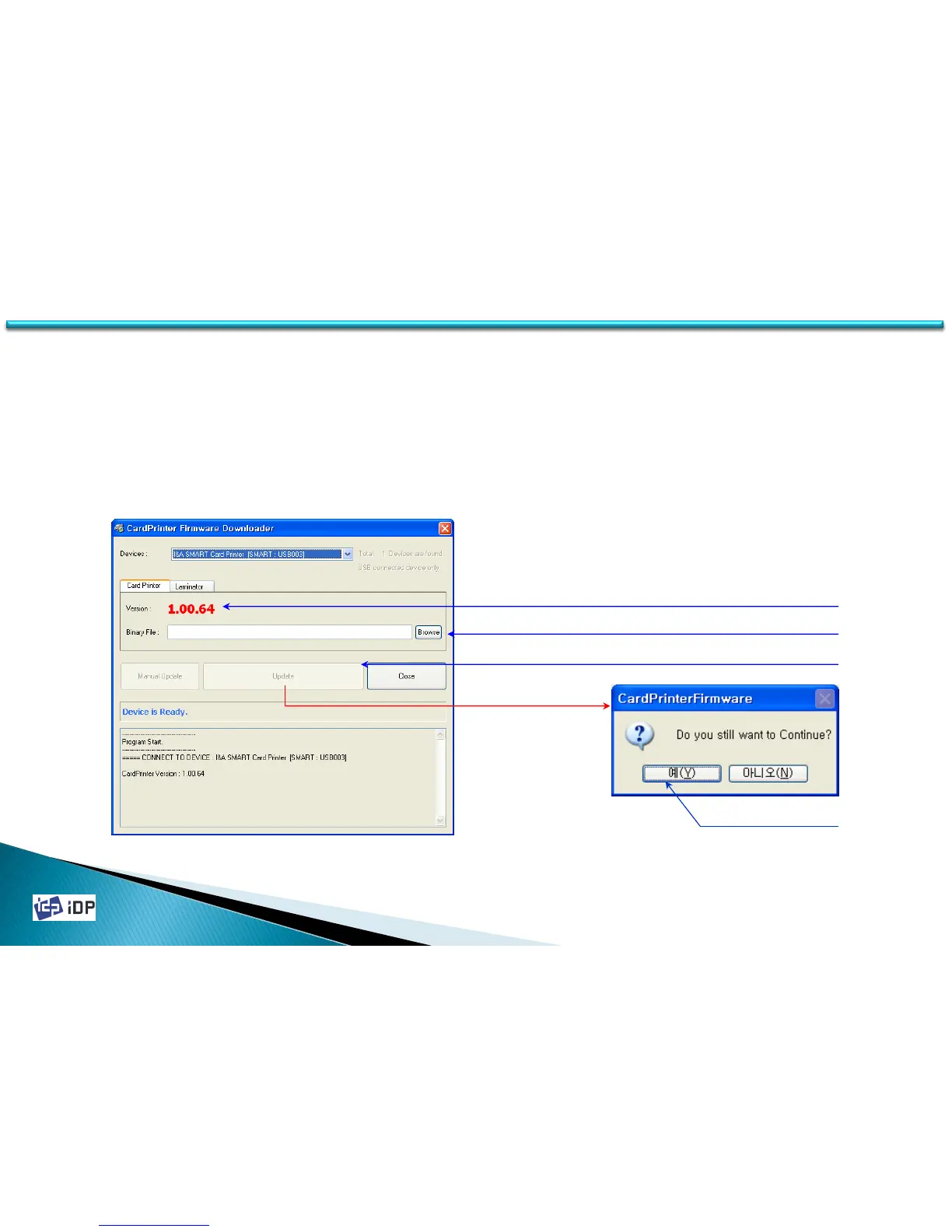
4.3.2 Automatic Update
Printer Update is the same as Laminator Update. The upgrade procedure is as follows.
1.Check the current printer’s firmware version.
2.Press “Browse” button and select the firmware you want to install.
3.Press “Update” button and update.
4.Click “OK” on dialogue message to continue the update.
5.Waiting until the firmware update is finished.
4.3 Firmware
1. Check current firmware version
2. Browse new firmware
3. Push Update buttons
4. Push OK button
( In firmware update, the printer is automatically rebooted.)
( During update, please do not operate the printer or close the program.)



 To Next Page